
Participant
October 9, 2021
Question

problem importing photos

  • October 9, 2021
  • 5 replies
  • 712 views

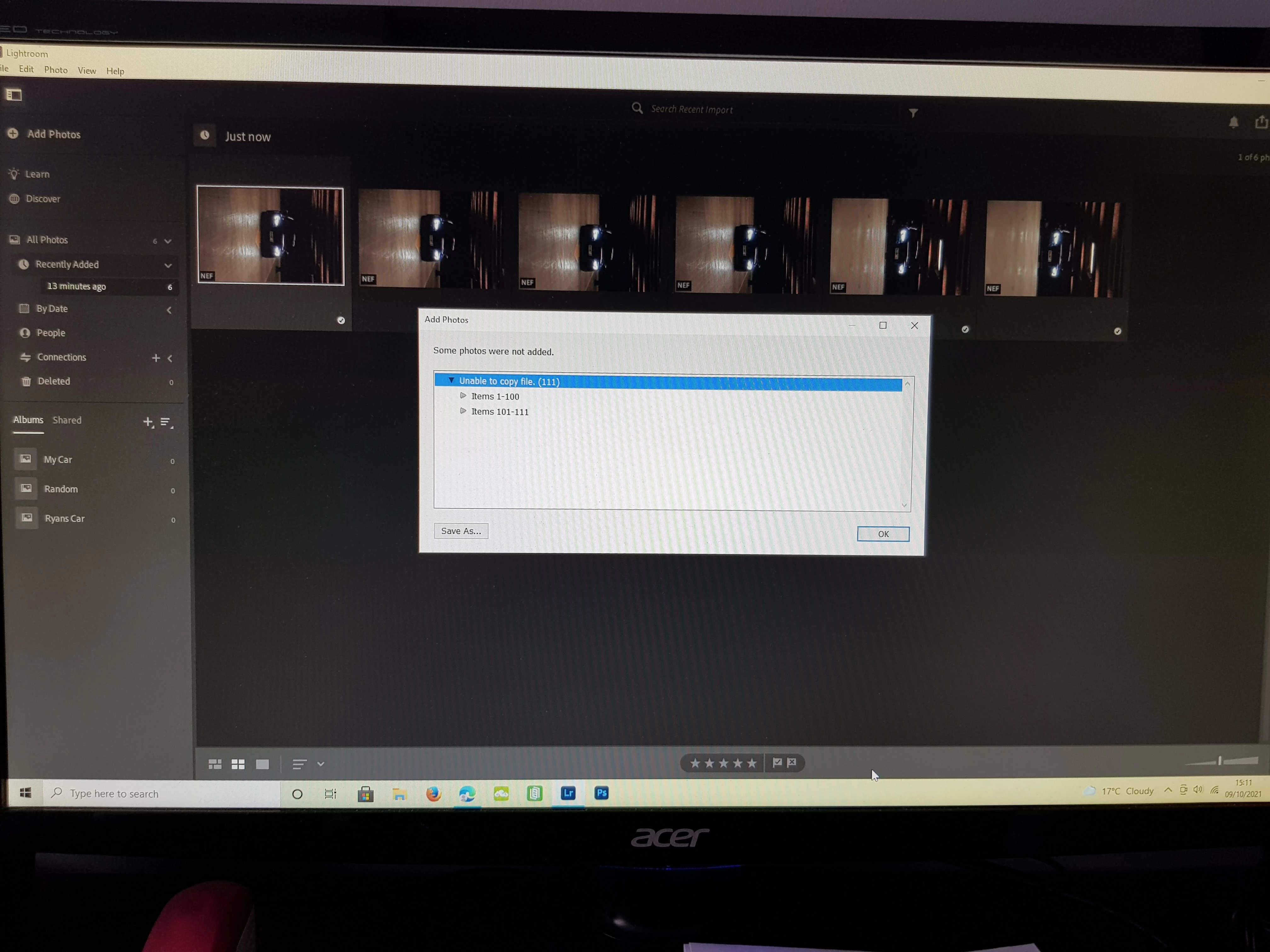
for the past 2 days i have been having problems importing/adding photos into lightroom. in the months i have been using lightroom i have never had this problem untill now and its stressing me out ahah. the way i work is. i have a desktop folder named "raw pictures" that i move my photos from my sd into this folder and i then eject my sd. i enter lightroom and press add photos to which i add them from said folder. for the past 2 days when trying to add photos it comes up a window saying "some photos were not added, unable to copy file"!! but as you can see it has allowed me to add 6 photos out of 143, when i try to add phots for the 1st time it will say "unable to download photos" but after that it will say "copy photos". no settings have changed in my camera . hoping someone on here can shine some light on the situation. 
thanks


Dom 

This topic has been closed for replies.

5 replies

Participant
October 10, 2021

I have the exact same issue! Does anyone know how to fix the issue?

Timothy.Spear
Inspiring
October 10, 2021

Through luck, I was having issues only on my laptop not on my desktop. I then also started having issues with my software development tools; I eventually traced my issues down to McAfee's realtime antivirus scanner. I shut it off, problems went away, so I switched my laptop to Norton.


No idea, if this is the same cause you have,


Tim

Participant
October 10, 2021

I am also having the same issue and wanted to cancel because of it, but also want to charge the $20 fee. I see no way to contact them for support or help in the matter and I'm not happy I am paying for a service that now only allows me to upload 6 pictures....there needs to be online chat or something.

Rob_Cullen
Community Expert
Community Expert
October 10, 2021

"for support or help"-

You need to contact Adobe directly through the Chat system at the link.
https://helpx.adobe.com/contact/support.html
Look for and Select the chat icon at the bottom right of the page to open a chat session.


Type in AGENT into the chat window to connect directly to a person rather than the AI System.

You need your Web Browser logged in to your Account Id and Cookies allowed.


Regards. My System: Windows-11, Lightroom-Classic 15.4.1, Photoshop 27.8, ACR 18.4, Lightroom 9.4, Lr-iOS 10.4.0, Bridge 16.0.3 .
Participating Frequently
October 12, 2021

We've contacted support.  This has been a problem for MONTHS.  This bug should have been fixed a long time ago.  We are all getting "unable to copy file" error when trying to add photos.  Please fix this.  There are multiple threads already.  Hundreds of posts regarding this in my fb photography groups.  Everyone with the same error after changing absolutely nothing about their work flow or settings.  This is an Adobe problem.  Why is this still not fixed?????


Participant
October 10, 2021

same issues it took me 40 trys last week to finally upload all 60 pictures..... super frustrating and when i went to cancel my membership to look into others they are wanting to charge me a 20 dollar cancel fee.... When i cant even use this... 

Participant
October 9, 2021

Glad to see I am not alone in this problem!  Sure wish they would get it fixed.

Participant
October 9, 2021

I'm having the same problem. have tried everything, including deleting most of my raw files off of hard drive after loading them to a seperate drive, and starting over. I've even deleted and rebooted lightroom, and then loaded some files and the problem seems to have gotten worse!!