


January 12, 2026
Answered

Problem with logging into Lightroom on smartphone.

  • January 12, 2026
  • 1 reply
  • 128 views

Hello.

I downloaded Lightroom on my smartphone, I wanted to log in with my Adobe account, I had to confirm my identity in the Authenticator app, because it is a corporate account and then the Lightroom link told me that I had to open the Microsoft Edge browser, that it couldn't be done otherwise, I downloaded Microsoft Edge and after I opened the link, an error message popped up saying that something was wrong.

I don't know why, but it keeps forcing me to log in through Microsoft Edge and then it reports an error.


Please help me.
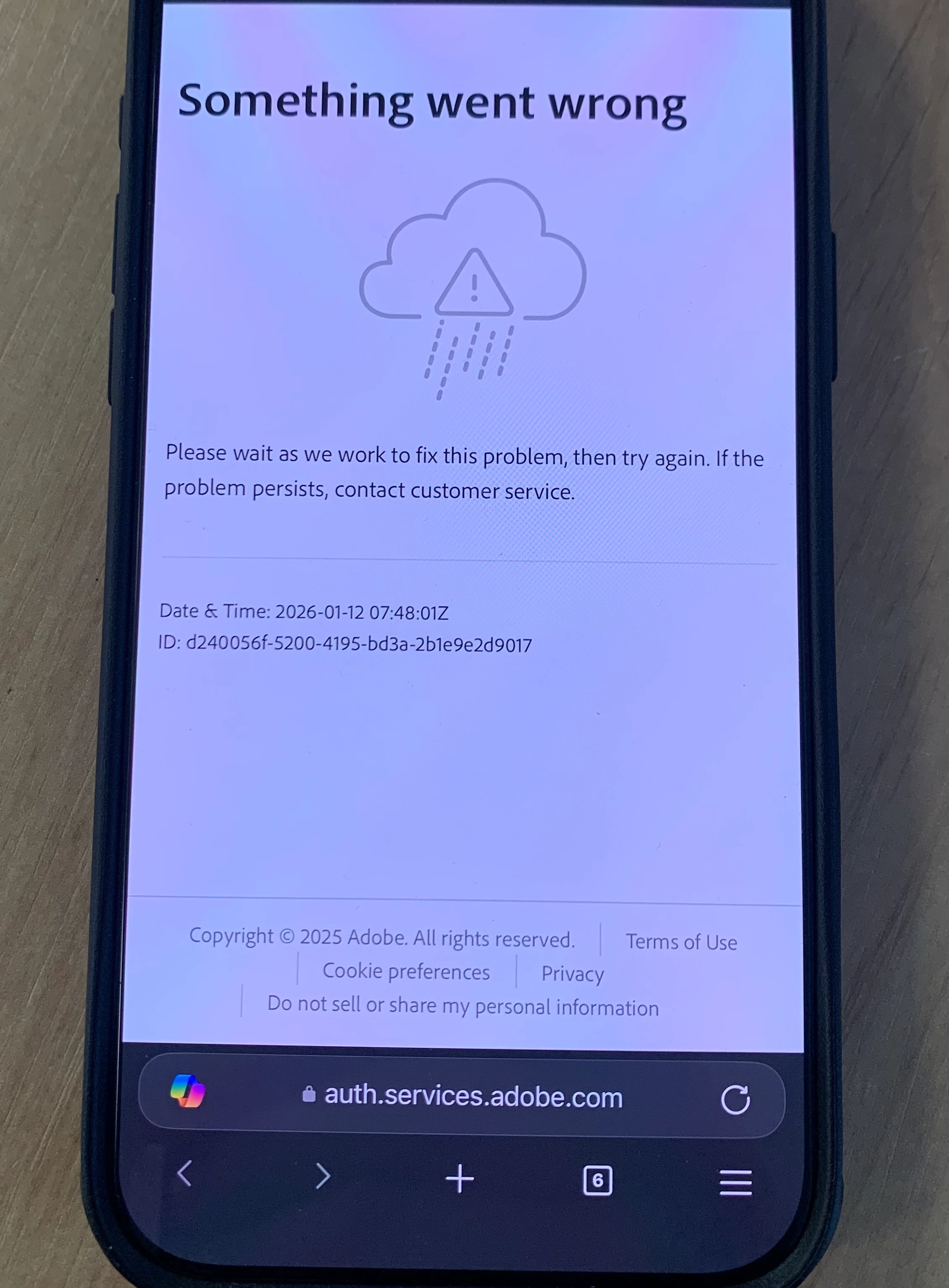
 

Error message id - d240056f-5200-4195-bd3a-2b1e9e2d9017

Correct answer lukas_8920

Hello.

Yes, I tried Adobe Photoshop and had the same problem. Whenever I want to log into my Adobe account from my phone in the Lightroom or Photoshop app, I fill in my details, confirm my identity in the Authenticator app, and a window pops up saying that the only way is to open the link in Microsoft Edge (I'm attaching a screenshot), and then an error message pops up saying "something is wrong" (screen in the first comment).


I tried logging in from my personal computer, not my work computer. I confirmed my identity in the Authenticator app, and the program started and worked normally. I didn't have to open any link via Microsoft Edge.

I don't understand where the error is and why it doesn't work from my mobile phone.

I would be very grateful for your help.

1 reply

Srishti_Bali
Legend
January 12, 2026

Hi @lukas_8920,


Thanks for reaching out. This is a generic message that usually appears due to a service or network-related issue. Could you please confirm whether you’re able to sign in and use other Adobe apps, such as Adobe Express or Photoshop? Let us know if sign-in works there.


Also, please try connecting to a different network (for example, a mobile hotspot or another Wi-Fi connection) and check if the issue persists. Do let us know how it goes so we can assist you further.


Regards,

Srishti

lukas_8920AuthorCorrect answer
January 14, 2026

Hello.

Yes, I tried Adobe Photoshop and had the same problem. Whenever I want to log into my Adobe account from my phone in the Lightroom or Photoshop app, I fill in my details, confirm my identity in the Authenticator app, and a window pops up saying that the only way is to open the link in Microsoft Edge (I'm attaching a screenshot), and then an error message pops up saying "something is wrong" (screen in the first comment).


I tried logging in from my personal computer, not my work computer. I confirmed my identity in the Authenticator app, and the program started and worked normally. I didn't have to open any link via Microsoft Edge.

I don't understand where the error is and why it doesn't work from my mobile phone.

I would be very grateful for your help.