

Question
🔎 Quick Tip: Share your edits with other Lightroom users!

Did you know that you can share your photo edits with other Lightroom users? You can do this on via your desktop, mobile device, or even the web browser! Your edits can also be downloaded as presets!
What you'll need: Lightroom (Mac, Windows, iOS, Android, Web)
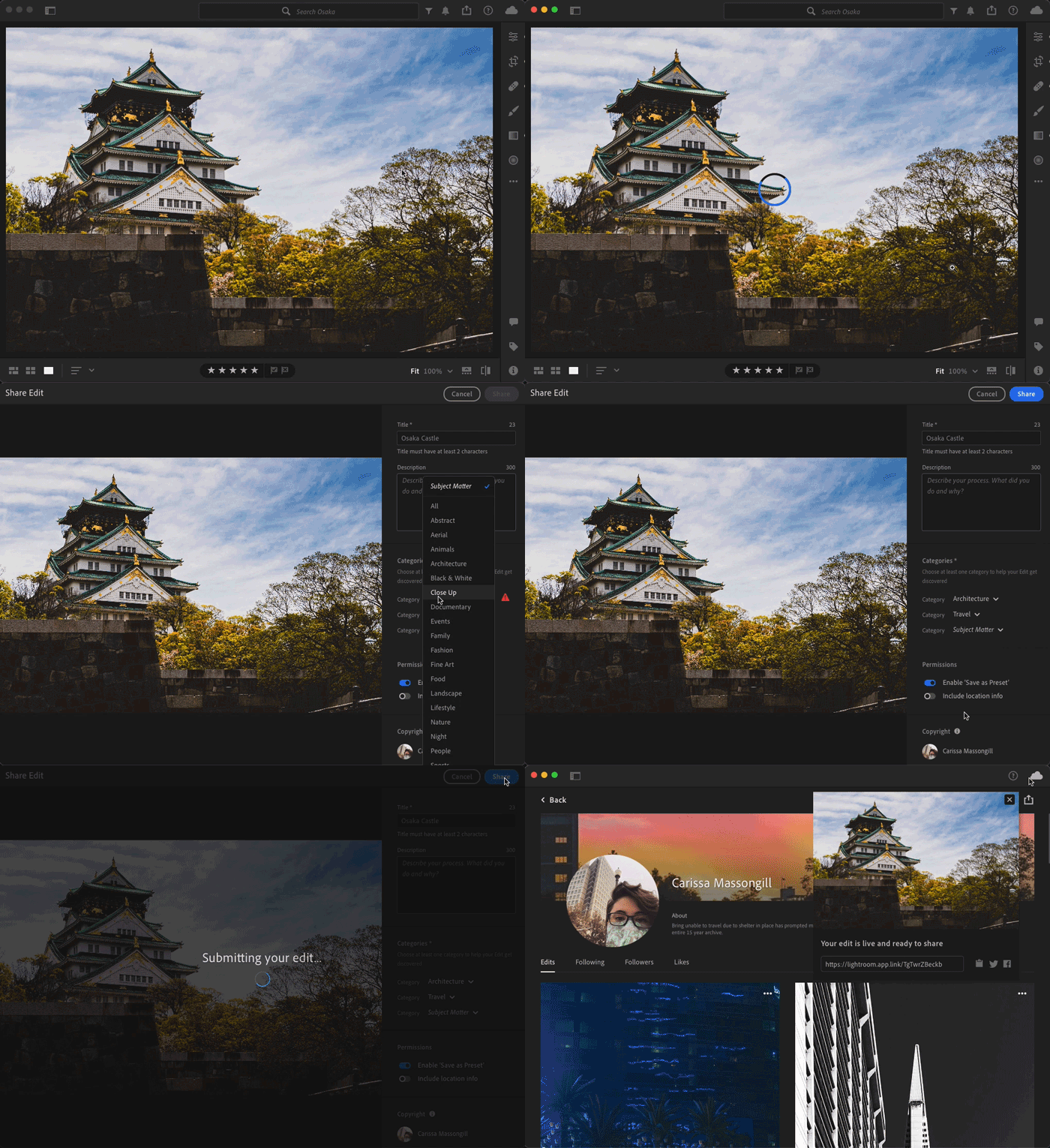
➊ Choose an image you’ve edited and would like to share.
➋ Click on the share icon in the upper left > Share Edit
➌ Give your edit a title & description. Choose 1 – 3 categories.
Note: If you don’t want your edits to be available as a preset, make sure to disable that option.
➍ Click share!
➎ Share your edit like with the world!
Ex: shareable link
Want to know more about presets? Let us know in the comments below!


 AdChoices