
Participant
March 6, 2021
Answered

RAW Files not displaying in Lightroom Desktop on Windows 10

  • March 6, 2021
  • 5 replies
  • 401 views

I updated my Adobe suite a couple of days ago, but my Lightroom cannot update, as our company hasn't downloaded the latest version of Windows 10 yet. Since the update of the suite, the RAW files in Lightroom are not showing up correctly: 
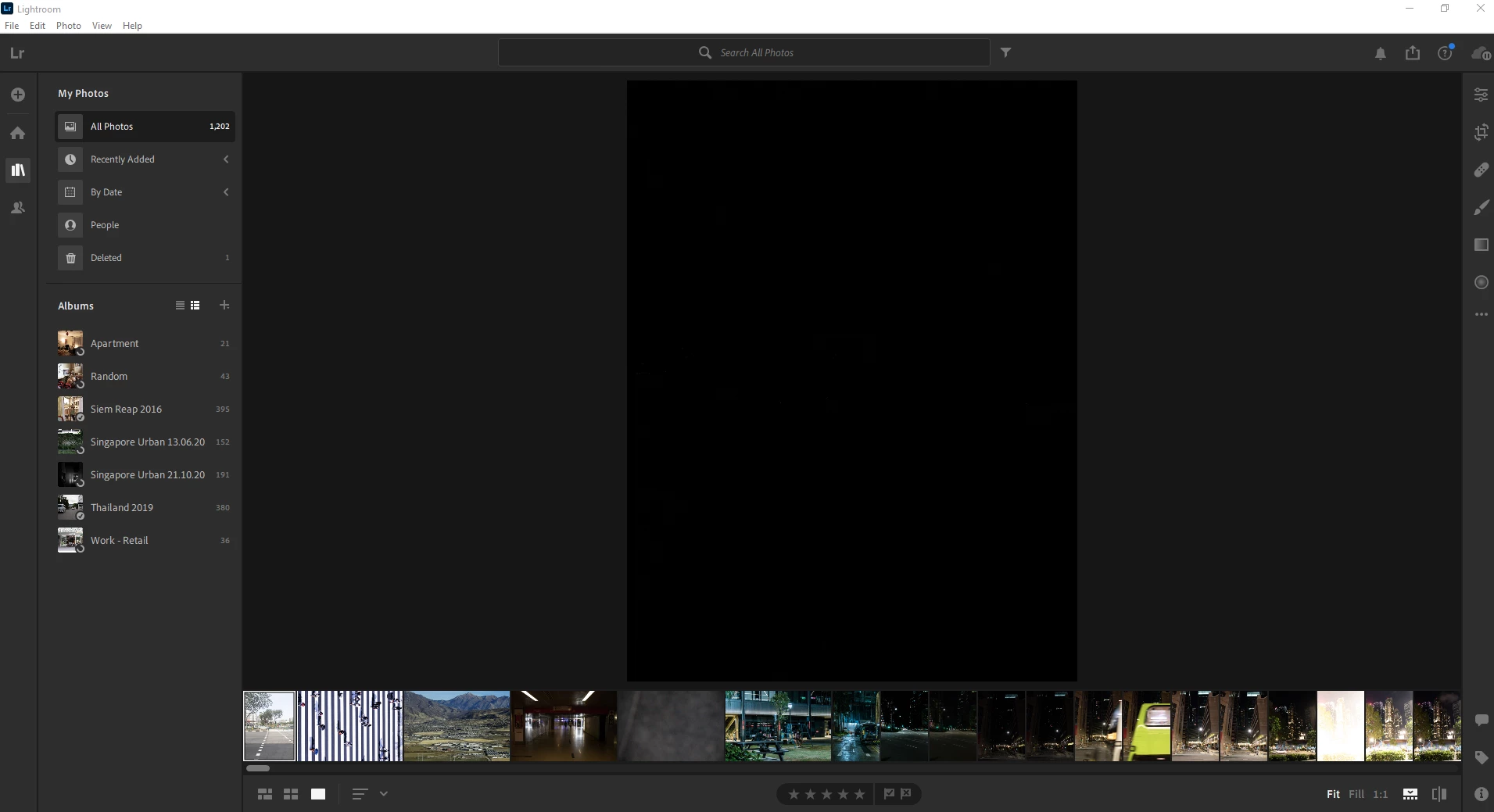
 

Any ideas?

This topic has been closed for replies.
Correct answer Andy5D99

Hi All,


Fixed the problem, when I turn off GPU for image processing, the images appear. My IT department upgraded us to the latest Nvidia drivers last week, so I'm wondering if that made some issue.


Cheers.

5 replies

Andy5D99AuthorCorrect answer
Participant
March 7, 2021

Hi All,


Fixed the problem, when I turn off GPU for image processing, the images appear. My IT department upgraded us to the latest Nvidia drivers last week, so I'm wondering if that made some issue.


Cheers.

Akash Sharma
Legend
March 9, 2021

That's great. Glad to know it worked. If you have any other query or need further assistance, feel free to get back to us anytime.


Thanks, 

Akash

Andy5D99Author
Participant
March 7, 2021

Hi All,

Tried the sync then signed out and back in, with the same issue. Some slight change, the CR2 image now shows very briefly when clicked then turns black; however, if you look closely you can see something in the picture. But I've checked that it's not changing exposure, etc. and no funky changes there. In addition, as you can see at the bottom the CR2 files are all there showing fine. Perhaps I should try reinstalling lightroom?

Andy5D99Author
Participant
March 7, 2021

Hi Guys,


Thanks for the help. I am using Version 3.4, as I can't upgrade until our company installs the latest Windows 10 updates.

I had paused syncing as I'm editing personal photos and didn't want them syncing to my work cloud. I've set the sync going again to try and sort out the issue. Just out of curiosity, why would the sync status affect my file display? Is it due to a cache limit?


Cheers.

Akash Sharma
Legend
March 7, 2021

Hi there,


Sorry that Lightroom desktop does not show your images and the homescreen stays blank.


Which version of Lightroom Desktop are you using?


You can resolve this issue by signing out and then signing in again. 

  1. From the menu bar, choose Help > Sign Out.
  2. Lightroom will now restart. 
  3. Sign in with your Adobe ID again when prompted.  


Also, as mentioned bt Selendon above, please enable sync from the top right cloud icon.


Let us know how it goes.


Thanks,

Akash

selondon
Community Expert
Community Expert
March 6, 2021

In that screenshot it looks like syncing is paused... has it completed yet?