
Participant
August 14, 2023
Question

RAW photos issue on S23 Ultra
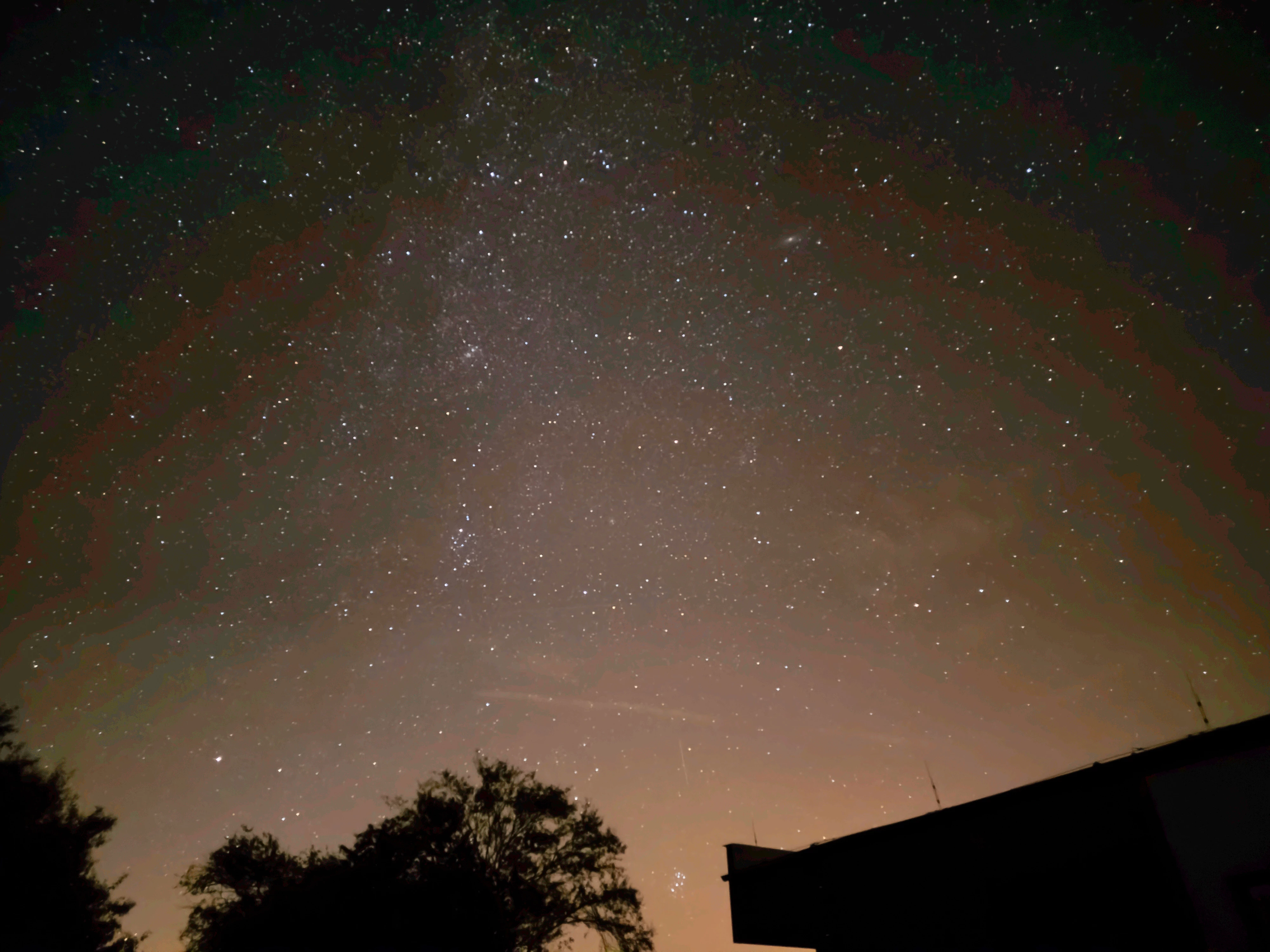
 Good morning, I've got problem with RAW photos in Lightroom on S23 Ultra. In Samsung gallery RAW photo looks perfect but when I open it in LR, it makes these lines or halfcircles or I don't know how to call it and it also have different colors. Could somebody help me? Thank you 

This topic is closed to new replies. Start a new post to keep the conversation going.

3 replies

Wurstkrapfen
Inspiring
August 20, 2023

Did you use expertRAW? Change the profile to Adobe Color instead.


Otherwise maybe wait a little longer until it renders the raw file and not display the preview jpg.

Translate
Participant
August 21, 2023

Thank you for your advice. I used ExpertRaw but I am not sure how to change the profile to Adobe Color. I think there is a problem with rendering,  becouse when I open RAW photo in LR, for first time looks correct but few seconds later after rendering looks bad. For now I use Adobe Photoshop, where photos look like original.

Translate
Wurstkrapfen
Inspiring
March 12, 2024

Samsung fixed the color banding issue with ExpertRAW 3.0.04.4.

I was and issue with the image data, the preview image looked fine, that's why you saw it correctly at first.


DNG are still a scam though: https://community.adobe.com/t5/camera-raw-discussions/samsung-s24-ultra-phones-don-t-do-raw-anymore-it-s-not-adobes-fault/m-p/14443437

Translate