
RAW profiles not available for RAW photos taken w/ new iPhone?
[I originally posted this an hour ago as a reply to stephend14166160, before I realized that mine is probably a separate issue.]
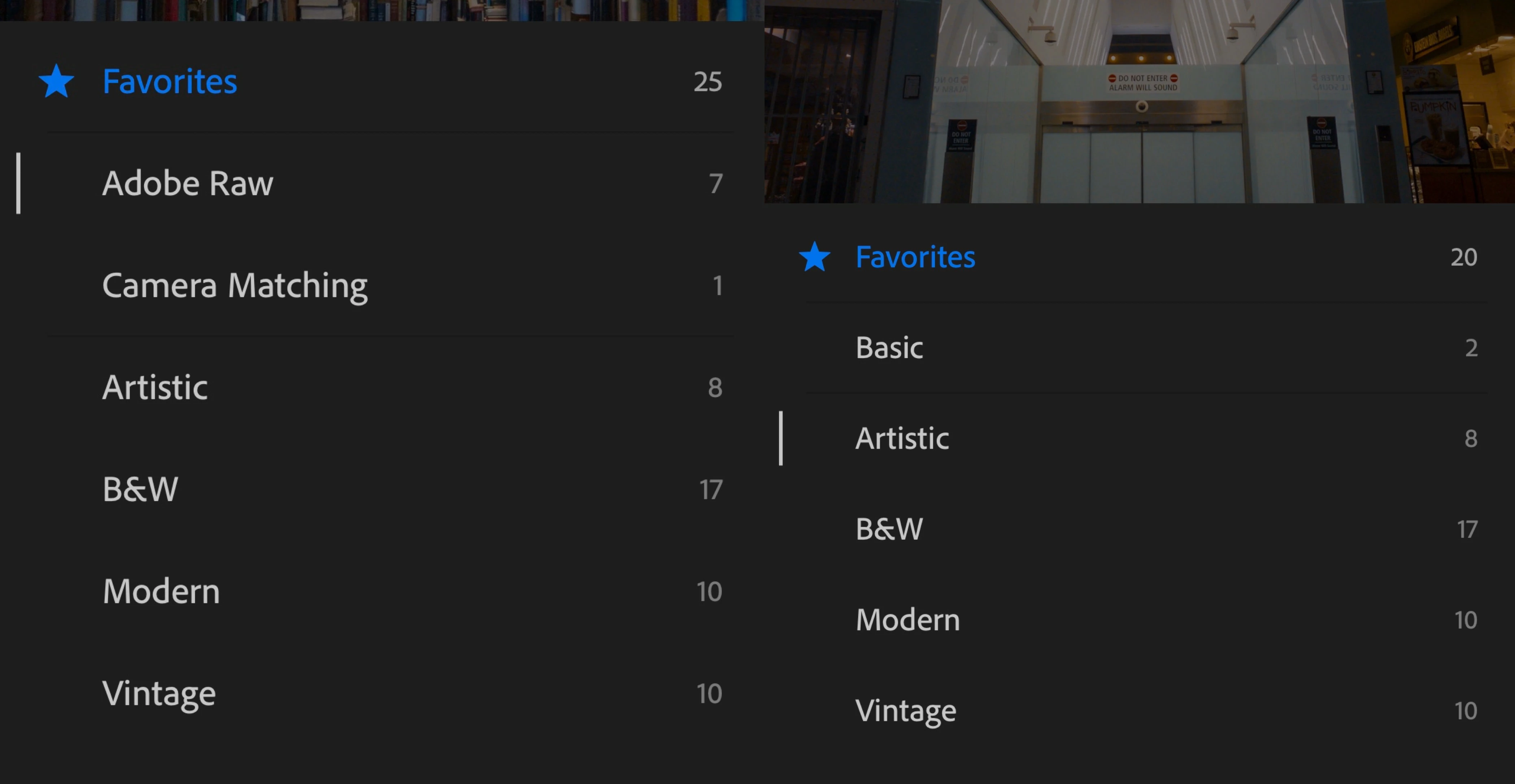
RAW profiles (like Adobe RAW and Camera Matching profiles), are not available for photos that I've taken on my new phone (iPhone 11 Pro Max, iOS 13.1). They *are* still available for photos taken on my previous phone (iPhone X, iOS 12.4.1), including photos taken since I got the new phone.
This seems to happen for any RAW files, whether taken with the camera in the Lightroom iOS app, or with another third-party app, like Halide. It occurs when I view the files in Lightroom on either phone.
On the left is what I see for RAW photos taken on the old phone. On the right is what I see for RAW photos taken on my new phone. I have tried removing and re-installing the Lightroom iOS app, and of course restarting my phone.
I verified that this is also true on Lightroom for desktop, which I re-installed just now.
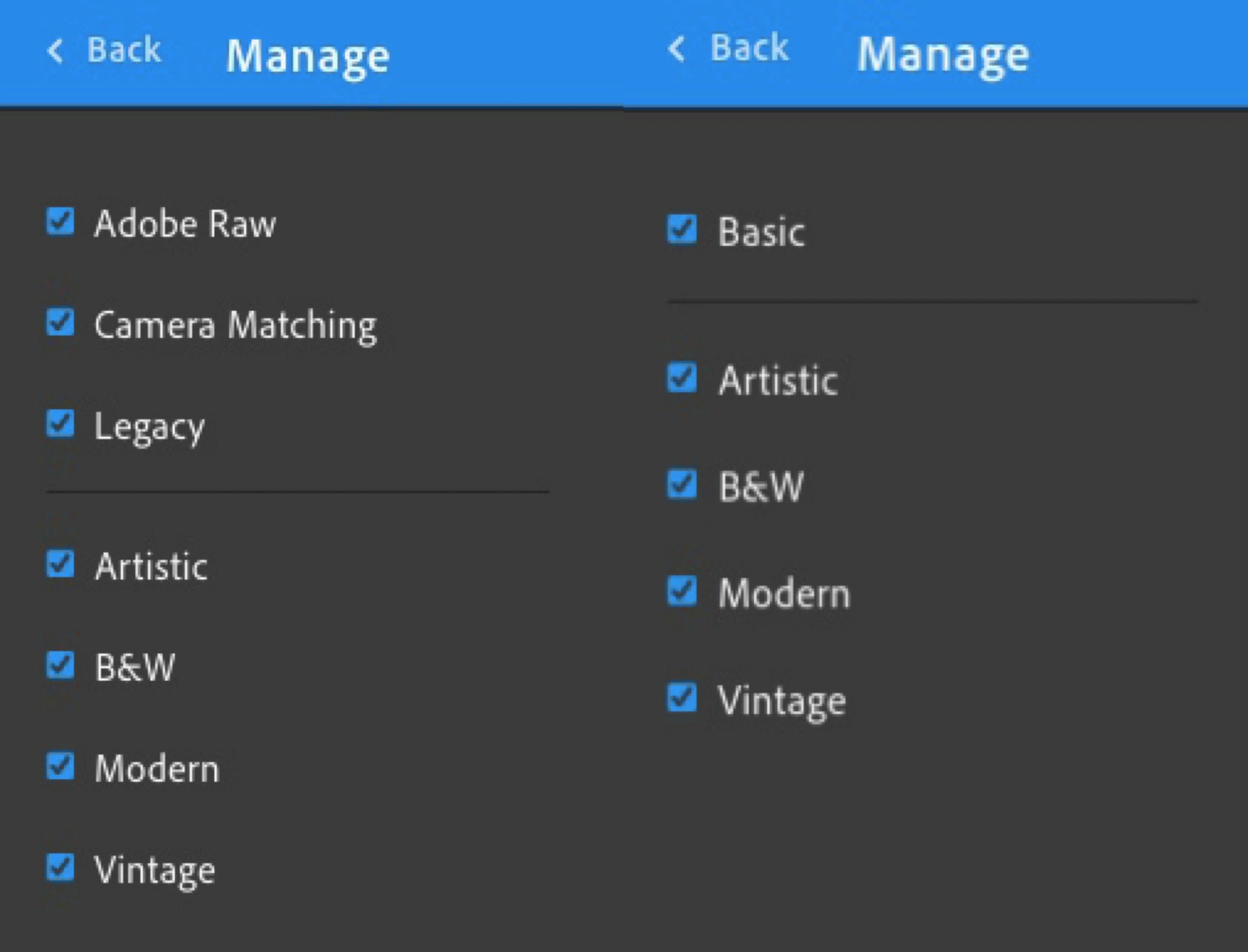
This seems like an issue with reading the file metadata—not recognizing that a RAW photo taken on the new phone is actually RAW (and thus eligible for the RAW profiles). I have attached two example DNG files, both taken with the Lightroom iOS app camera. (I used the HDR mode, but non-HDR photos behave the same.)
Here are two example files (which I was not able to attach here due to an error: "The attachment's content type (image/x-adobe-dng) does not match its file extension and has been removed.")
- RAW profiles available—RAW photo taken with iPhone X, iOS 12.4.1, Lightroom HDR camera:
- RAW profiles not available—RAW photo taken with iPhone 11 Pro Max, iOS 13.1, Lightroom HDR camera:
Thanks!
—Matt


 AdChoices