

csgaraglino
Known Participant
October 16, 2025
Answered

Remove Learn/Community Panel?

  • October 16, 2025
  • 1 reply
  • 114 views

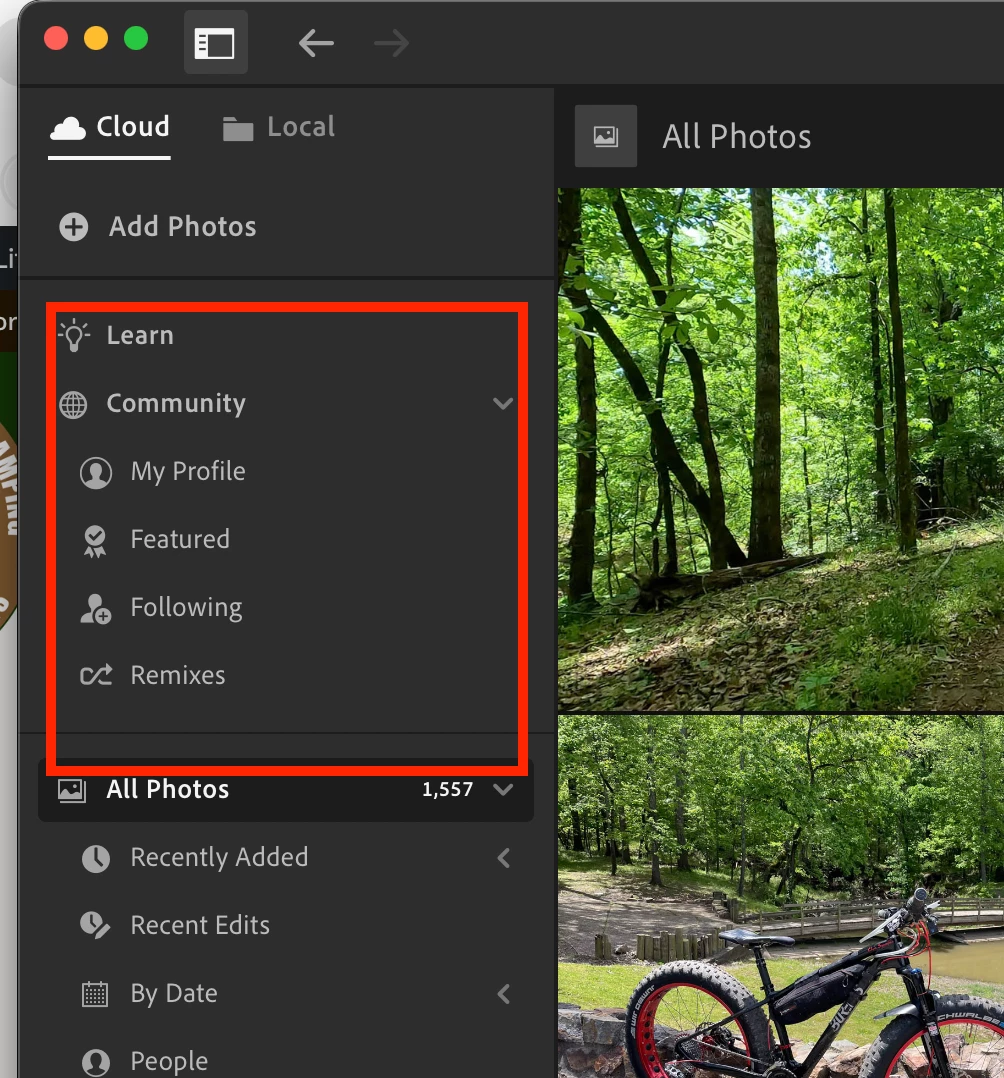
How do I remove the learning community panel on the left-hand side of light room. I'm on a 13 inch Mac when I'm on the road and screen real estate is out of premium and this is just wasted space for me to do my work, but I can't figure out how to turn it off or get rid of it.


If somebody has ideas of how to do that, I would be greatly appreciated!


Correct answer Sameer K

Thanks for understanding. Customizing these panels is currently not an option. I hope you understand. 


Sameer K
(Type '@' and type my name to mention me when you reply)

1 reply

Community Manager
October 16, 2025

Hi @csgaraglino, thanks so much for reaching out!
You can minimize the panel by clicking the arrow next to “Community.”
Hope that helps! Let me know if you need anything else.
Alek

*(If you mention me with an @, like @Aleke, I’ll get a notification and can respond faster.)*
csgaraglino
Known Participant
October 16, 2025

I know that closes it up some, but I was hoping to remove it completely.

Sameer K
Community Manager
Sameer KCommunity ManagerCorrect answer
Community Manager
October 17, 2025

Thanks for understanding. Customizing these panels is currently not an option. I hope you understand. 


Sameer K
(Type '@' and type my name to mention me when you reply)