


Inspiring
October 26, 2017
Answered

Remove photos from LR CC but keep locally

  • October 26, 2017
  • 2 replies
  • 14927 views

I thought that Lightroom CC as part of the full CC plan came with 10TB of storage, so I started uploading all files from Lightroom Classic. At 100GB (which is a far cry from what I expected), the upload stopped.
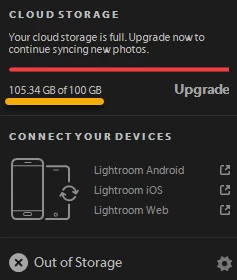
I don't see a way to delete photos from LRCC without also having them deleted from my local computer. Since I was apparently wrong about how much space Adobe provides, I could use LRCC for current work and then delete the files from the cloud -- but this seems not to be an option. I've seen other similar questions regarding how to delete files from the cloud, but I haven't seen a definitive answer.
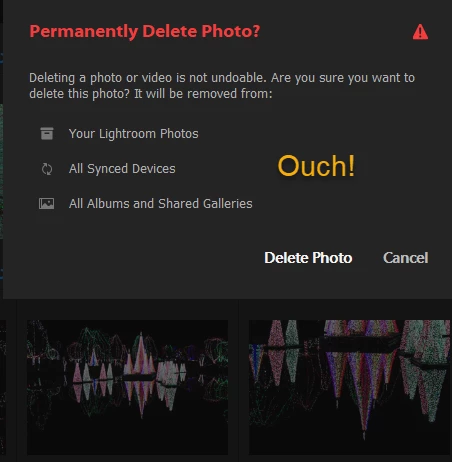
Here's hoping somebody has one!

Correct answer David Illig

Clicking the cloud icon in the upper right corner of the Lightroom CC window will tell you how much cloud space you have in total and how much you have used.

Deleting photos from Lightroom CC does not delete them from Lightroom Classic.

2 replies

nickc22688036
Participant
May 17, 2020

The accepted answer is no longer true in 2020.


For those like me who find this two years on as a top Google hit: The answer is to remove the photos from your 'All Synced Photographs' Collection. Credit: https://community.adobe.com/t5/lightroom/removing-photos-from-cloud/m-p/9407328?page=3#M613

David IlligCorrect answer
Inspiring
October 26, 2017

Clicking the cloud icon in the upper right corner of the Lightroom CC window will tell you how much cloud space you have in total and how much you have used.

Deleting photos from Lightroom CC does not delete them from Lightroom Classic.

Inspiring
October 29, 2017

Deleting photos from Lightroom CC does not delete them from Lightroom Classic.

For some unknown reason a post that asked me if I was certain of the above was deleted from this thread. I'll answer it anyway: yes, I am certain that deleting photos from Lightroom CC does not delete them from Lightroom Classic.

TechByterAuthor
Inspiring
October 29, 2017

I confirm that the answer is correct. Deleting files from LRCC does not delete them from LR Classic.

However, I'm still puzzled by the apparent 100GB limit, which I believe should actually be 1TB.