
Participant
January 11, 2025
Answered

Remove Tool Construction Cranes

  • January 11, 2025
  • 1 reply
  • 224 views

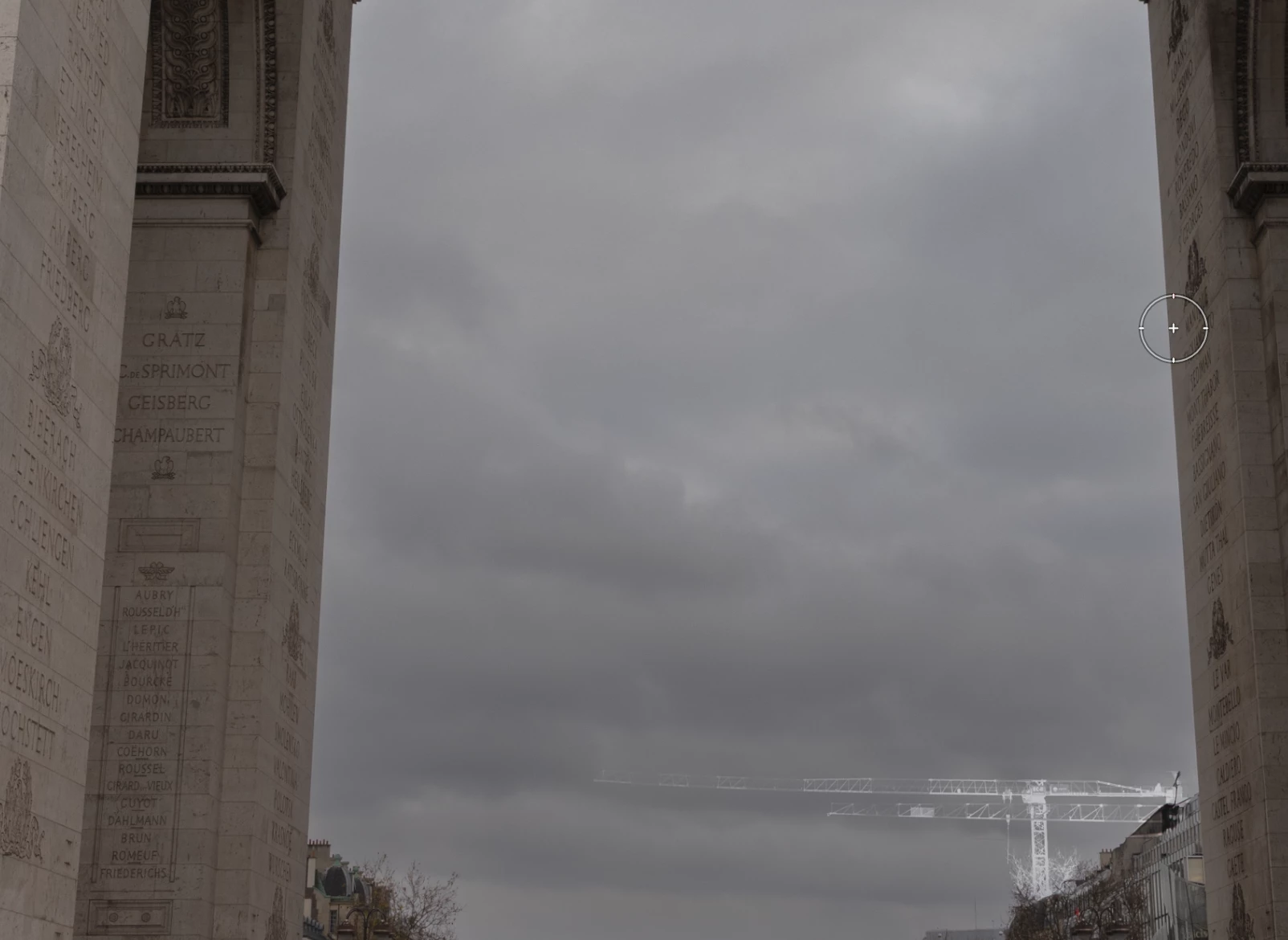
Hi, I have an issue to remove construction Cranes on Lightroom, no matter if I use Remove Tool AI or normal Remove tool, Clone or Heal, tried on different photos and also tried with differente devices PC, Tablet, Phone and the result its the same, create like a Ghost Crane (screenshot os sample picture)

Its very common to find constructions cranes on cities, wil be great if you guys improve this issue. Thanks
Correct answer JohanElzenga

You need to update your sky mask. The explanation is as follows. If you create a sky mask while the crane has not been removed yet, then that mask will have a gap where the crane is located. If you then remove the crane with any remove tool, that gap will still be there. And so it will cause a ghost image to appear where the crane used to be. The solution is to update the mask, or to remove first and then create any masks.


1 reply

JohanElzenga
Community Expert
JohanElzengaCommunity ExpertCorrect answer
Community Expert
January 11, 2025

You need to update your sky mask. The explanation is as follows. If you create a sky mask while the crane has not been removed yet, then that mask will have a gap where the crane is located. If you then remove the crane with any remove tool, that gap will still be there. And so it will cause a ghost image to appear where the crane used to be. The solution is to update the mask, or to remove first and then create any masks.


-- Johan W. Elzenga
Participant
January 12, 2025

Thank you so much!! It Worked!!