
Removing selected originals from local storage
My workflow is as follows: I download the RAW files to a seperate folder on my PC and import these to Lightroom. I make a selection and edits in LR, export the JPEGs, back-up RAWs and JPEGs to a hard drive and remove the RAWs from the folder on my PC.
Now I found out that LR keeps all the RAWs in it's own folder, even though I haven't ticked any of the boxes under the 'local storage' settings (see included picture, settings are in Dutch. Even though it says it only takes up ~600 MB, the local storage files on the hard drive is ~90 GB). The pictures remain, even when they are removed from the LR library.
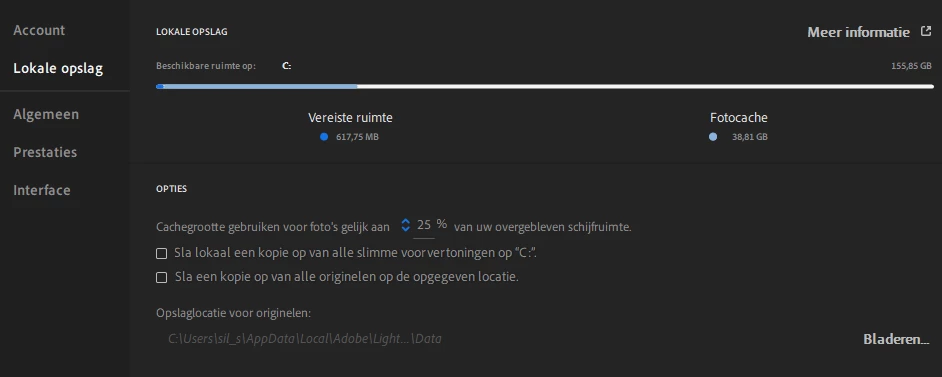
So my question is: How can I turn off this local storage (and thus keep my old work flow) and how can I remove all the RAWs I finished working on?
 AdChoices