

Participant
December 12, 2021
Question

Resizing problems

  • December 12, 2021
  • 1 reply
  • 384 views

Hey, basically I accidently changed the size of my edit settings and now they're tiny can someone please help me put them back to normal?
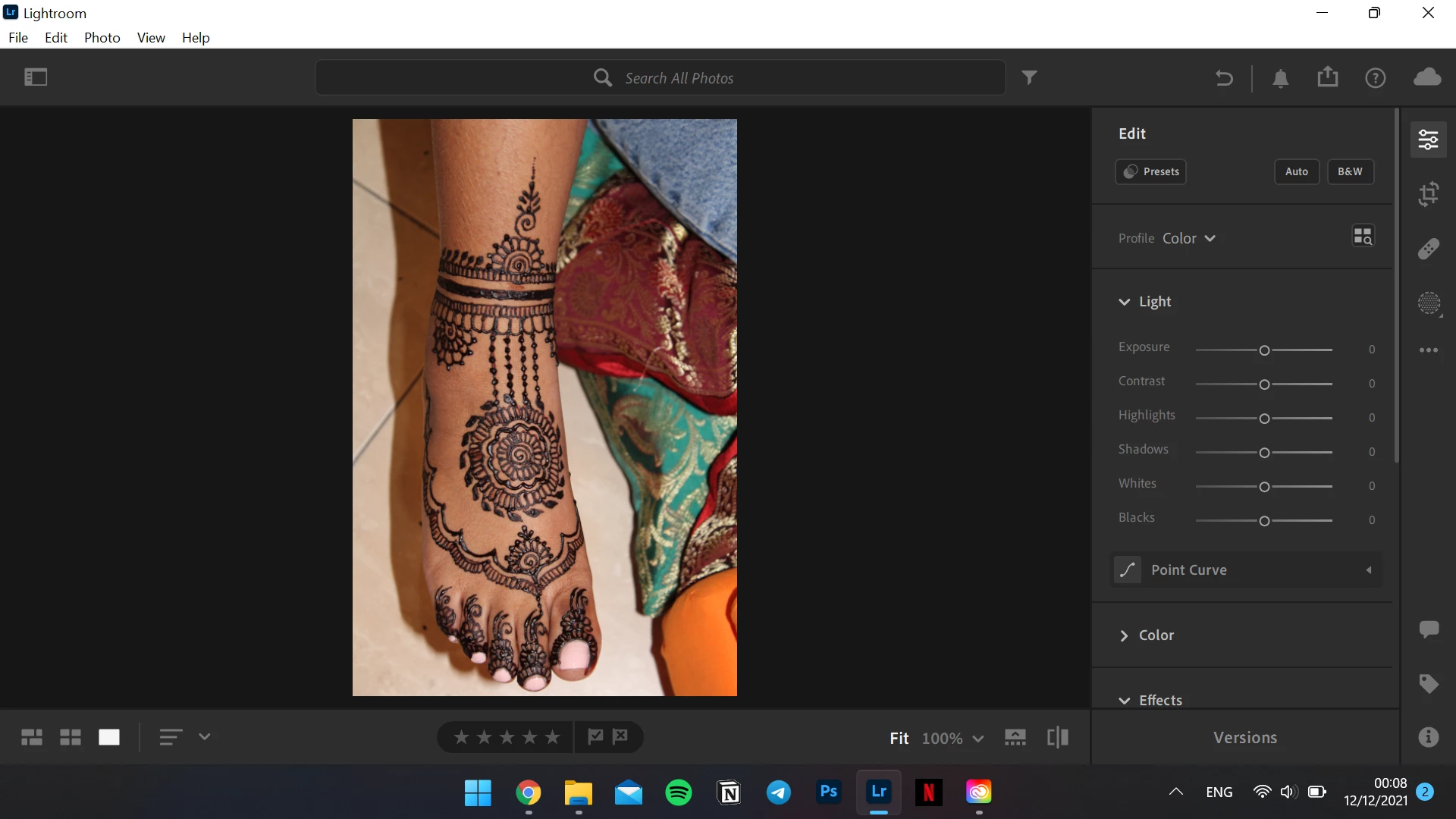
 

Much appreciated x

This topic has been closed for replies.

1 reply

Rob_Cullen
Community Expert
Community Expert
December 13, 2021

What do you mean by -"changed the size of my edit settings"

Your UI looks normal to me.


Regards. My System: Windows-11, Lightroom-Classic 15.3, Photoshop 27.5, ACR 18.3, Lightroom 9.3, Lr-iOS 10.4.0, Bridge 16.0.3 .
Participant
May 18, 2023

Rob, I accidently "shrank" my entire edit window and need to reset it. Any ideas?

Rob_Cullen
Community Expert
Community Expert
May 18, 2023

Still not sure of your situation.

Are you referring to the editing panels down the right side of the screen.

Are you aware of the Disclosure arrows that rotate to expand/contract each section of the edit panels?

Or is the Windows UI icons- 


Regards. My System: Windows-11, Lightroom-Classic 15.3, Photoshop 27.5, ACR 18.3, Lightroom 9.3, Lr-iOS 10.4.0, Bridge 16.0.3 .