Inspiring
December 13, 2022
Answered

Resolution coming out of Lightroom from my Raw Files is 240x240 and look terrible, unusable....

  • December 13, 2022
  • 3 replies
  • 8217 views

I design digital magazines and have done so for several years. I shoot in Raw and bring them into Lightroom for touch up. This past week i shot a fashion shoot and noticed my photos when i was laying them out in illustrator looked horribly pixelated. I have done over 30 shoots using this method and never experienced this before. I went back to my New York Fashion Week digital magazine i created, like all the rest, in illustrator and looked at the photos used and saw that they were imported from Lightroom at 324 px x 324. Be aware that i am using the exact same camera, the same settings, everything. (I called Sony to check and make sure that the RAW images could not be manipulated in the camera ((they Can't)). So i called Adobe after taking the raw photo first into photshop and checking the dimensions 20 inch by 13 inch by 300 Pixels. When i put them through LIGHTROOM, even if i output them as a TIFF, I still get 240 pixels and they look like crap, this just happened this past week after 5 years of bliss. Someone, anyone, explain to me what is happening and even more so, how i can fix it. I spent 4 hours on the phone today with Adobe. Any ideas PLEASE!!!

    This topic has been closed for replies.
    Correct answer Rikk Flohr_Photography

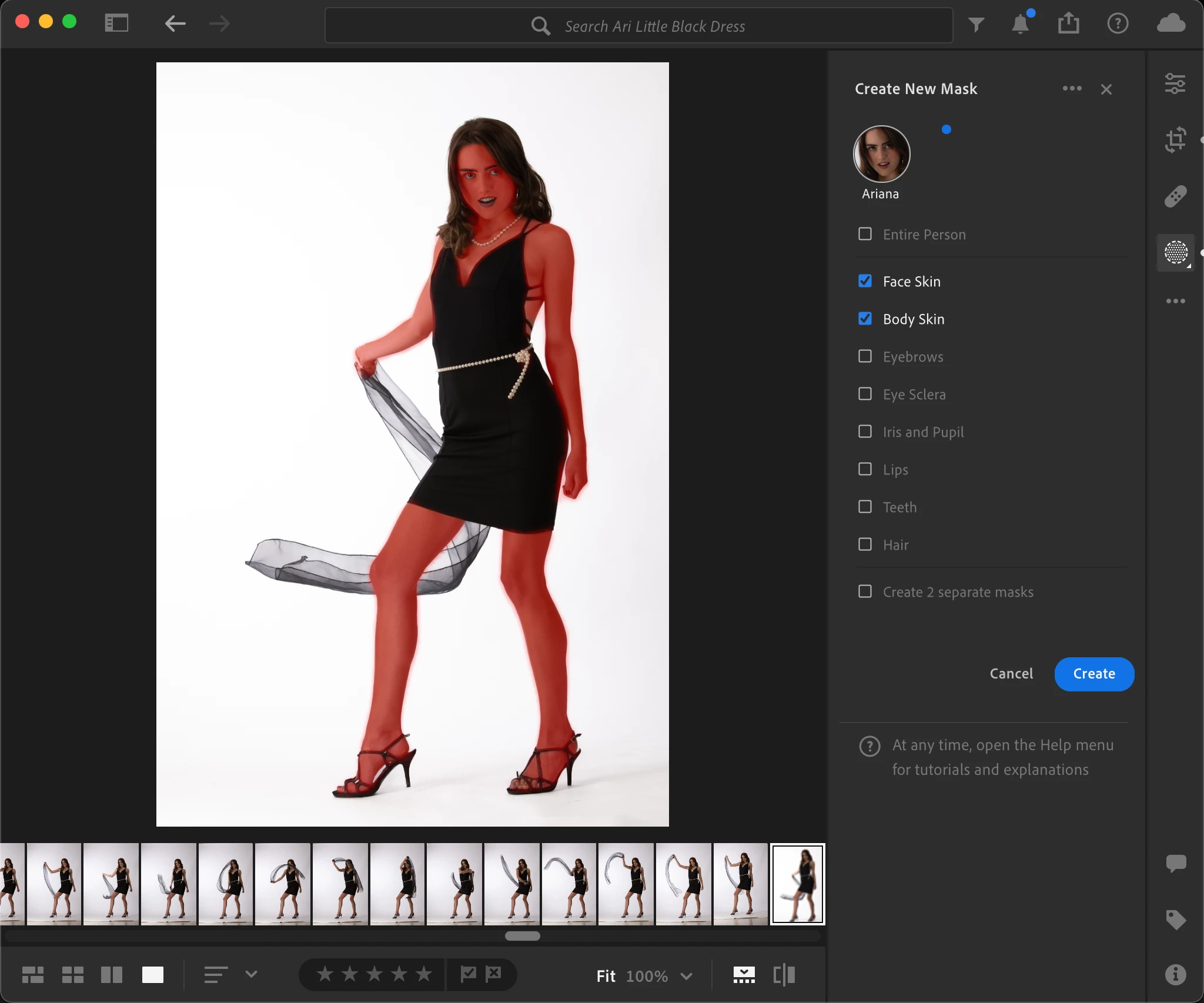
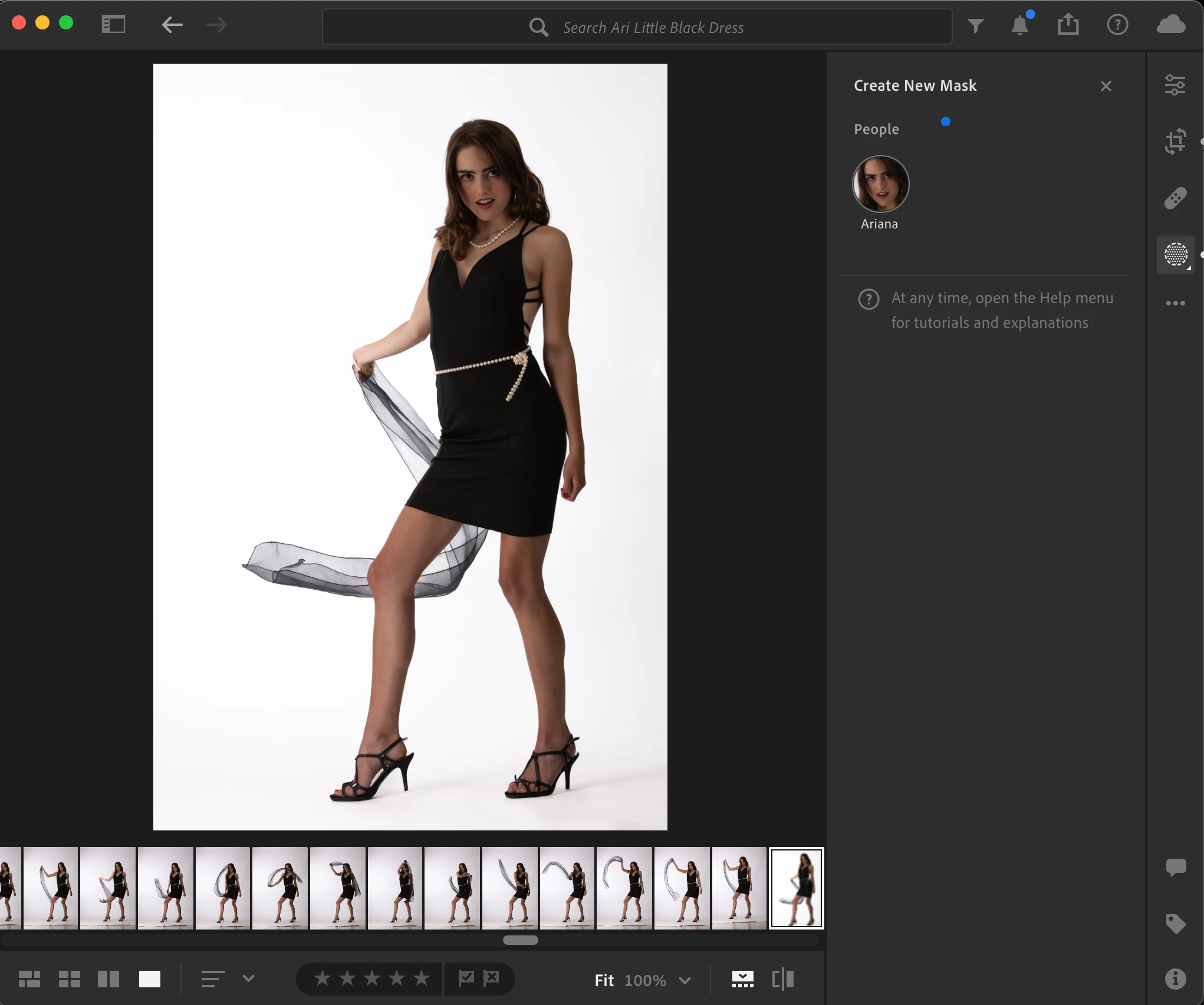
    Rikk, one last question. In Lightroom mask, I can take a photo with several people and select people and it will give me a Create New Mask and a list of  face skin, body skin, eyebrows........  Wondering if that same list exist with a portrait for just one person. If you notice the portrait of the woman i attached her ankle and her arms need some smoothing out. I cannot focus in on a particular area due to the lack of this list with a single portrait. Your insight please.


    It is there 

    Select People Mask option

     Select Round Person Icon by clicking on it.

    A list will appear of the various segments. 

    3 replies

    Rob_Cullen
    Community Expert
    Community Expert
    December 14, 2022

    Some of my thoughts on these quotes from this post-

    "20 inch by 13 inch by 300 Pixels"  -

    Is that 300PPI ? ie. images are 6000x3900 Pixels in dimension.

    "imported from Lightroom at 324 px x 324"  -

    Is that Pixels or PPI?

    Are you using mac Photos?  324x324pixels looks like Mac Photos Thumbnails!

    But where the 324x324px images come from is a mystery.

    "output them as a TIFF, I still get 240 pixels and they look like crap"

    Again, Do you mean 240PPI?  Lightroom-Desktop uses the default 240PPI for exports- it does not alter resolution for images of full pixel dimensions (6000x3900).


    Regards. My System: Windows-11, Lightroom-Classic 15.3, Photoshop 27.5, ACR 18.3, Lightroom 9.3, Lr-iOS 10.4.0, Bridge 16.0.3 .
    drotarAuthor
    Inspiring
    December 21, 2022

    Adobe Photoshop Lightroom 6.1 / MacOS Ventura 13.0.1. All photos are RAW/ARW shot with a Sony A7Sii   The layout for the photos can be seen at:


    https://issuu.com/drotars/docs/celine_wilterntheatre?fr=sNGVhMDUzNTUwNzE


    again, my question, PLEASE. IS it possible to change the 240x240 ppi output in Lightroom to 300x300. Yes or No. If yes, how does one go about doing this? 


    Rikk Flohr_Photography
    Community Manager
    December 21, 2022

    This post is no longer relevant as the OP was talking about custom settings not default - my mistake

    Rikk Flohr: Adobe Photography Org
    kglad
    Community Expert
    Community Expert
    December 13, 2022

    <moved from using the community >

    drotarAuthor
    Inspiring
    December 13, 2022

    what does this mean "moved from using the community? I don't understand.


    kglad
    Community Expert
    Community Expert
    December 13, 2022

    it means you posted in the wrong forum and i moved your message to the correct forum.

    drotarAuthor
    Inspiring
    December 13, 2022

    I am on a Mac using Ventura 13.01