

tomv85211480
Participant
April 12, 2026
Question

Scherm draaien

  • April 12, 2026
  • 2 replies
  • 23 views

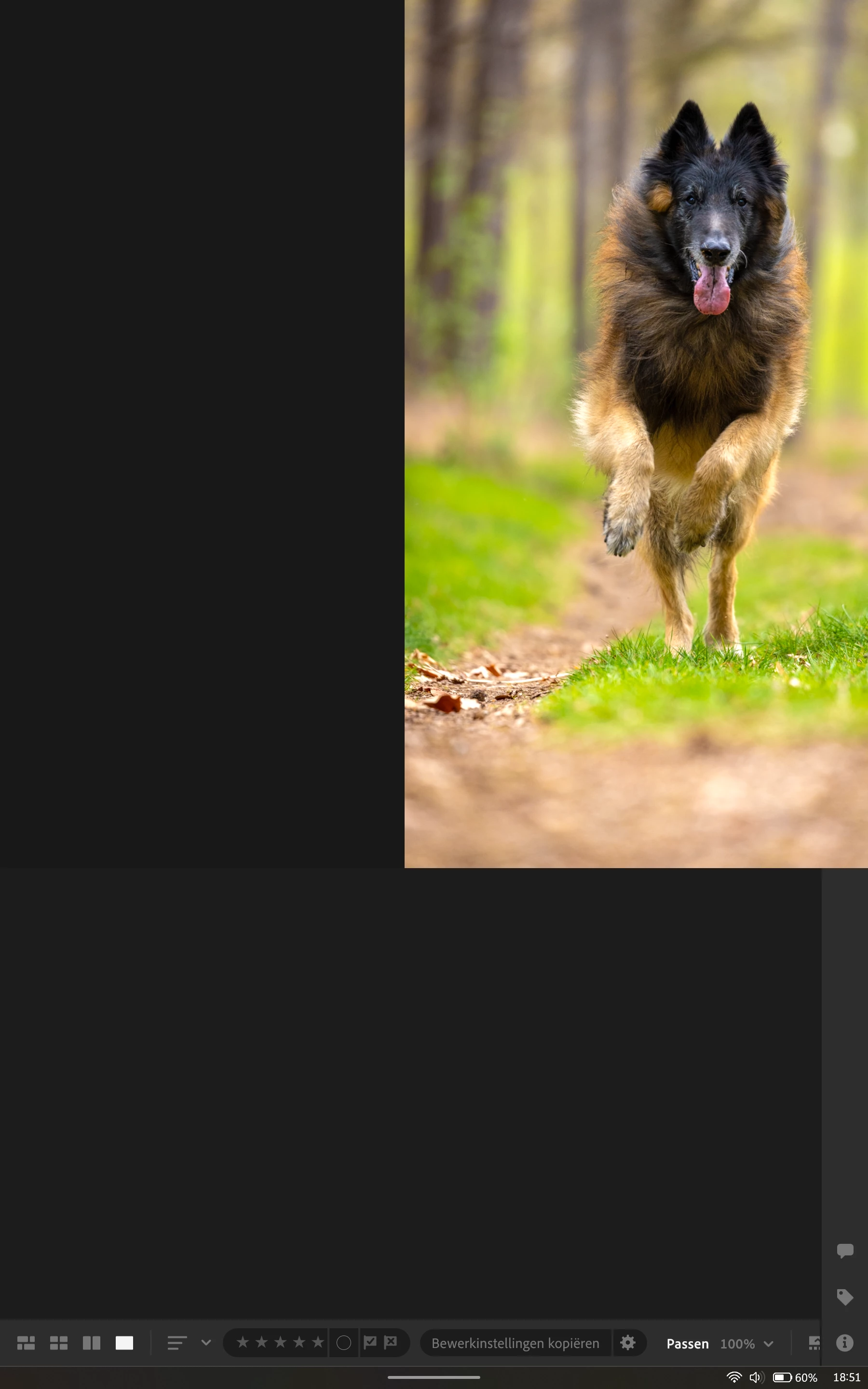
Ik werk met een windows tablet om foto's te bewerken onderweg/op locatie. Deze tablet ondersteunt scherm rotatie. Maar wanneer ik in Lightroom foto's op volledig scherm wil tonen aan klanten, gaat het bij het draaien helemaal mis. Ongeacht de begin positie. Alleen de positie waarin ik Lightroom heb opgestart werk goed. Maar ga ik bijvoorbeeld van landscape naar portrait, dan verdwijnt de foto half en komen er toolbars in beeld. Overigens is dit alleen bij foto op volledig scherm. In Lightroom tijdens het bewerken gaat alles prima.
 

    2 replies

    tomv85211480
    Participant
    April 15, 2026

    @Sameer K 


    Thank you in advance for your response and time to look info this problem. 

    nik.m
    Community Manager
    Community Manager
    April 15, 2026

    Thanks for sharing the system info! We’ll try to reproduce the issue and share the details with the product team for further analysis. 


    Thanks, 

    Nikunj 

    Sameer K
    Community Manager
    Community Manager
    April 14, 2026

    Hey, @tomv85211480. Welcome to the Lightroom Community. I'll need more info to help you figure this out. 

    Please share the system information from Lightroom Help > System info > Copy and paste into a text document > Upload and attach here. 


    The issue could be device-specific behavior that allows the screen rotation, and it'll be difficult to reproduce. Also, does the issue occur when you launch Lightroom in the desired orientation?


    Thanks!
    Sameer K
    (Type '@' and type my name to mention me when you reply)

    tomv85211480
    Participant
    April 15, 2026

    This issue always occurs in the oposite orientation from startup of lightroom.

    So if i strart lightroom in portrait orientation. The issue occurs in landscape mode only. If I start lightroom while in landscape orientation the isseu only occurs in portrait. It does not matter how the orientation is when switchting from editing to vieuwing the photo in full screen. 

    While editing everything works great apart from the tool bar on the bottom. In portrait mode this toolbar gets cut too short. 

    I used to edit on my Ipad pro for a long time. I realy like using a touchscreen. But an ipad can not create panoramic or HDR stacks. So I switched to a windows tablet. Unfortunately I have noticed that the windows version is not as optimized for touchscreen use. I hope this wil improve over time.