Answered
Seeing File type
It would be handy to see the file details of the file I am currently editing. Specifically as they can get converted to DNG or Tiff or Jpeg.

It would be handy to see the file details of the file I am currently editing. Specifically as they can get converted to DNG or Tiff or Jpeg.
I presume you are using Lightroom-Desktop! (Windows)
In 'Square Grid ' mode I see the file type above the thumbnail-

And the info button (i) gives more information about the file-type of a selected image.

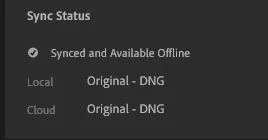
It is not really difficult to press [i] for info, then return to develop mode by [e].
Already have an account? Login
Enter your E-mail address. We'll send you an e-mail with instructions to reset your password.


 AdChoices