rugfoot
Inspiring
August 14, 2018
Answered

Selective edit functions greyed out

  • August 14, 2018
  • 1 reply
  • 4561 views

I recently started using Lightroom CC on an iPad and I can't see how to use selective edit functions as they are greyed out. I'm aware that you have to have an Adobe subscription, which I do, but I don't recalling having to log in. In which case, perhaps my question is, where do I log in? I downloaded the Creative Cloud app and logged in there, thinking it might tell LR that I have a subscription but it didn't. Thanks for any help.
This topic has been closed for replies.
Correct answer Michael J. Hoffman

Are you maybe trying to make adjustments prior to creating an actual adjustment point? Here’s the process, please tell me if this works, or where it fails for you:

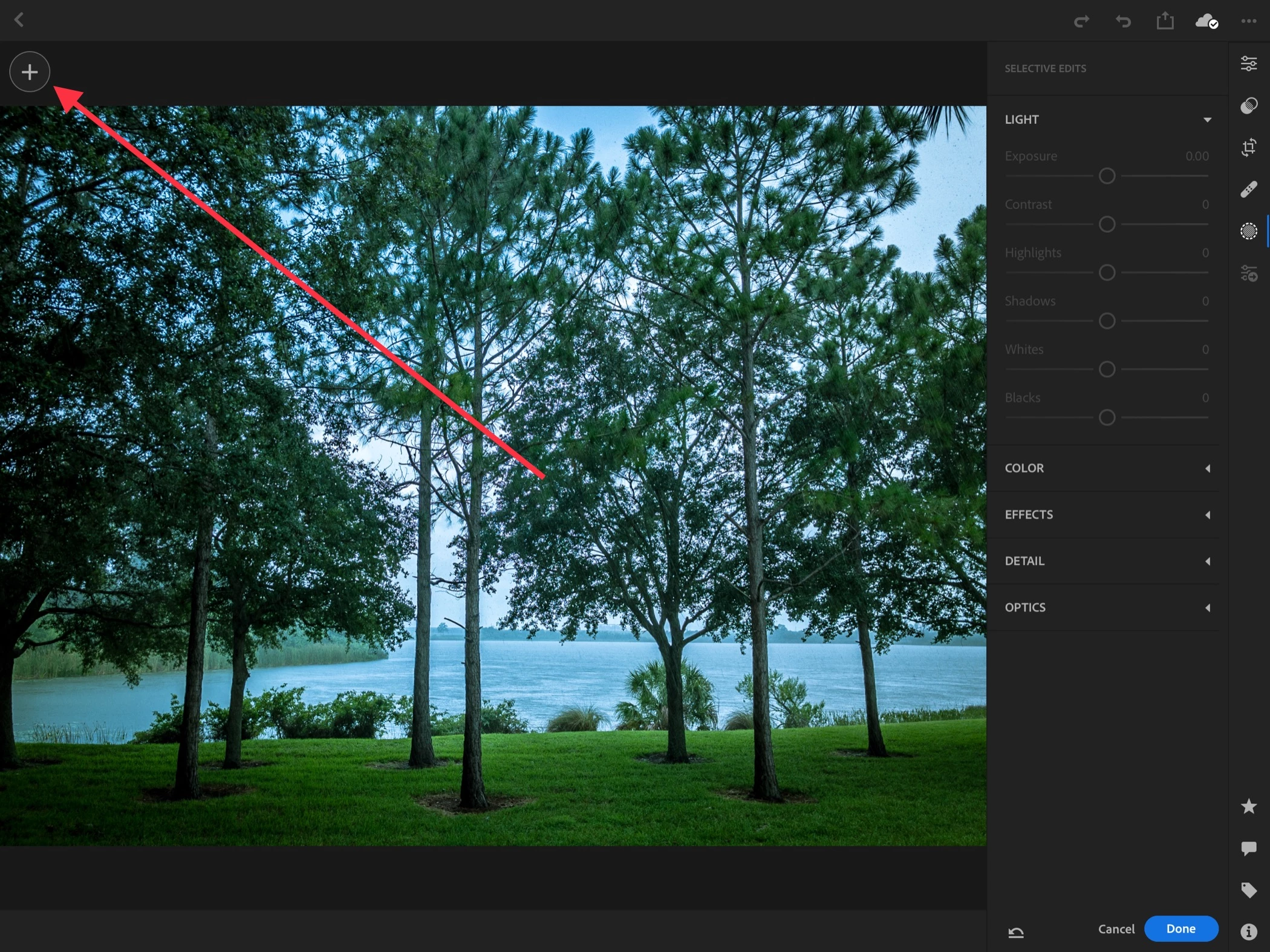
Step 1: Open selective adjustments, and all parameters are initially inactive waiting for a local adjustment to be created. press “+” in the upper left corner to add a local adjustment.

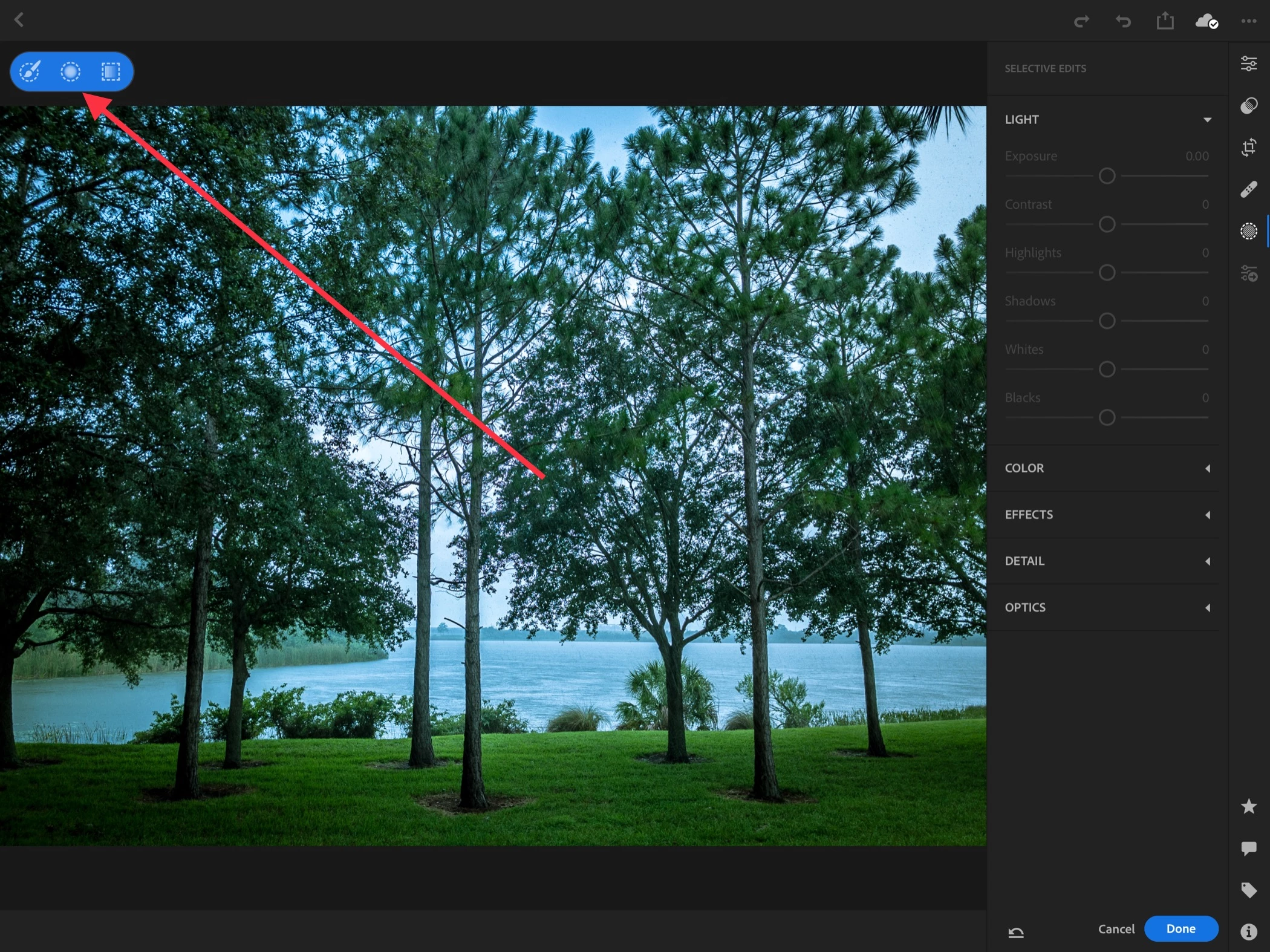
Step 2: Choose the type of local adjustment (Linear, Radial, Brush). Here I’ll choose Radial.

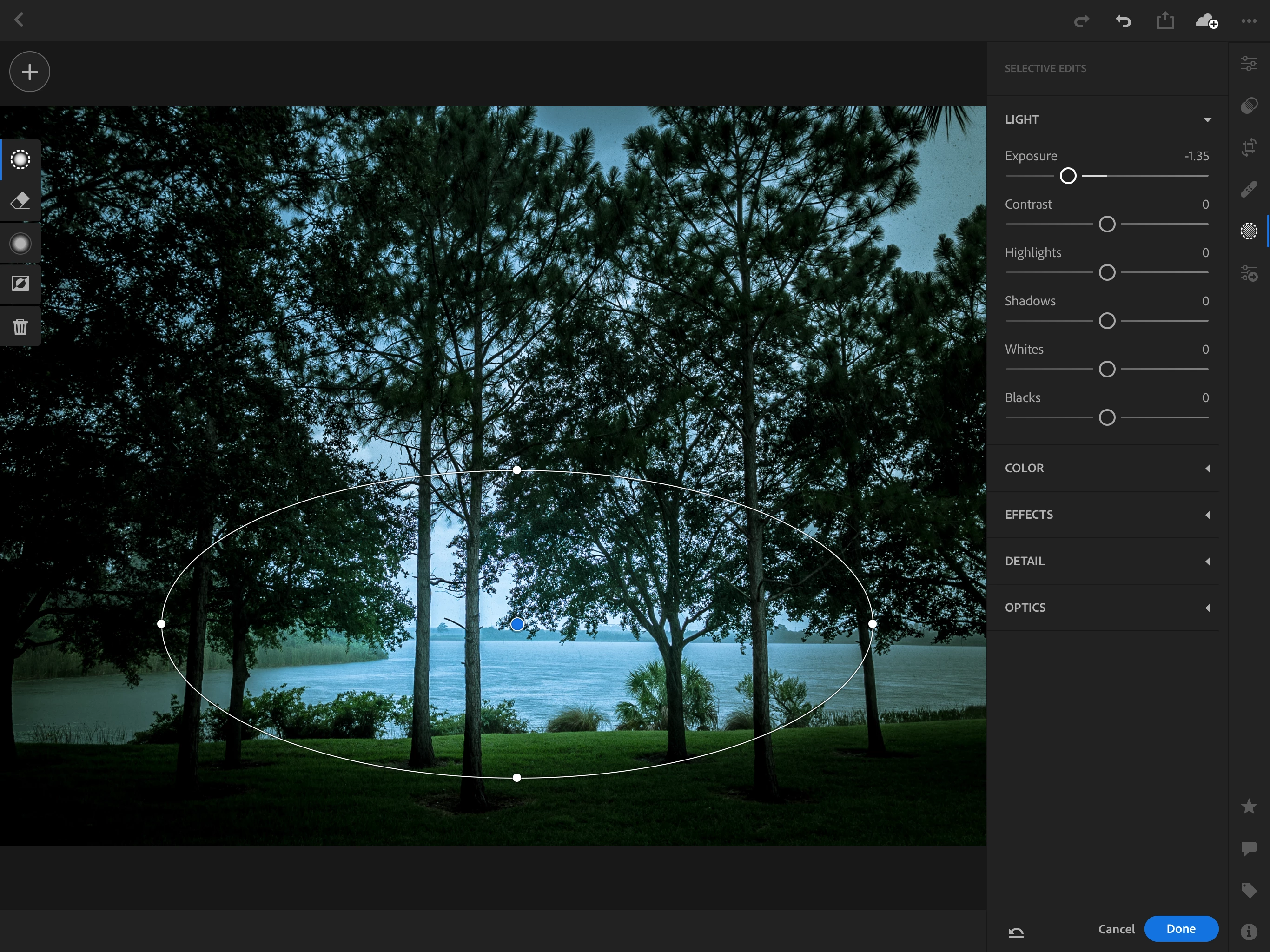
Step 3: Drag to create a local adjustment. The pin and adjustment mask appear in the image, with controls on the left, and parameters are now active on the right.

Does that help?

Mike

1 reply

Michael J. Hoffman
Community Expert
Community Expert
August 14, 2018

On an iPad, log in to your Adobe account by tapping the “Lr” icon in the upper left corner of the main screen. Make sure to use the same Adobe ID as your active subscription; many people have run into difficulty from using different Adobe IDs.

Mike

rugfoot
rugfootAuthor
Inspiring
August 14, 2018

Thanks Michael. That's what I was looking for. But as it turns out, I was already logged in. And I still get the selective edit functions greyed out. Any more ideas?