Answered
Sharing from the web site
It seems that if I share a photo or collection from the Lightroom web site or mobile app the person receiving the share needs an Adobe account? Is there a way around this? Thanks

It seems that if I share a photo or collection from the Lightroom web site or mobile app the person receiving the share needs an Adobe account? Is there a way around this? Thanks
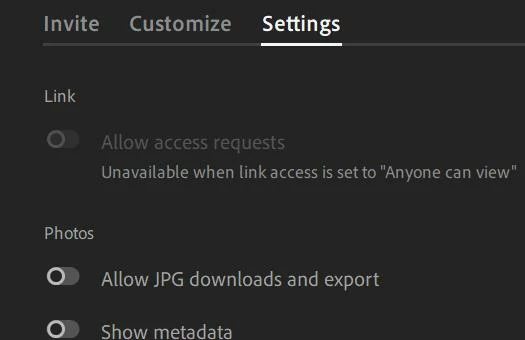
If it is just for viewing or allowing downloads of jpg files with family & friends, etc, try setting Link Access to- [Anyone can View]

Then the person receiving the share need only use the link to open the photos in a web browser. No Adobe Account is needed.
Downloads can be permitted under [Settings]
Already have an account? Login
No account yet? Create an account
Enter your E-mail address. We'll send you an e-mail with instructions to reset your password.


 AdChoices