Participating Frequently
April 29, 2018
Answered

shooting raw's in Lightroom Mobile on Android phone

  • April 29, 2018
  • 3 replies
  • 4193 views

Hello,

not sure if I am looking on the wrong place but I am not able to find option for shooting a RAW files on my android phone (Huawei P20 PRO).

This phone can shoot raw with its builtin camera, works like a charm but I cannot find the shoot-raw file option in the camera settings within lightroom mobile.

I have gone trough all of the settings and I am really not able to find that option. (checked both modes "auto" and "pro" as well)

I am running Lightroom CC mobile ver. 3.4

Thank You

Best regards

Amel

This topic has been closed for replies.
Correct answer Jao vdL

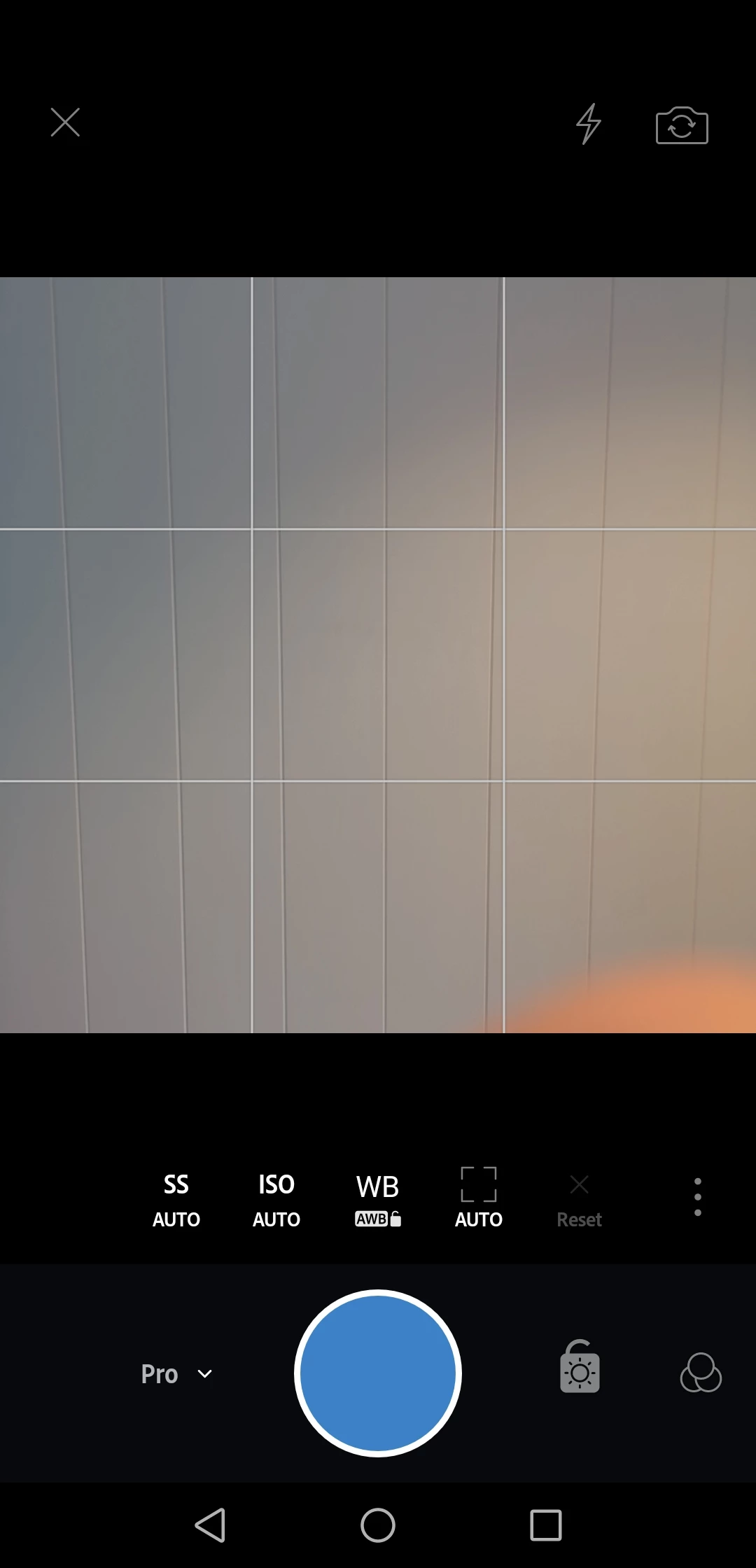
here below is an attached image from my phone just now. As you can see there is no "jpg" option in this black field at the top of the picture simply buttons for exit, flash and front/rear camera switch.

Here is the screen capture from Huawei P20 PRO (LR Camera pro mode)
Here is the screen capture from Samsung S6 Edge Plus (LR Camera pro mode)
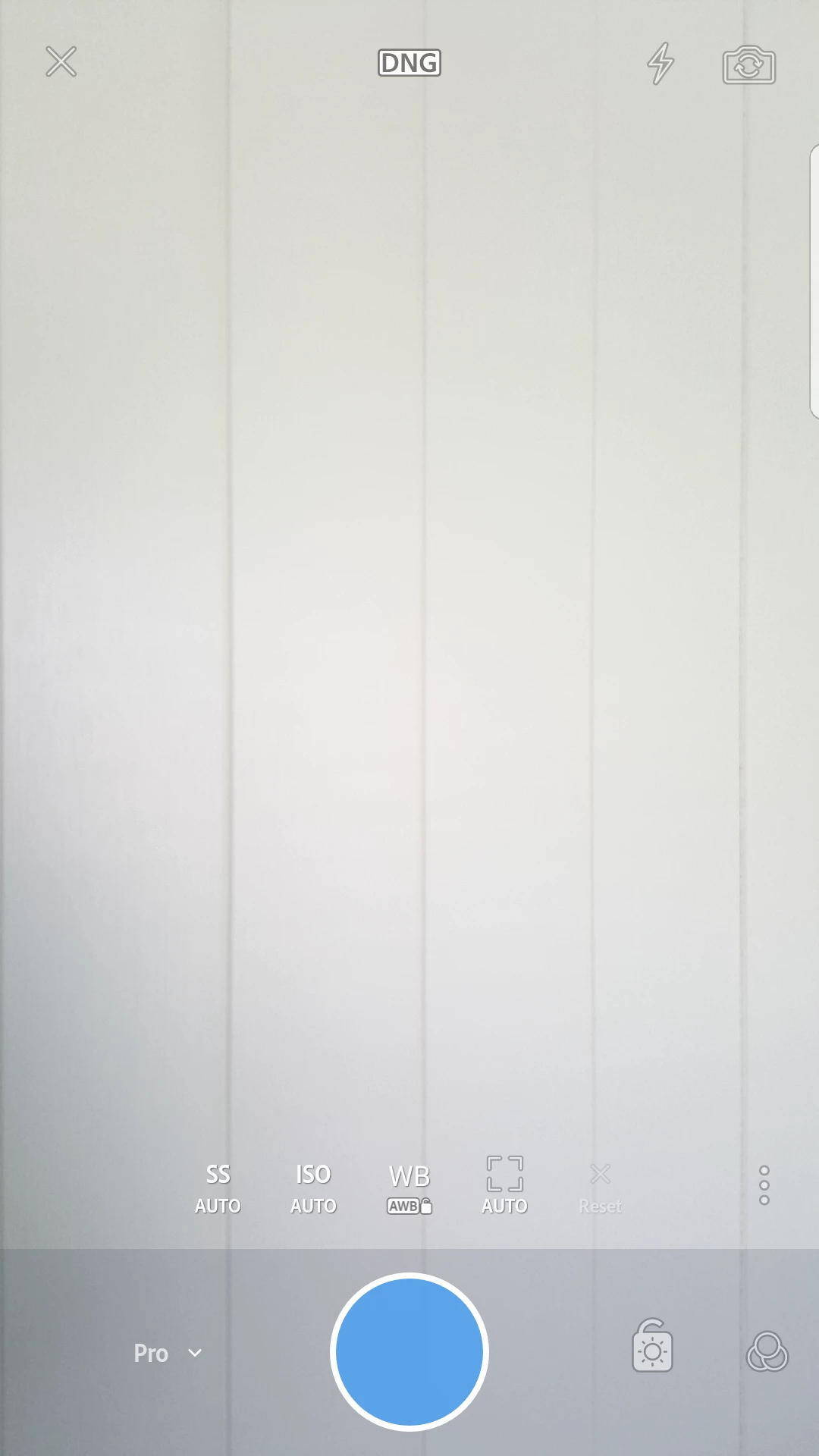
as you can see there is an DNG button switch on Samsung but not on Huawei P20 Pro.

I just spoke with Adobe via chat and they told me that this phone is not on the supported list as pr today and I got not real reason why..

It's very strange that the latest mobile phone with the best camera cannot shoot RAW/DNG within LR while it can shoot RAW/DNG
within its own built in Camera.

When I open the LR and clicks to: () for expanding the menu, than "Device Info & Storage" - "Device Info" - then I see DNG Capture Supported (NO)while it says (YES) on Samsung S6 edge Plus.

So even if P20 Pro is an android phone it does not mean that all features are supported (boring stuff) no phone (as per today) in this world do have a better camera than Huawei P20 Pro so this feature should be supported otherwise there is no point of having pro mode at all.


Clearly Adobe doesn't yet support this phone's raw mode. I would post a request on https://feedback.photoshop.com for support. Adobe might not be aware that their code doesn't for some reason allow raw capture on this phone.

3 replies

Community Expert
April 29, 2018

Almost all phone cameras have fixed apertures to limit the size of the sensor/lens assembly so you can't adjust them in any app. No clue whether that's true here but it is unlikely it has an adjustable aperture I think.

Participating Frequently
April 29, 2018

Huawei P20 Pro do have an aperture "mode" but as far as I could see from my tests it does not look like an real dslr aperture because when I change it the picture does not change the brigthness as you open and close it but it only blurres the picture when focus is changed, so it looks like an softwre based aperture.

But we do not need to mix the questios as this post is about the raw and I can rather post a new question regrding the aperture adjustments.

Participating Frequently
April 29, 2018

I just spoke with a friend of mine (java developer) and he told me following: If the phone can shoot the raw with its built-in camera than it is up to application it self (in my case it appears to be LR) to provide you this option. He was not sure 100% about my issue but he mentioned that it could be an "link-shortcut" issue that differs from phone to phone so adobe should have a look at it, it could be simply that a button link is missing because of the phone model.

Participating Frequently
April 29, 2018

Hi Jao,

thank you for reply, well for some strange resons on my mobile phone it's only black space nothing to select but flash and front/back camera buttons.

Right now I am writing from an mobile phone so I am not able to upload a screen shot.

Community Expert
April 29, 2018

I vaguely remember that on Android you have to have some sort of camera component installed for dng shooting to work outside of the built-in camera. I have no experience with this so I can't really help there. I am also finding some references to the P20 Pro not being compatible when googling but very little definitive info.

Participating Frequently
April 29, 2018

ok, if that's case I am not sure which component it is, I only see that it can shoot raw with its built-in camera and it than creates a separate "raw" folder where those images are stored.

btw: what about the aperture adjustment within the adobe lightroom ? is this possible at all ? I can see in the pro mode we are able to change SS, and ISO but not aperture.. just asking since I am missing these two features so much..

Community Expert
April 29, 2018

On my phone (I use an iPhone so I don't know if the interface is the same). I have to tap on the text jpg in black on white at the top and you get a switch to switch to dng. It will remember this the next time you open the camera inside Lightroom.