
Participant
June 23, 2021
Question

Skin Tone Changes for Exported Jpegs from Lightroom on Windows 10

  • June 23, 2021
  • 1 reply
  • 333 views

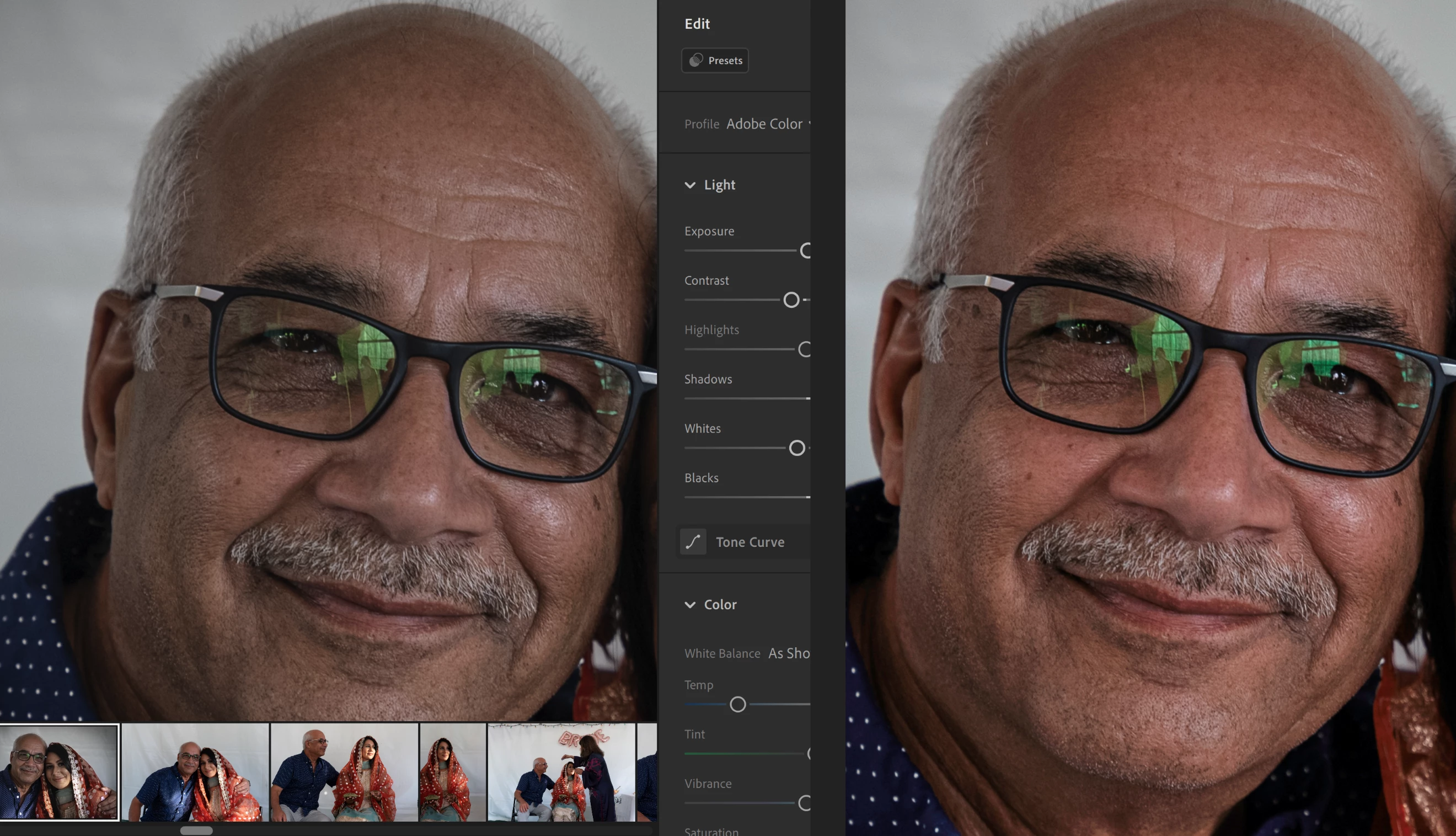
When exporting a photo from lightroom there is a dramatic shift in color tone towards orange / red. I've tried exporting in multiple color profiles (sRGB, adobeRGB, prophoto) but the shift is still prevenlant across devices (phone, laptop, etc). The screen capture below was taken from a single monitor. The left side is lightroom prior to export and the right side is the exported JPEG in windows photo. Again the photo looks similarly shifted towards the orange / red hue in multiple diffrent applications.  Any suggestions would be greatly appreciated!


{Thread title edited by moderator}

This topic has been closed for replies.

1 reply

nikunj.m
Community Manager
Community Manager
June 24, 2021

Hi,


We're sorry about the issue with the color of the exported images from Lightroom. Would you mind telling us if you use any tool to calibrate your monitor? If you import the exported Jpegs back in Lightroom, do the colors look correct or they still appear with orange hue on skin tones? Did the issue start after an update to Lightroom or to Windows?


You can try calibrating your monitor to sRGB 2.1 using the steps suggested here: https://support.microsoft.com/en-us/windows/about-color-management-2a2ed8fa-cf09-83c5-e55c-d1428519f616


Regards,

Nikunj