
Participant
January 30, 2025
Question

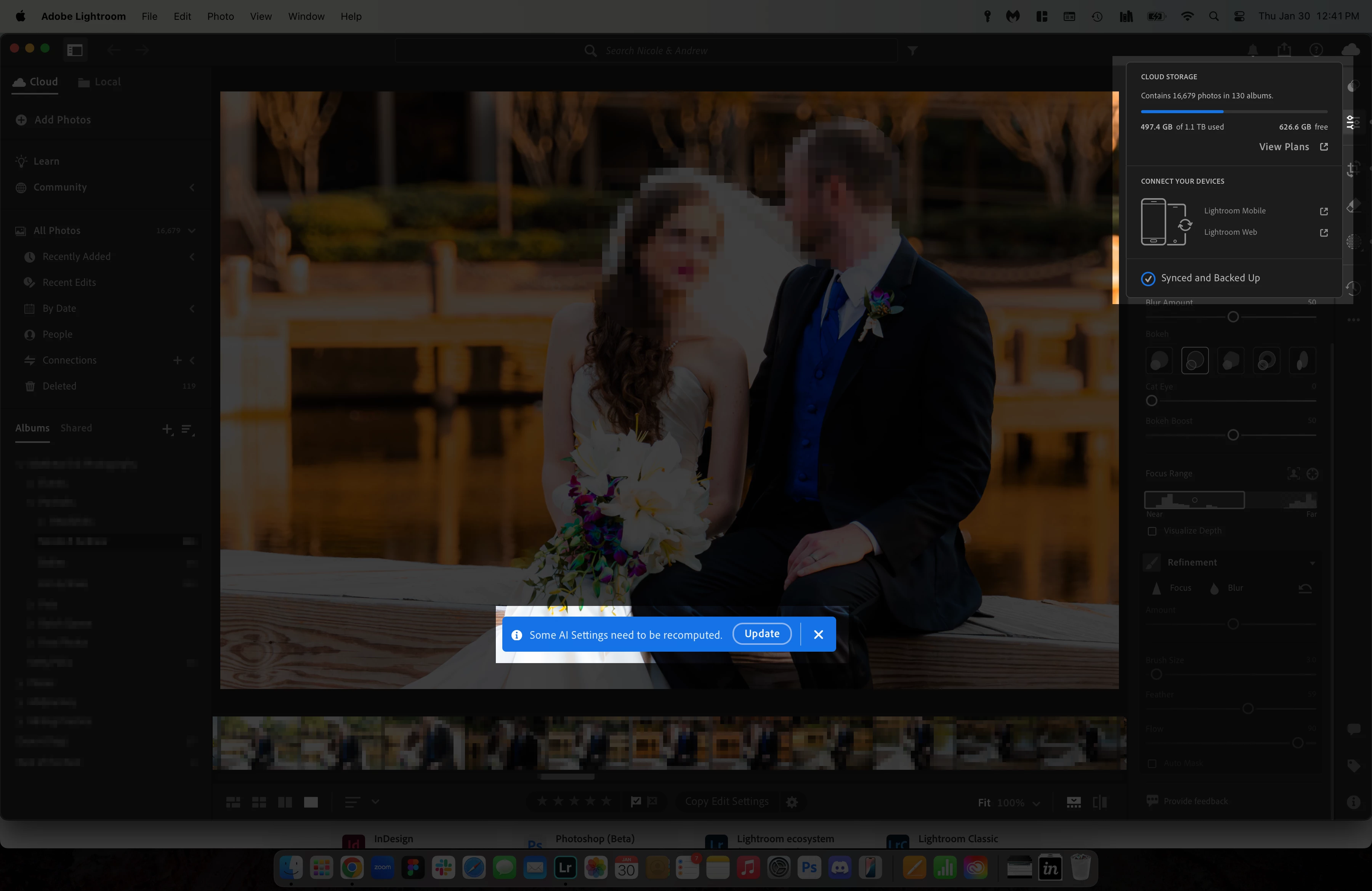
"Some AI Settings Need to be Recomputed" prompt after every Mask edit, Remove, or Lens Blur tweak
  • January 30, 2025
  • 1 reply
  • 405 views

I am not exaggerating whatsoever when I say, quite literally, every single edit I make to anything masked, changes to anything with the lens blur, or any type of remove prompts an AI Settings prompt like this.

I understand there are some features I used that use the AI settings, but is there a way to to like... I don't know compound AI Setting updates after like a specific amount of edits? It's really obtrusive.


macOS 15.1 (24B2082)
Lightroom 8.1

1 reply

Sameer K
Community Manager
Community Manager
January 31, 2025

Hey, @AdobeMatty8776723. Welcome to the Lightroom Community. I'll help you figure this out. Please share the system info from Lightroom from Help > System info > Copy and paste into a text document > Upload and attach here.


In most cases, when you copy & paste edits, recompute happens right there, and it should not require a recompute after every change. Could you please share a screenshot of Lightroom > Preferences > Caches?

Does this happen with images in the Local view or the imported images?


For now, try using Lightroom Web (https://adobe.ly/40Dz11t) and check if masking works as expected. Some other features won't be available on Lightroom Web. 


Let me know how it goes. Thanks!

Sameer K

(Type '@' and type my name to mention me when you reply)

Participant
February 3, 2025
quoteDoes this happen with images in the Local view or the imported images?

I don't know what you mean by this?


Sameer K
Community Manager
Community Manager
February 11, 2025

Hey, @AdobeMatty8776723. I am sorry for the delay. Please visit Lightroom Web (https://adobe.ly/4jTQOuc) & ensure your images & edits are synced up before proceeding. 


Once sure, please follow the steps in the Other Section for the error '<SQLite database corrupt>'.

https://adobe.ly/3Qc7XSe


Let me know how it goes. 

Thanks!

Sameer K

(Type '@' and type my name to mention me when you reply)