

Question
Store a copy of all originals Browse button Missing
I am helping a client who needs to change the storage location for their originals in Lightroom Desktop Version 9 but the Browse button is not visible in their User Interface. I believe that the old locations file path is so long that it has pushed this button out of the Preferences dialog.
Computer specs:
MacBookPro 16” 2021
M1 Pro
16GB Ram
OS X 15.7.7
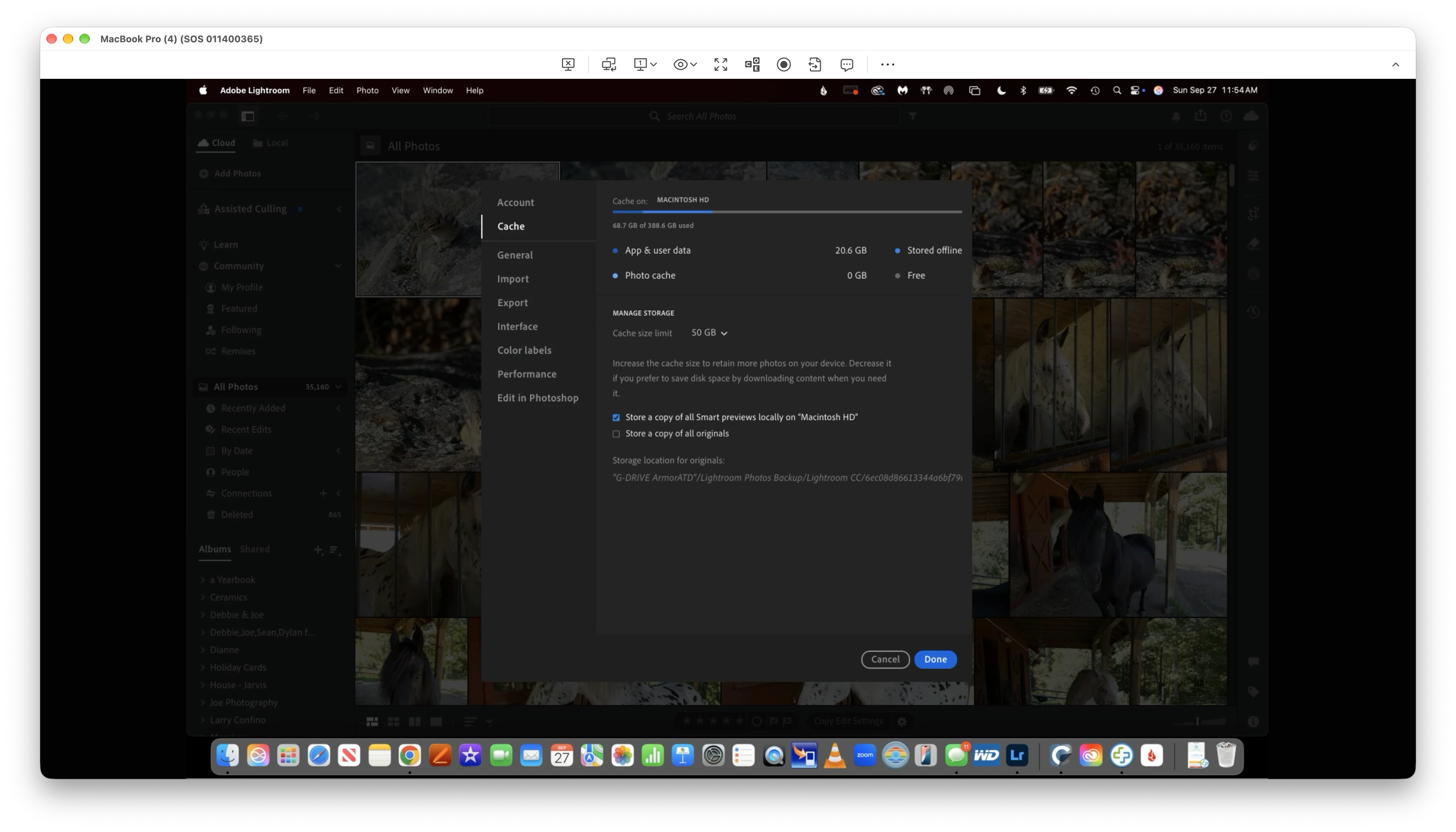
How do I change the size of the Preferences Menu to reveal the Browse button or remove the old storage locations file path?
I have tried uninstalling and reinstalling the Lightroom Desktop v9 application and tried multiple times to reset all of the Preferences using the Shift + Option + Command startup keyboard shortcut trick?


 AdChoices