
Strange file structure in "Lightroom CC Saved Photos" folder
Before I start adding photos to LR CC, I want to know I can access the locally-stored originals easily. I imported some photos as a test case, and I'm not exactly happy about what LR CC does with them on my backup drive.
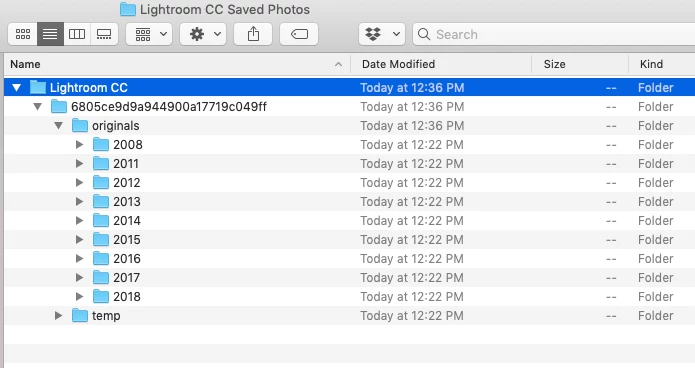
It sets up a folder called "Lightroom CC Saved Photos." Okay. Then within that folder, it sets up a structure that is (IMO) bonkers. First, there's a "Lightroom CC" folder. Inside that, there's a folder with a bunch of numbers and letters that mean nothing to me. Then there's a folder called "originals." In THAT folder, there is finally a list of years with the images sorted chronologically.
All I want is the folders with the years. I don't want the gibberish folder and the originals folder, or even the "Lightroom CC" folder. I just want to be able to get to my photos without having to click through this Byzantine file structure. Is there something I can do to change this?


 AdChoices