


Participant
March 15, 2023
Answered

Subject/Person masking tool always gives square mask

  • March 15, 2023
  • 3 replies
  • 661 views

Whenever  I use the newly introduced person masking tool, or manually select a a subject with the brush, Lightroom only gives me a big, square box.


Did I set something wrong or is this a bug on Lighroom's end?


Here's an example of using the automatic "person masking" tool
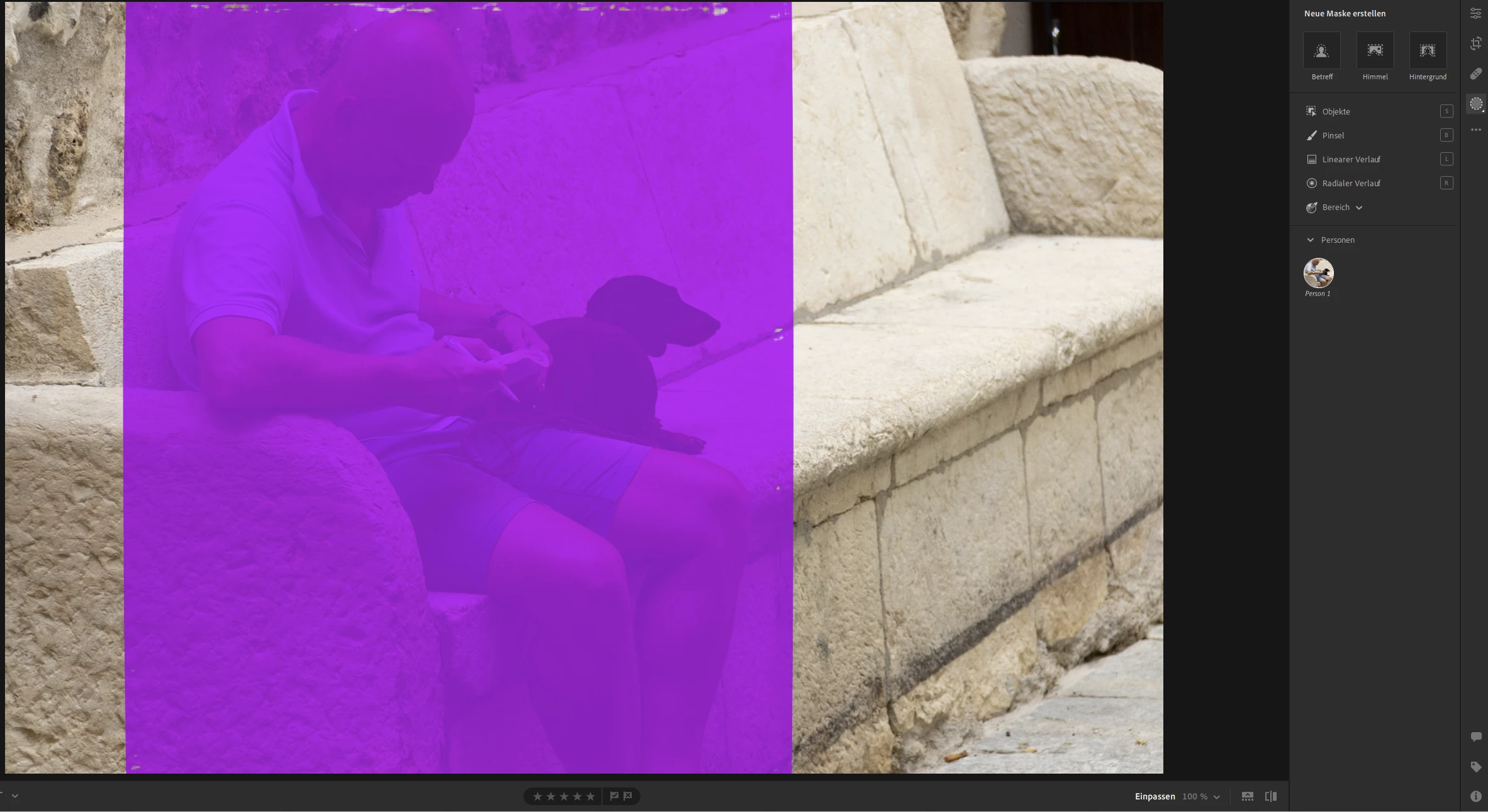

<Changed to Windows>

This topic has been closed for replies.
Correct answer JohanElzenga

Looks like your GPU drivers need an update.


3 replies

Participant
March 15, 2023

Yes, I accidentally selected MacOS but I'm on Windows.


@JohanElzenga suggestion worked. Thanks to you 🙂 

Rikk Flohr_Photography
Community Manager
March 15, 2023

You've selected the Mac OS Token according to your initial post and then later say that is Windows.  Assuming Windows - Johan's suggestion is correct. The fault lies with your GPU Driver. 

Rikk Flohr: Adobe Photography Org
Participant
March 15, 2023


I forgot to add some details:

  • Lightroom Version Number: v6.2 
  • OS Version Number: Windows 11 Home (Build 22621)


Expected result would be a more finegrained selection of the subject/person.

JohanElzenga
Community Expert
JohanElzengaCommunity ExpertCorrect answer
Community Expert
March 15, 2023

Looks like your GPU drivers need an update.


-- Johan W. Elzenga