

Support scroll wheel and trackpad gestures to adjust settings on macOS 5.3
While it's possible to use the keyboard to Arrow up/down and Shift + Arrow up/down there's no way to use a scroll wheel up/down or trackpad up/down gesture when the input field for each of those settings is highligthed (meaning there shouldn't be interference issues with scrolling the Edit sidebar settings instead.
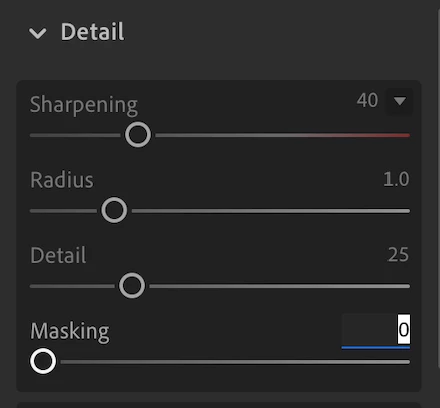
Even when focused on an Edit setting it's not possible to adjust it with the trackpad or a mouse scroll wheel.
This would be a much needed ergonomic and accessibility improvement bringing the macOS version of Ligthroom up to par with the feel of the app on iOS and iPadOS where it's possible to use touch to "feel your way" to a good setting with instant feedback to boot.
While instant feedback may have been a bit of a pipe dream on Intel machines, it's now a reality for nearly all settings I can think of, notably with the spectacular Sharpen masking preview mode (Alt + slider drag). I know it's a bit of a Photoshop convention that your team may not want to reintroduce to Lightroom Cloud but I think bringing experiential parity with the incredibly tactile experience of Lightroom on iPadOS and iOS would be fantastic.
Thanks for considering it.
 AdChoices