
Participant
January 7, 2020
Question

Sync discrepancy between LR CC & Classic - originals missing from cloud

  • January 7, 2020
  • 1 reply
  • 512 views

Hey all,


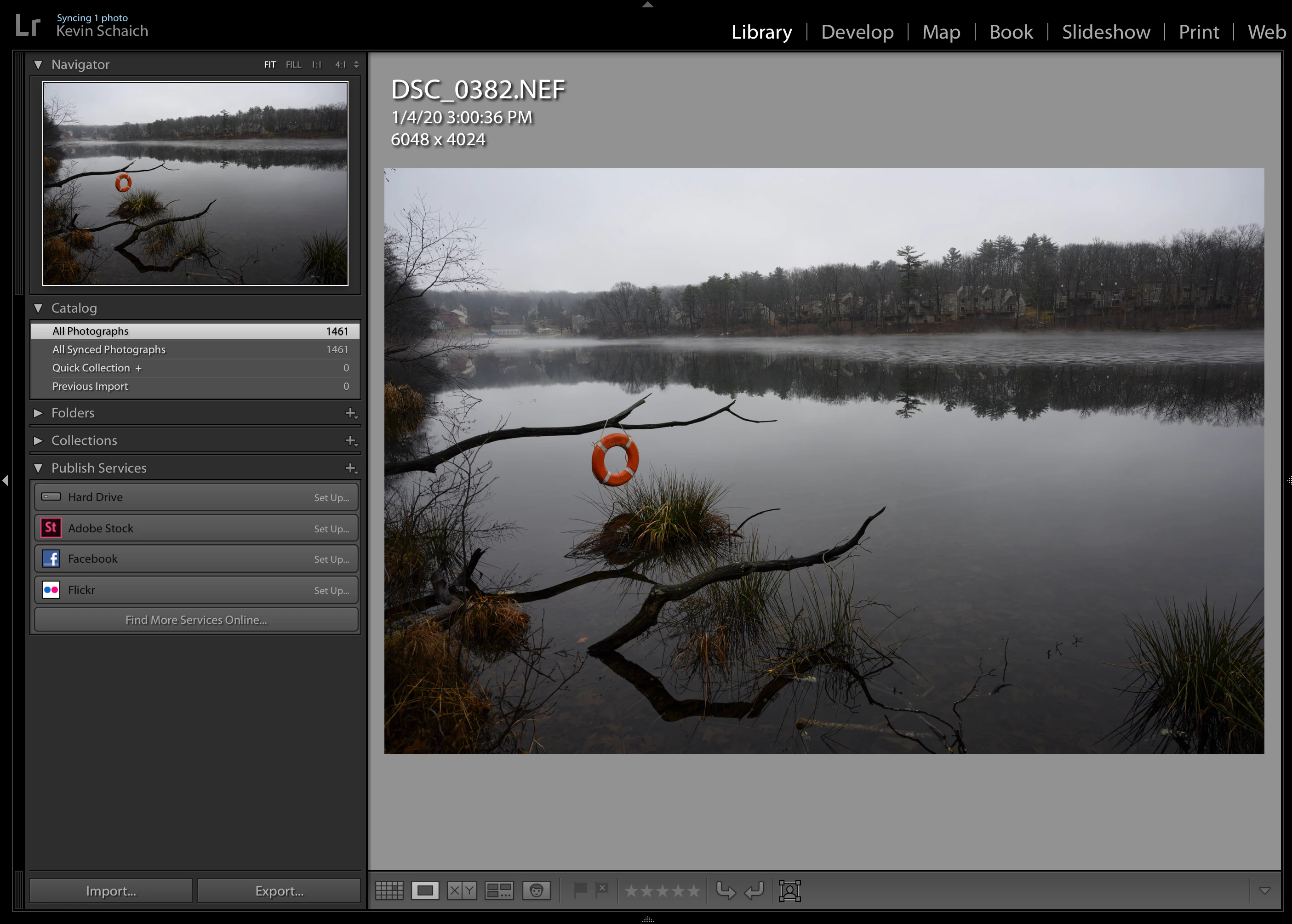
I'm having some issues getting Lightroom CC and Classic to play nice with one another. Lightroom Classic shows that all my photos are synced and up-to-date (notice all count = all synced count - 1461):


However, this does not match the behavior in Lightroom CC. If I filter down to "Sync Status: Synced from Lightroom Classic" (they were not; in fact I'm positive I added these in Lightroom CC) it shows me a bunch of photos with the hashed circle status:
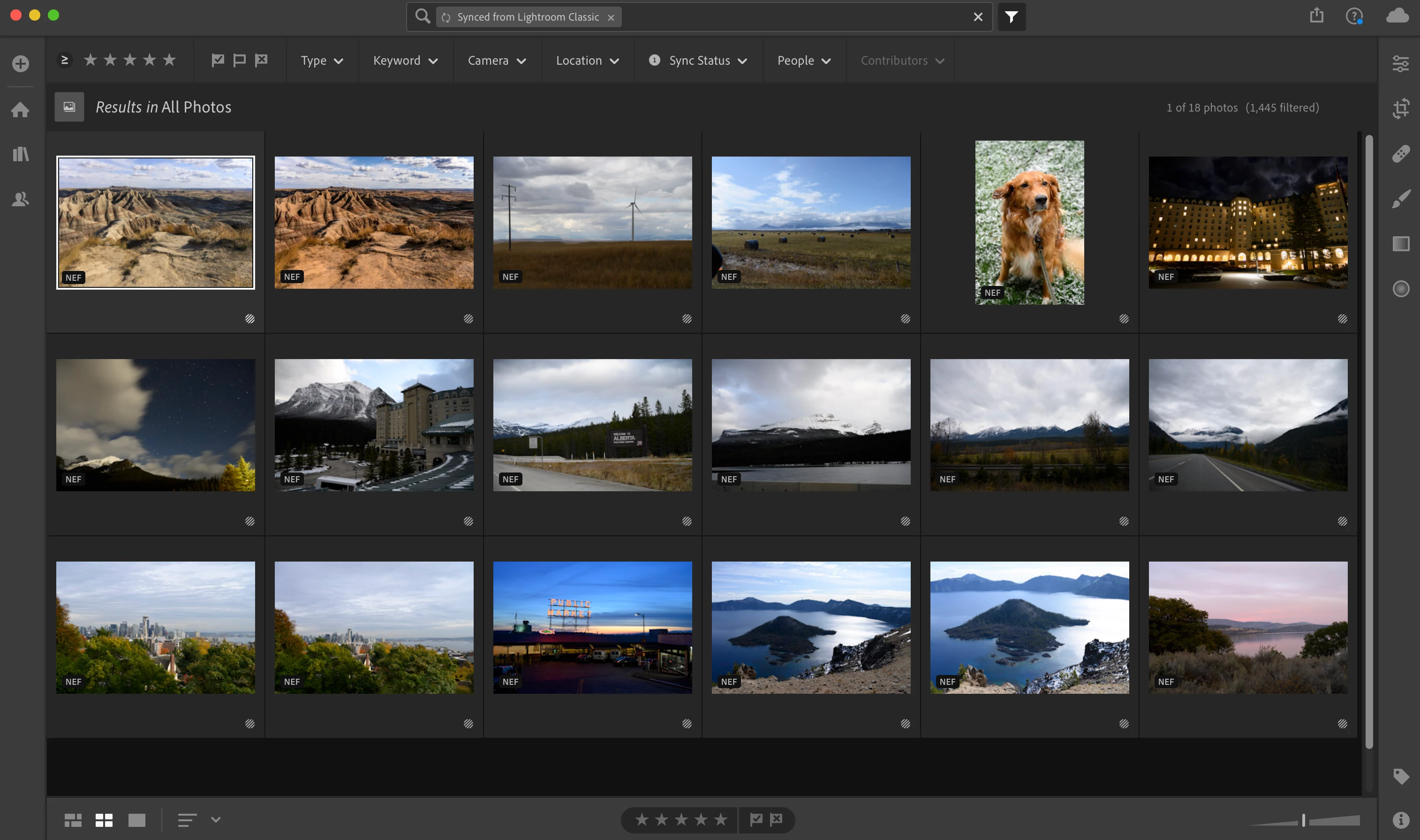
 

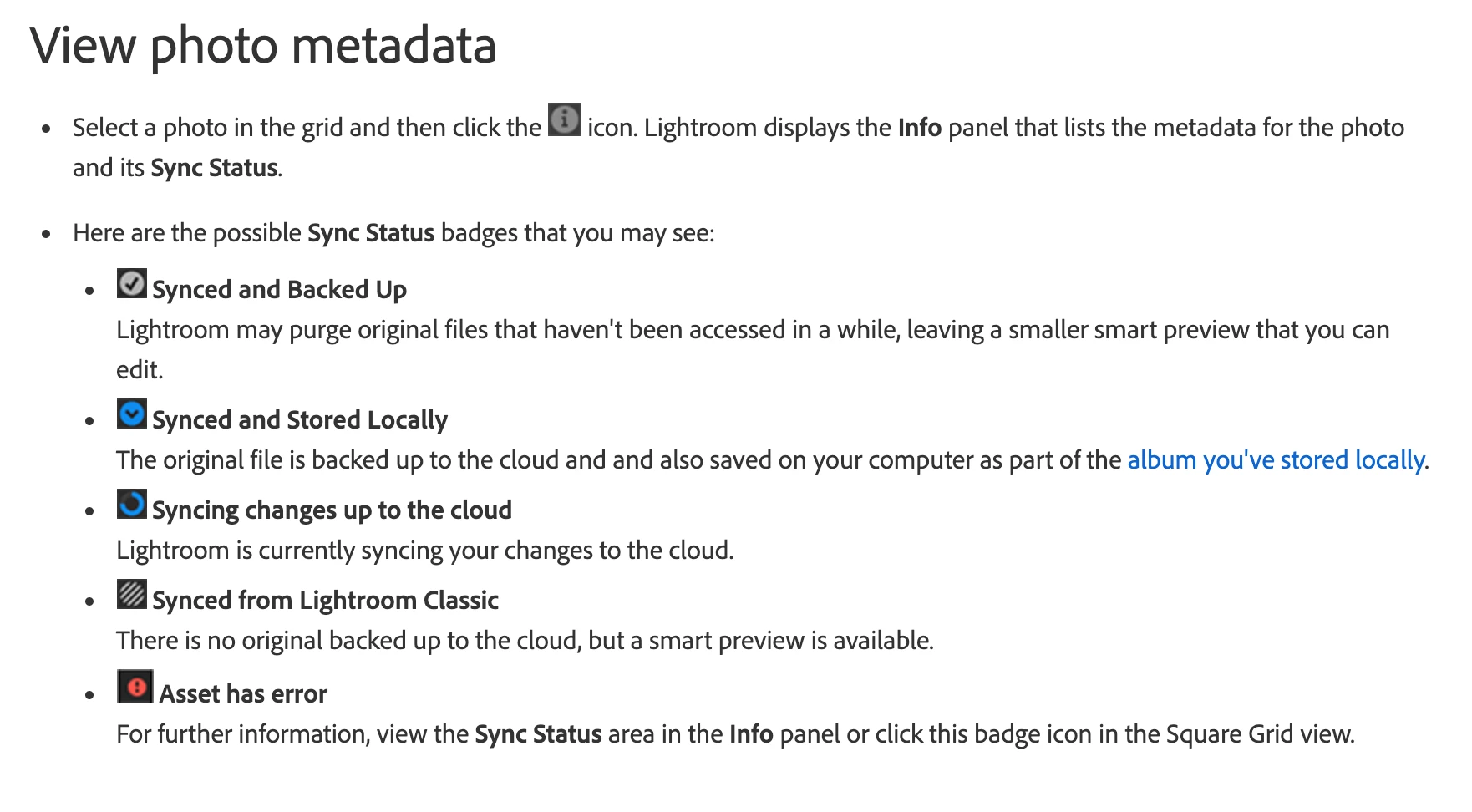
On this page, it says that this means there is no original synced to the cloud:

https://helpx.adobe.com/lightroom-cc/using/organize-photos.html#view-photo-metadata


What could be going on here? How do I get the two apps back in sync?


This topic has been closed for replies.

1 reply

Rob_Cullen
Community Expert
Community Expert
January 7, 2020

Lr-Classic never 'syncs' full-size files up to Lightroom mobile versions! (and maybe never will unless more request it at- Photoshop Lightroom Family  )

The photos you have in Classic synced Collections only have 'Smart Previews' sent to the Cloud. And these are limited to a long-edge dimension of 2560 pixels, and they do not occupy any of your Cloud space.

Only the photo original files you import into a Lr-mobile device will be full-size in the Cloud- and they do occupy Cloud space.

Regards. My System: Windows-11, Lightroom-Classic 15.0, Photoshop 27.0, ACR 18.0, Lightroom 9.0, Lr-iOS 10.4.0, Bridge 16.0 .
Participant
January 7, 2020

WobertC – that's incorrect. It's possible to sync full-size photos to the cloud from Classic.


See these pages:

https://helpx.adobe.com/lightroom-classic/help/lightroom-mobile-desktop-features.html

https://helpx.adobe.com/lightroom-classic/how-to/sync-photos-lightroom-mobile.html


I have an "Everything" collection set up in Classic and set to sync (note the photo count = library count and the bidirectional arrow, so everything should be in sync:


Theresa J
Community Expert
Community Expert
January 8, 2020

The two articles you link to are misleading because they do not explain what is really happening. When you sync Classic to Lightroom (cloud) only smart previews are uploaded to the cloud. Any edits done to the smart preview with Lightroom, or Lightroom mobile will sync back to Classic.

Go to Lightroom on the web to see exactly what images have successfully synced at lightroom.adobe.com.