
Sync does not resolve
First off, I have been going through dozens of threads looking for an answer and I can't find a single answer even from posts made in 2017...
I have Lightroom 7.2 as well as every single application by Adobe with the package. My internet is absolutey top notch, and my PC is the best of the best right now with the newest GPU, CPUs, etc., just running on Windows 10 and NOT Windows 11.
Issue 1)
Cloud sync does not stop ever:
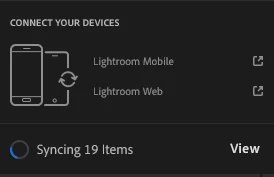
When I hit "view" it just says:
"Oh no! A black hole. No photos matching these filters were found."

Issue 2)
Half of my photos I cannot export and/or "edit in photoshop":
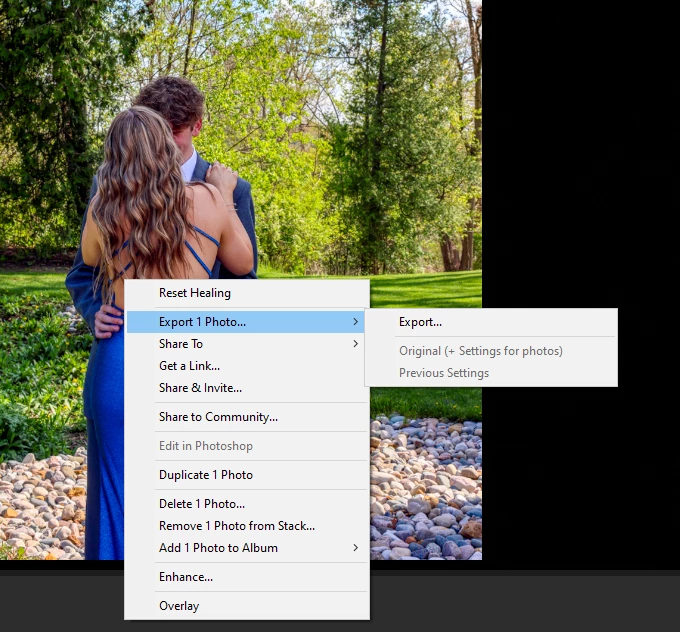
Yes I found out the issue which is that I duplicated a photo in order to make a new edit of it while saving the old one... Which causes issues for Lightroom CC for what reason exactly...??
So now all of them have these "invisible" photos for no reason whatsoever:

Again, makes zero sense.
Yes I have seen all of these "answers" and none of them seem to work at all.
I just don't understand how or why it's so hard for an app that SHOULD be easy to use? I mean all of my photos are literally save to my PC hard drive... so how and why is lightroom having such a hard time?? It makes no sense and I am just upset because of how easy this app should be, and how many threads I have read on this singular issue dating back to at least 2017 and the issue still arises to this day, 7+ years later in 2024. Yikes, and wow...


 AdChoices