

Sync to Local Storage
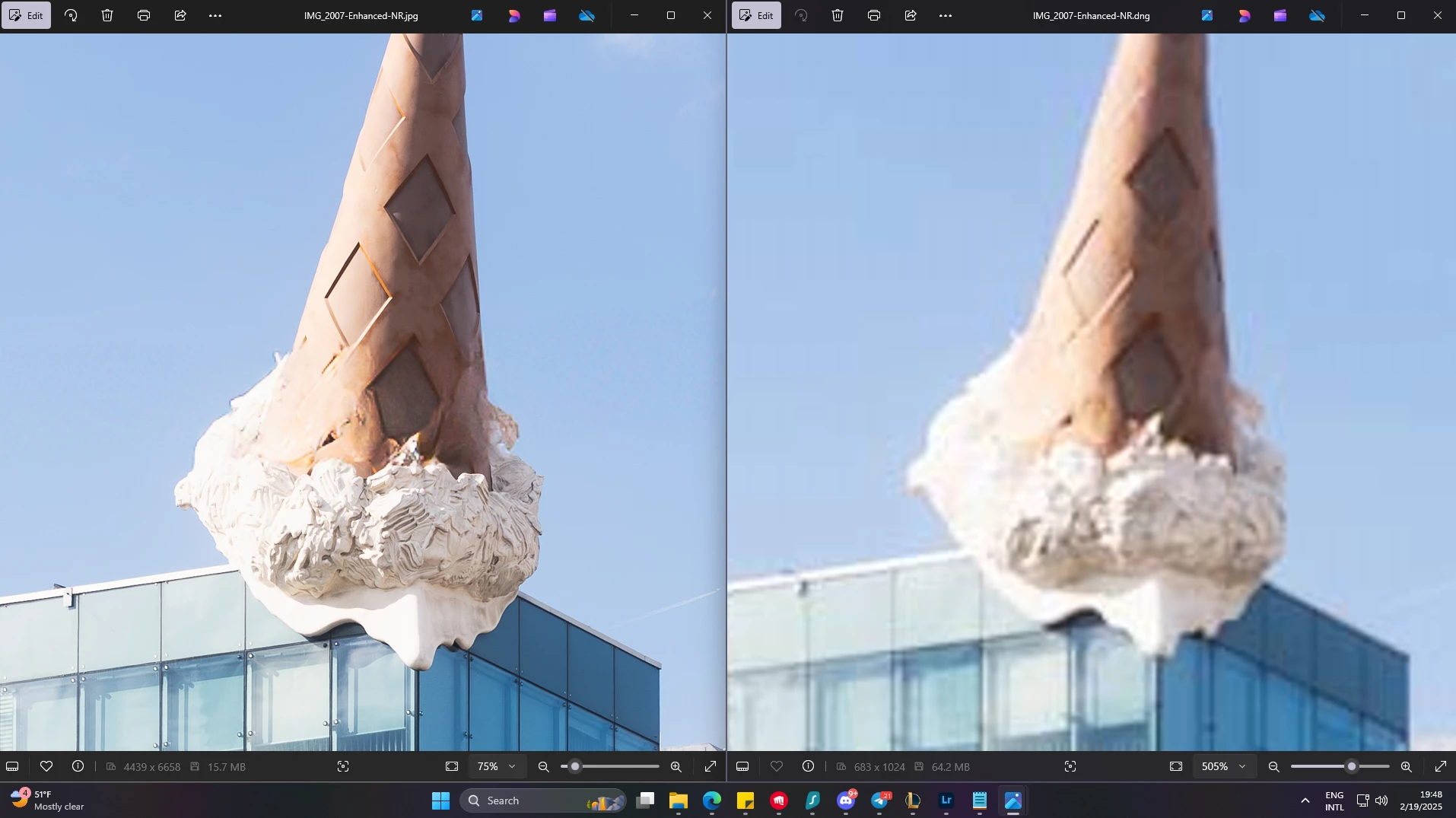
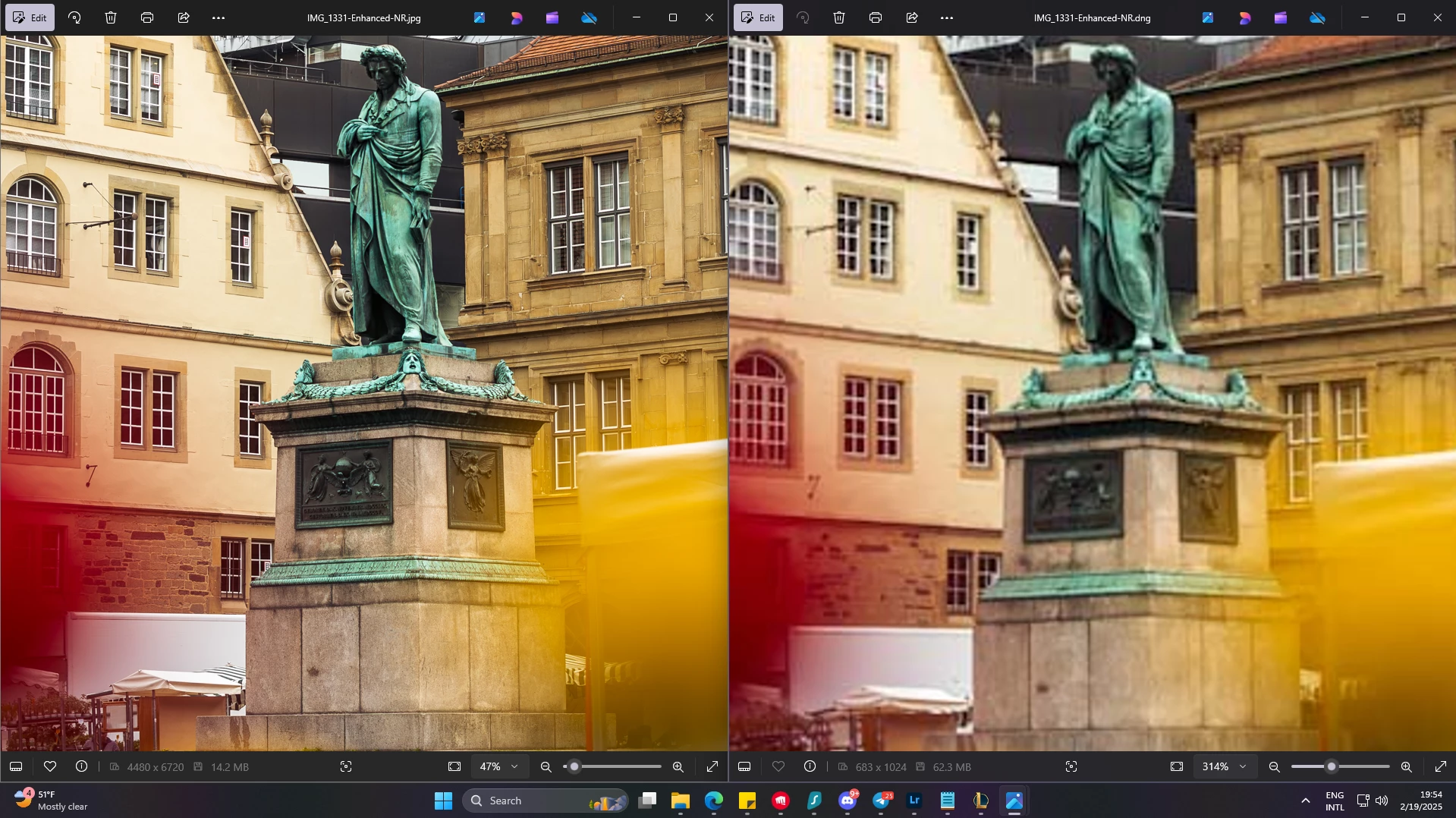
I’m currently in the process of migrating a lot of my cloud stored photos to my local storage device and I’ve run into a couple issues. My main issue that I’m currently facing is when syncing my photos between Lightroom and my local storage it will save enhanced or in our images in a resolution or format that does not align with how it looks in actual Lightroom to be honest, I have no clue how to fix this nor away forward, but I’m hoping that this conversation may drum up some visibility on this issue.
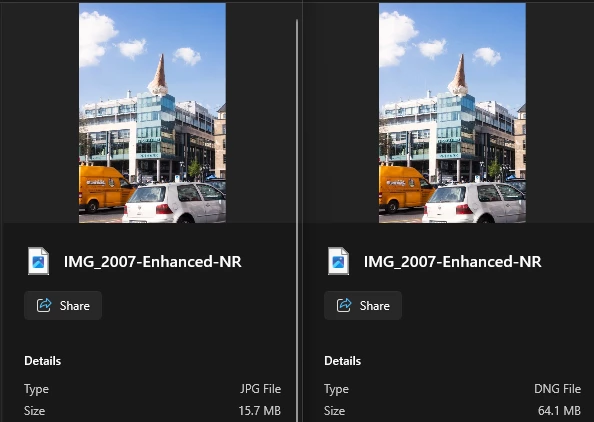
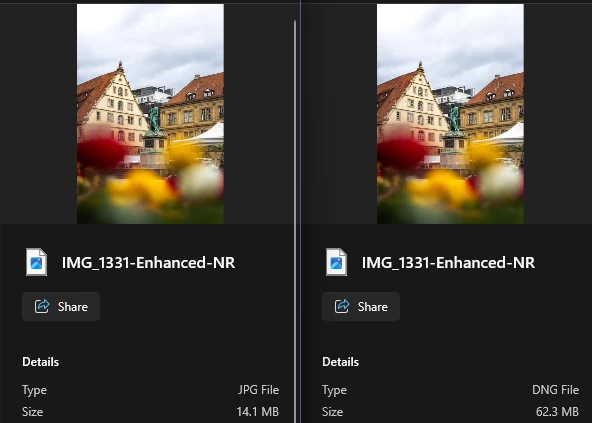
I wouldn't have an issue with this if the sync pushed the original raw photo to my PC and not the DNG but there is no option for this. If this can be implemented that would be swell and would save tons of time rippig the photos and deleting them as they are unusable.
See the Left for the Normal Export and Rigt for Lightroom Sync Export


 AdChoices