


Inspiring
April 19, 2023
Answered

"Target Adjustment" tool in Color Mixer not working

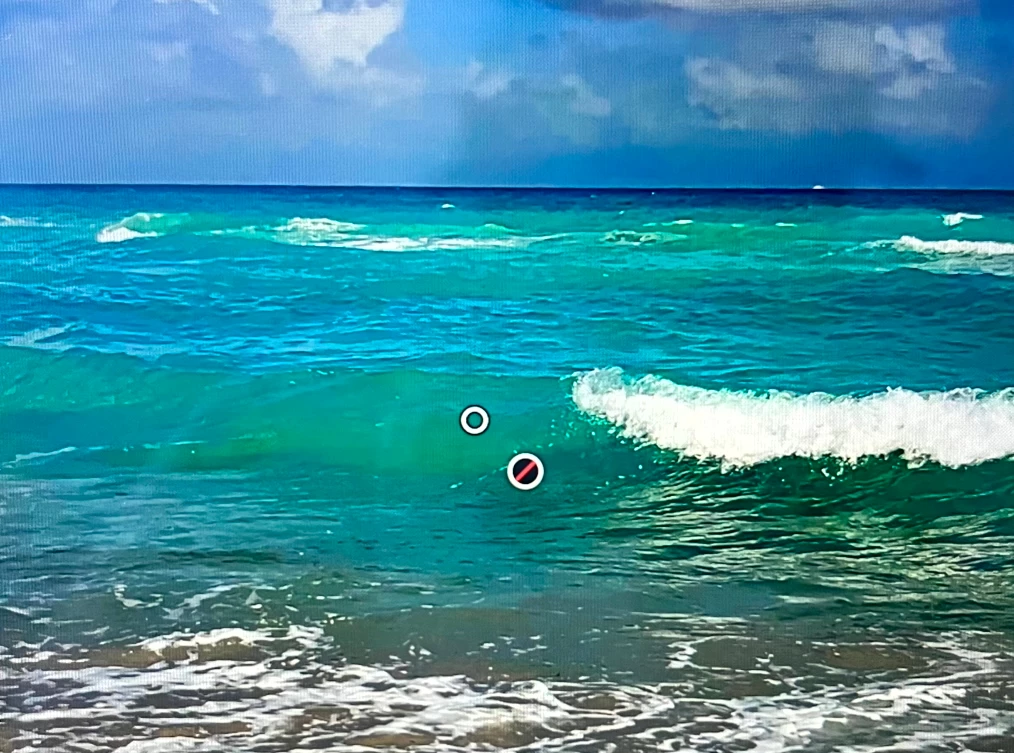
I've been unable to use the "Target Adjustment" tool in the Color Mixer panel since I updated to the latest version of Lightroom (April 2023 release: Desktop version 6.3; MacBookPro 14" 2021 v12.6). I've tried using it on several different photos. An icon with a red slash in it appears instead of the usual hue slider. Is this a bug or (new) expected behavior? Screenshot below:
 

This topic is closed to new replies. Start a new post to keep the conversation going.
KG_BKCorrect answer
Inspiring
April 19, 2023

Well, now this is strange. I restarted Lightroom CC, and initially, it was still there. And then suddenly, it disappeared, and now it's working properly. I'd like to thank my version of Lightroom CC for making a fool of me. Maybe it just needed a restart.  

3 replies

Rikk Flohr-Retired
Adobe Employee
April 19, 2023

I am not able to replicate this issue. 
Is it possible for you to share the original of this file with us?

Translate
Rikk Flohr: Adobe Photography Org
KG_BKAuthor
Inspiring
April 19, 2023

Hi there. It's not a particular file. It's happening on all of my images, including images I have already edited in the past using this tool. 

Translate