


"This Album is Empty".... but it isn't.
I use Lightroom on my PC with Windows 11, and I use the cloud. I was editing photos in an album, when the photos disappeared and "This Album Is Empty" appeared. On the left hand side I can see the album and it's showing 2,091 photos in it, yet I cannot access the photos. I do not have any filters selected. I tried running a CC update, but it didn't resolve the issue. I've also shut down and restarted my PC. Below is a screenshot of my LR screen and below that is a copy of the installed version number of my software.
Thank you in advance for your help!
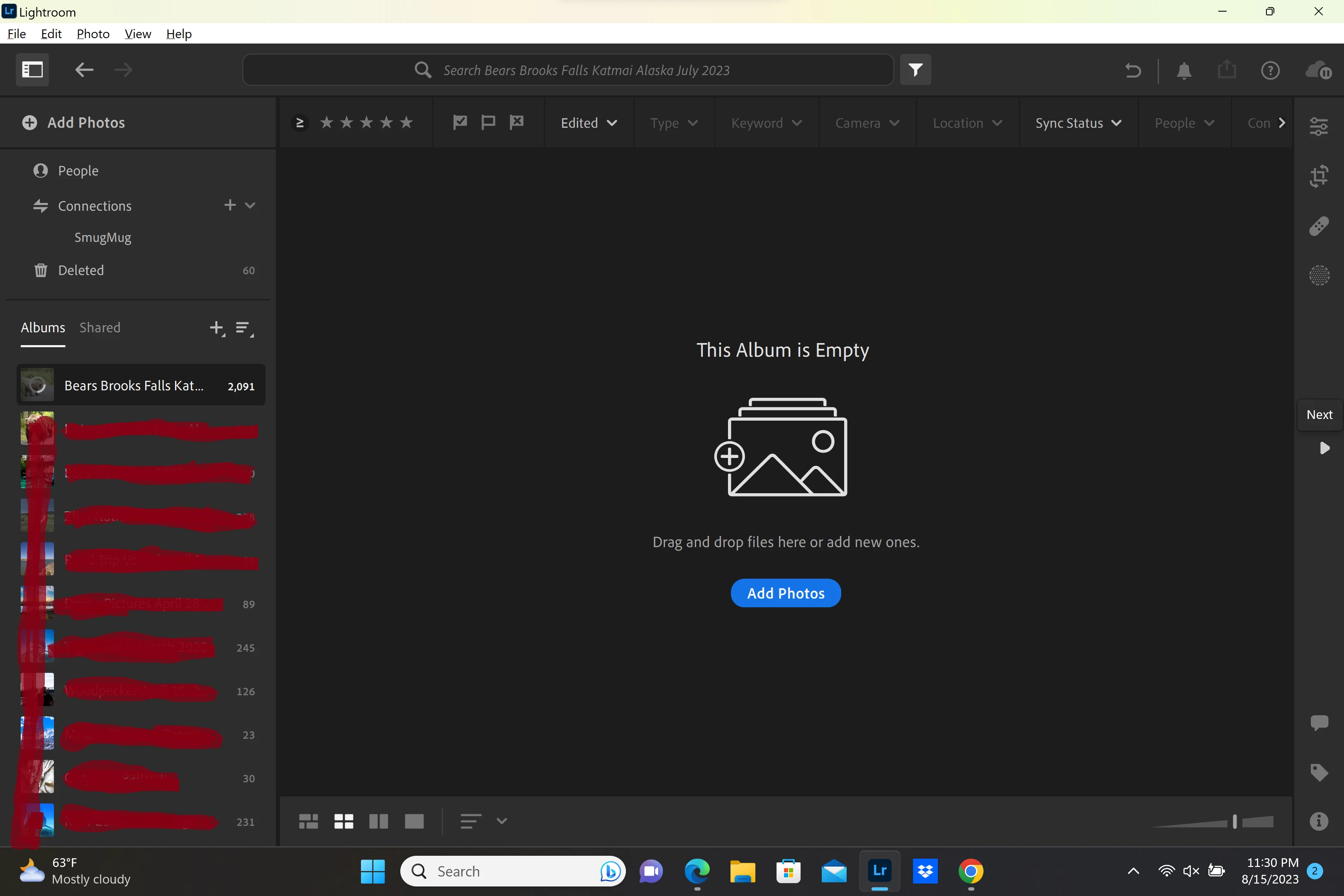
Lightroom version: 5.4 x64 [ 20220607-0605-ab0fd72 ] (Jun 7 2022)
NGL Version: 1.29.0.5
WF Version: 4.4 89b063a
VF Version: 1.0.111
HIL Version: 40405
Operating system: Windows 11
OS Version: Windows 11 Home (2009)
Application architecture: x64
System architecture: x64
Computer model: Microsoft Corporation Surface Book 3 / Intel(R) Core(TM) i7-1065G7 CPU @ 1.30GHz
Logical processor count: 8
Processor speed: 1.4 GHz
Built-in memory: 32353.1 MB
Real memory available to Lightroom: 32353.1 MB
Real memory used by Lightroom: 3048.5 MB (9.4%)
Virtual memory used by Lightroom: 3687.1 MB
Memory cache size: 7831.4 MB
Internal Camera Raw version: 14.4 [ 1121 ]
Maximum thread count used by Camera Raw: 5
Camera Raw SIMD optimization: SSE2,AVX,AVX2
Camera Raw virtual memory: 22MB / 16176MB (0%)
Camera Raw real memory: 23MB / 32353MB (0%)
System DPI setting: 240 DPI (high DPI mode)
Desktop composition enabled: Yes
Displays: 1) 3240x2160
Input types: Multitouch: Yes, Integrated touch: Yes, Integrated pen: Yes, External touch: No, External pen: No, Keyboard: Yes
Graphics Processor Info: DirectX: NVIDIA GeForce GTX 1660 Ti with Max-Q Design (27.21.14.6259) - 6 GB
Graphics Processor Detail: loaded: Yes, supported: Yes, compute: Yes, init: I4_GPU3, hard: success, soft: success, al: Yes, dl: No
OS Media Capability: true
Application Folder: C:\Program Files\Adobe\Adobe Lightroom CC
Settings Folder: C:\Users\beckh\AppData\Roaming\Adobe\Lightroom CC
Library Folder: C:\Users\beckh\AppData\Local\Adobe\Lightroom CC\Data

 AdChoices