

MWY+Photo
Participant
June 4, 2026
質問

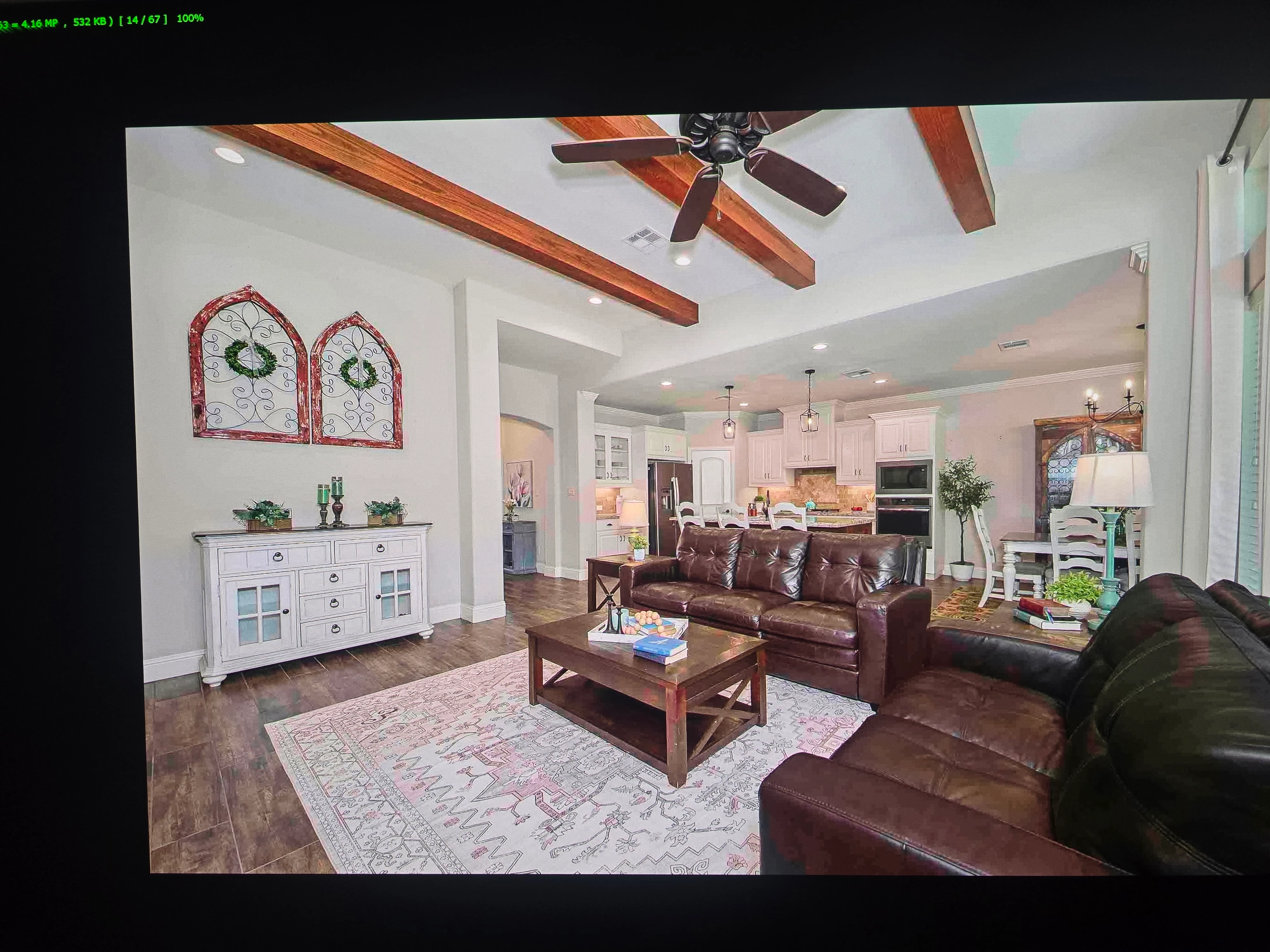
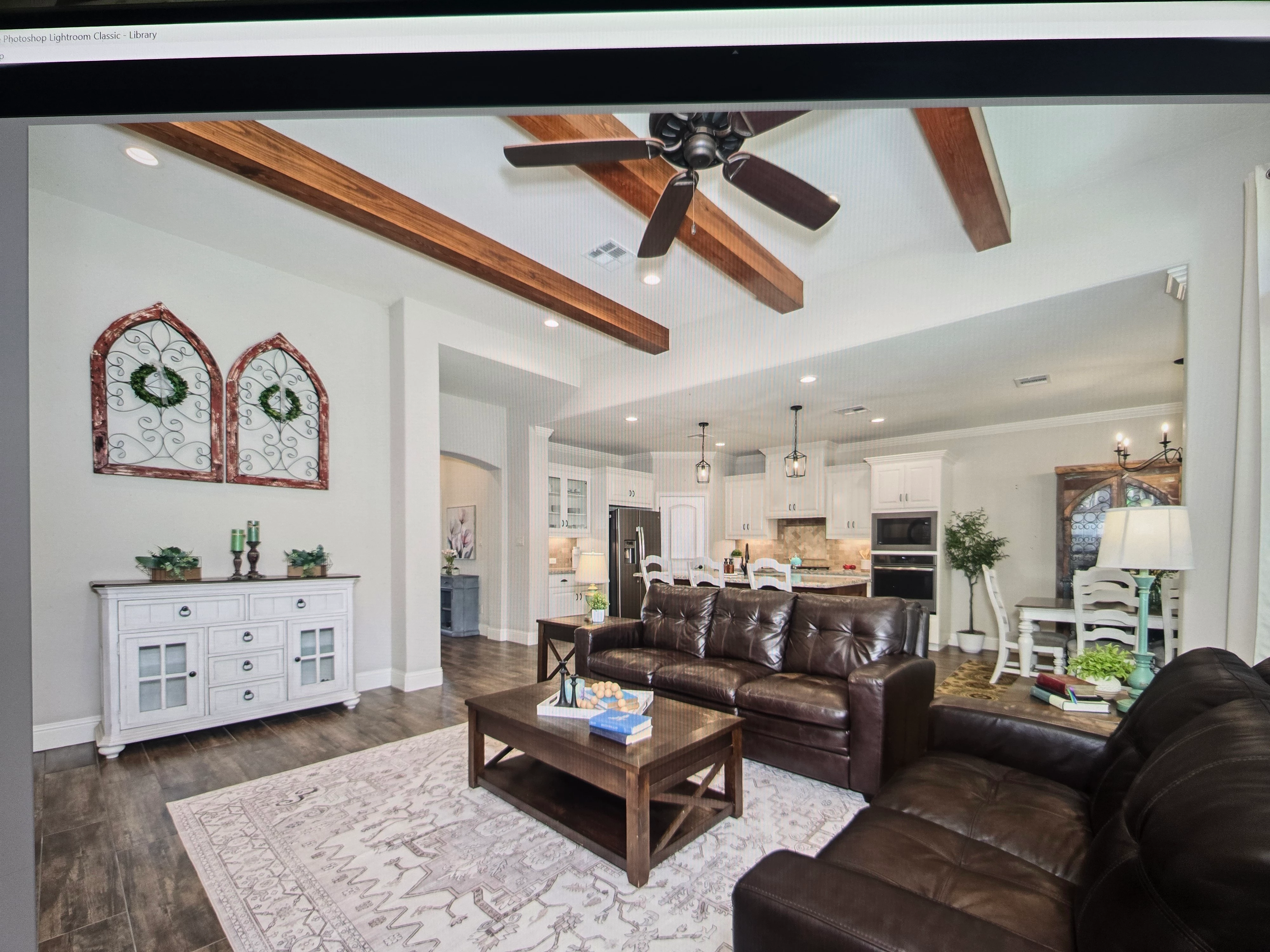
This last update deleted software plugin. I reloaded software, edited photos exported final copies. Pictures exported have pink on them where a mask used. radials objects. Whats happening? I am sure a setting i missed to recreate i cant remember
 

    返信数 2

    Claire H.
    Community Manager
    Community Manager
    June 27, 2026

    Hi ​@MWY+Photo, I'm just checking in to see if you are still running into this issue? If so, have you had a chance to try these basic troubleshooting steps in this article: https://adobe.ly/48dzRau? Let us know how things are going. Happy to keep troubleshooting with you if needed. Thanks! ^CH

    Anshul_Saini
    Community Manager
    Community Manager
    June 9, 2026

    Hi ​@MWY+Photo,

    Thanks for reaching out. Seeing pink where your masks are applied on export is definitely not expected behavior. The mask overlay (the colored visualization you see while editing) should never appear in your exported files. Please try the following steps:

    1. If you applied any AI-powered edits within those masked areas, such as Generative Remove, AI Denoise, or used AI-based mask selections like Select Subject/Sky/People/Object, the AI edits may need to be updated.


    2. Check if "Show Overlay" is affecting your preview (not export). In Edit mode, when you select a mask, make sure Show Overlay (the colored mask indicator) is toggled off before exporting. While this shouldn't affect the actual export, let's rule it out, toggle it off, then re-export one photo.

    3. Since this started after an update/reinstall, a GPU rendering issue can be a probable cause. Go to Lightroom > Preferences (Mac) or Edit > Preferences (Win). Then, under Performance, set Use Graphics Processor to Off. Re-export your photos and check if the pink is gone.

    4. Check your export color space. After reinstalling, your export settings may have reset. When exporting, make sure Color Space is set to sRGB

    5. Reset the mask and reapply if it's only happening on previously edited photos.

    Also, could you please share:

    • Cop & paste System Info (Help > System Info)?
    • Since you mentioned reinstalling a plugin, could you share which plugin it is? Could you try temporarily disabling it to see if that's the culprit?

    This will help us narrow down the exact cause.

    Best,
    Anshul Saini