
Participant
May 24, 2021
Question

Unable to import Preset DNG Files to LR

  • May 24, 2021
  • 1 reply
  • 920 views

Hello all,


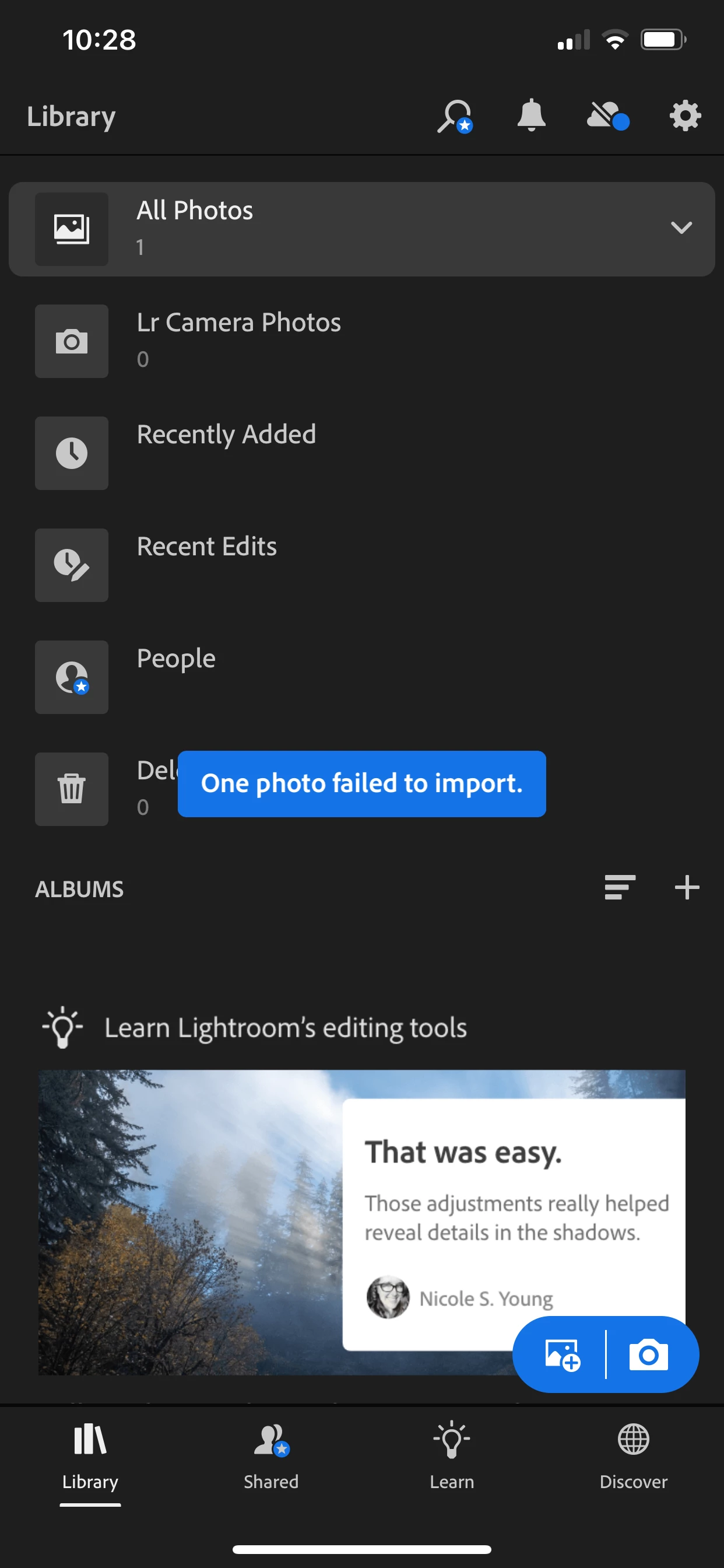
I'm new to Lightroom so don't know what exactly is going wrong here. I purchased a set of presets and downloaded them to my mobile. When I tried to import them to LR, it kept giving me an error that the photo failed to import. I have the latest version of LR. 
I tried to import on my laptop and got the same error. I was told I didn't need the paid version of LR to use these presets. Is that still the case? Please help me fix the issue. I have attached screenshot of the error. 
Thank you!
This topic has been closed for replies.

1 reply

Community Manager
May 27, 2021

You can import and use presets with the free version of Lightroom on your mobile device.


That error could mean that Lightroom's import code (which uses Adobe Camera Raw) had trouble reading the file, the file you used could be corrupt, etc.  I don't know how the bundle of images w/presets was delivered to you, but you might want to start over: download the presets to your device again, get fresh copies of the imagesw/presets onto your camera roll, etc.  Please refer to any instructions provided by whoever sold you those presets and perhaps contact them if this problem continues.