

Update from 7.5 to 8.0 results in 6.0?
I had Lightroom 7.5, and wanted to upgrade to 8.0.
Now Creative Cloud desktop tells me I have 8.0, but in Lightroom it says 6.0. Before upgrading I had 7.5.
I have tried to fault trace, by signing out, restarting the Mac and signing in til Creative Cloud again, but no change.
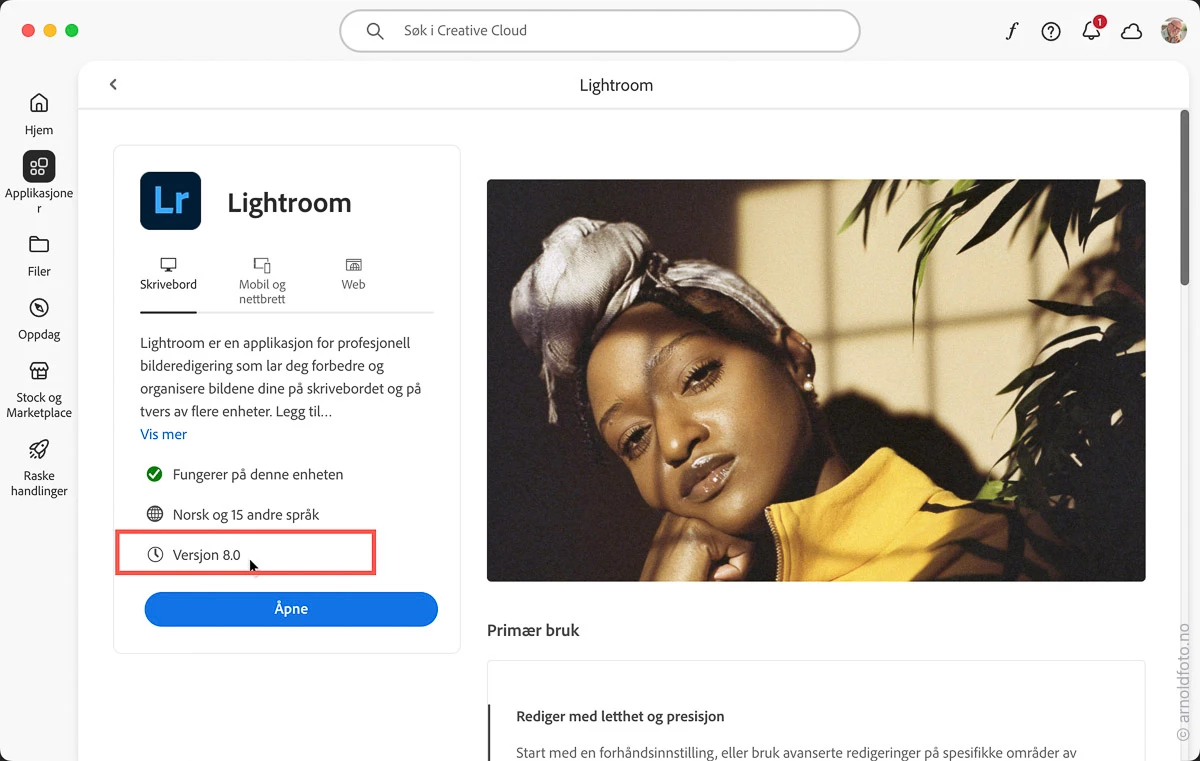
This screen photo is from Creative Cloud Desktop > Applications >Lr - Product information
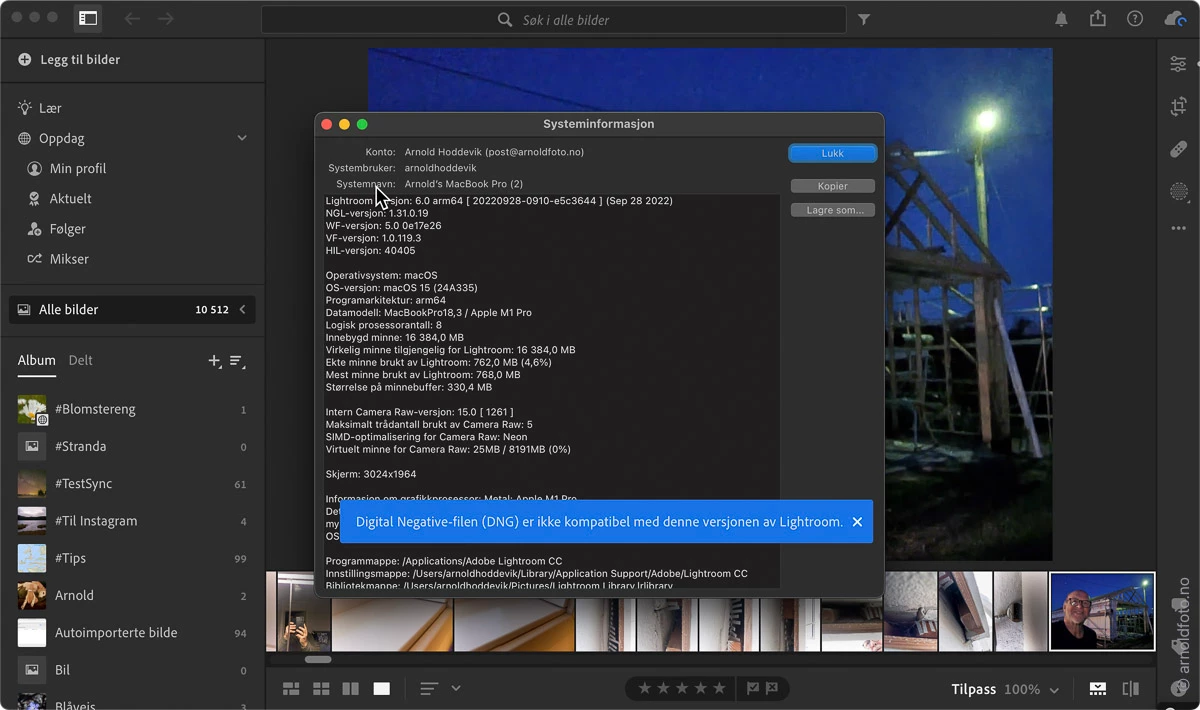
System information:
Lightroom versjon: 6.0 arm64 [ 20220928-0910-e5c3644 ] (Sep 28 2022)
NGL-versjon: 1.31.0.19
WF-versjon: 5.0 0e17e26
VF-versjon: 1.0.119.3
HIL-versjon: 40405
Operativsystem: macOS
OS-versjon: macOS 15 (24A335)
Programarkitektur: arm64
Datamodell: MacBookPro18,3 / Apple M1 Pro
Logisk prosessorantall: 8
Innebygd minne: 16 384,0 MB
Virkelig minne tilgjengelig for Lightroom: 16 384,0 MB
Ekte minne brukt av Lightroom: 673,0 MB (4,1%)
Mest minne brukt av Lightroom: 768,0 MB
Størrelse på minnebuffer: 330,4 MB
Intern Camera Raw-versjon: 15.0 [ 1261 ]
Maksimalt trådantall brukt av Camera Raw: 5
SIMD-optimalisering for Camera Raw: Neon
Virtuelt minne for Camera Raw: 25MB / 8191MB (0%)
Skjerm: 3024x1964
Informasjon om grafikkprosessor: Metal: Apple M1 Pro
Detaljer om grafikkprosessor: lastet inn: Ja, støttet: Ja, beregn: Ja, init: I4_GPU4, hard: success, myk: success, al: Ja, dl: Nei
OS Media-funksjon: true
Programmappe: /Applications/Adobe Lightroom CC
Innstillingsmappe: /Users/arnoldhoddevik/Library/Application Support/Adobe/Lightroom CC
Bibliotekmappe: /Users/arnoldhoddevik/Pictures/Lightroom Library.lrlibrary


 AdChoices