CTHOMSON
Participant
August 11, 2025
Question

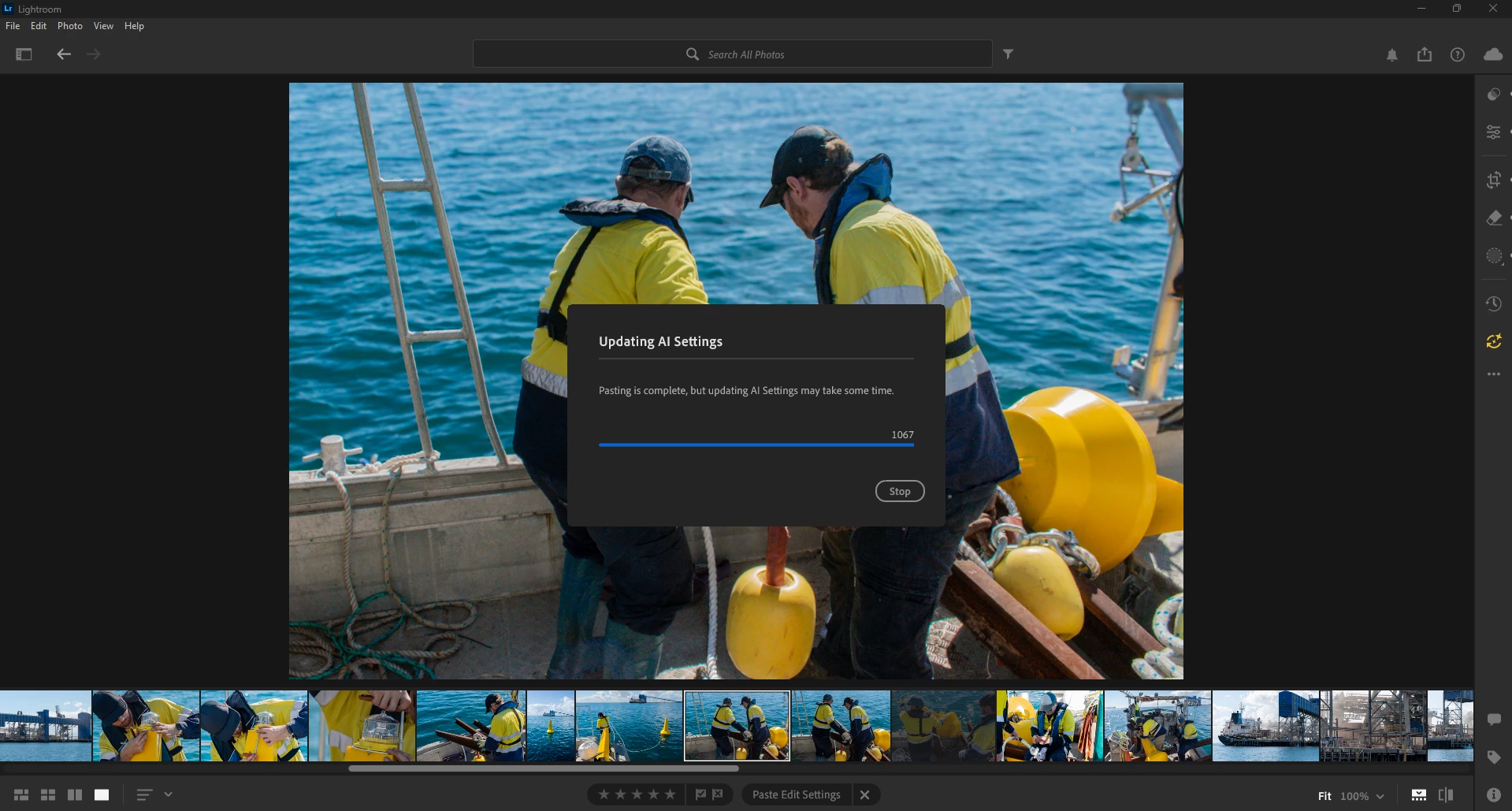
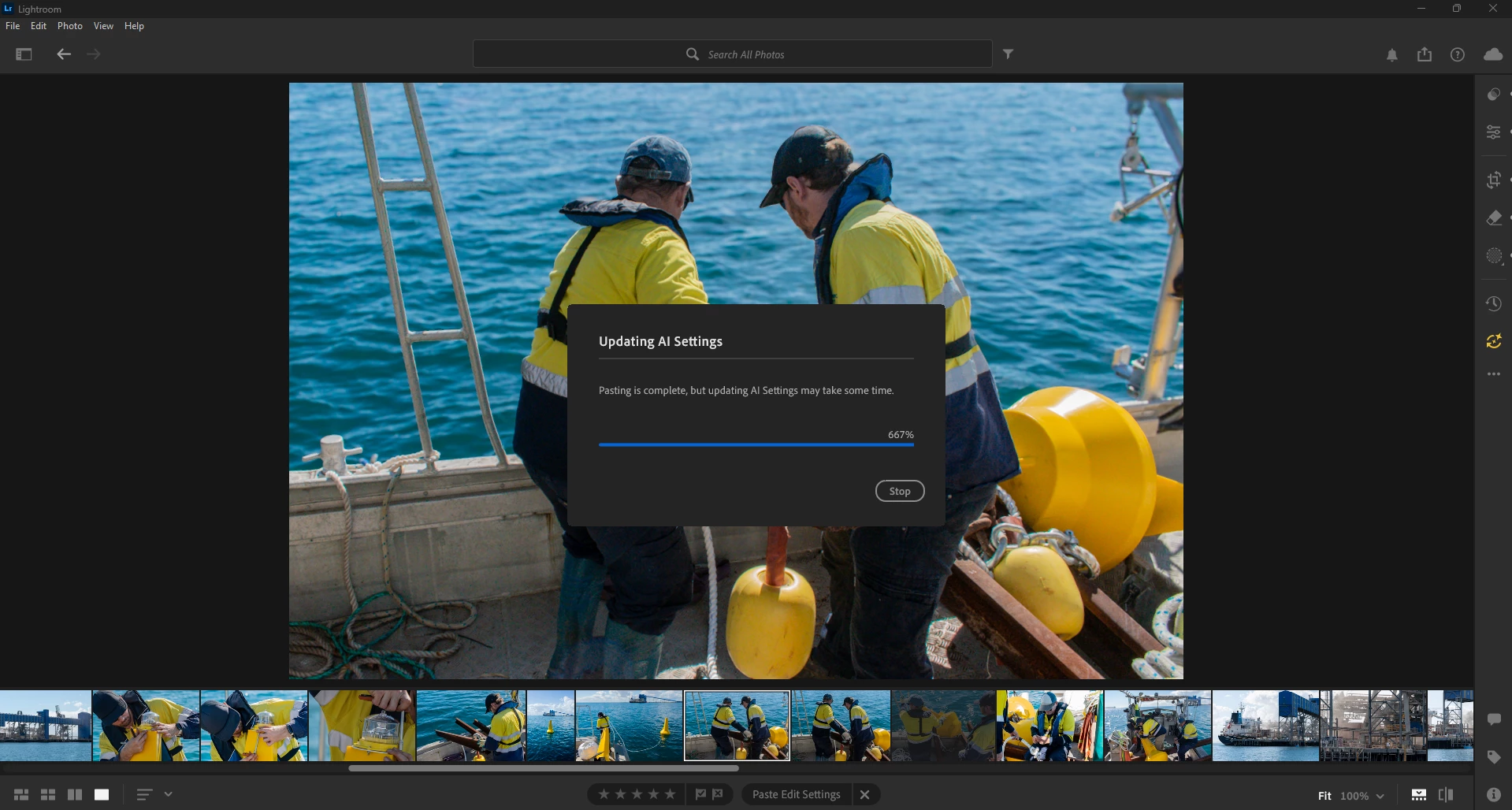
Updating AI Settings
  • August 11, 2025
  • 1 reply
  • 133 views


Lightroom on Windows 11


Adobe Lightroom has a major bug, as noted in previous discussions. This issue is severe and ongoing, it can exceed 100% and even reach into the thousands. At the time of writing, it has surpassed 2,000. I know the AI edits are minor because this comes from a user preset I created that deselects the 'remove' settings. Although I’d hate to reset the edits on this photo and start over, since the AI update doesn’t resolve the problem, resetting seems to be the only logical solution.


Adobe this is completely unethical to offer software at full price with a bug that prevents users from exporting final edits.

1 reply

Sameer K
Community Manager
Community Manager
August 11, 2025

Hey, @caring_Whirl7011. Welcome to the Lightroom Community. I can understand this can be frustrating, and I'll help you figure this out. Please share the system information from Lightroom Help > System info > Copy and paste into a text document > Upload and attach here.


The Denoise feature set relies on the graphics processor on your machine, and troubleshooting the GPU drivers can be the first step in mitigating the errors you notice. Please follow the steps here: https://adobe.ly/4lW7zWn


Let me know how it goes. Thanks! 
Sameer K

(Type '@' and type my name to mention me when you reply)