


Participant
December 25, 2022
Question

Viewing Library and Development tabs

  • December 25, 2022
  • 1 reply
  • 155 views

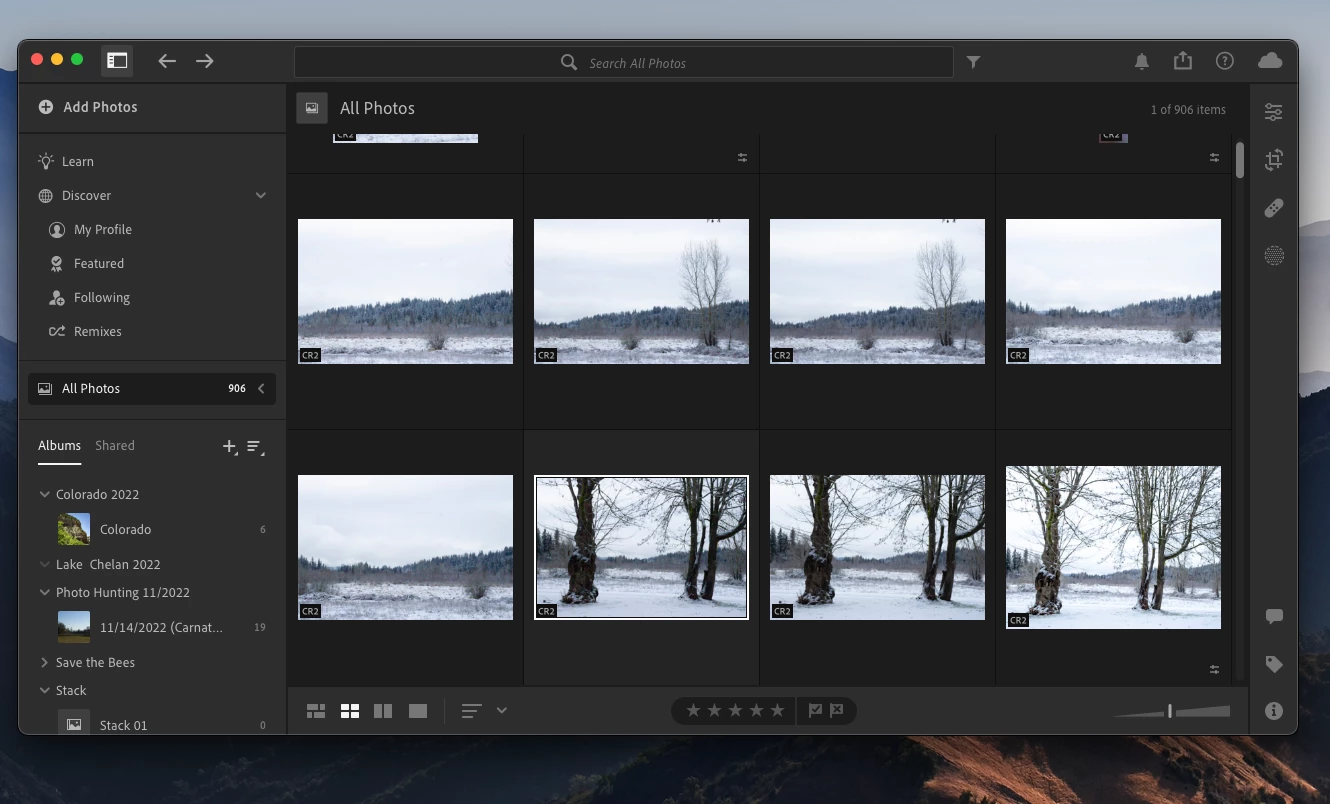
Hi everyone! I am having an issue in Lightroom version ^. I cannot view the tabs for the various modules. I am on OSX and it is a Lightroom issue and not an operating system issue. I have been using Lightroom for years, but the version I installed on this computer has never shown the various tabs (ie. Library, development, etc.). Does anyone have advice on how to make the tabs accessible? I am trying to get to my metadata. I would post a screenshot, but this forum will not let me.Thanks in advance.
This topic has been closed for replies.

1 reply

Rob_Cullen
Community Expert
Community Expert
December 25, 2022

Your description suggests you are expecting to see the Module tabs that are in Lightroom--CLASSIC, and you have installed Lightroom-Desktop (the Cloud Version currently at v6.1)

If you have been using Lightroom for years, then I assume you were using the 'old' Perpetual Version of Lightroom (Maybe v6.14)

If it is this you expect to see-

Then you have installed the wrong Lightroom.  Lightroom-Classic is what you need!

Lightroom-Classic is only available in the Photography Plan (20GB).  If you subscribed to the Lightroom Plan (1TB)- you will need to change plans!  PLAN CHANGE 

(Note: your Adobe Cloud storage will reduce if you do change plans!)


Regards. My System: Windows-11, Lightroom-Classic 15.3, Photoshop 27.5, ACR 18.3, Lightroom 9.3, Lr-iOS 10.4.0, Bridge 16.0.3 .