

Question
Watermark in a different location then it dispalys on screen when printed.
I don't usually print with watermarks or with an aspect ratio different then my pictures. Long story short I'm printing some 3:2 aspect ratio images at 4:3 with a watermark. Whats happening is wherever lightroom initially places the watermark on the image when I select it for printing the watermark locks to that place on the printed image. When I adjust the crop (hold ctrl+click and drag) in the print module lightroom shows it in the correct place on screen but when it's printed its placement is in the same place from when I initially selected the file for printing. I would really like to see this fixed but does anyone know of a workaround that's easier then resizing every image before printing? I have about 40 pictures to print short term and more in the future, re-cropping each one and then going back and changing them all back to original is going to get old quick. The first one came out fine and I ran about 10 more before I went back to check on the printer and figured out what was happening. I'm glad I caught it early but at least 5 of them are unusable/sellable and being larger prints (18"x24") it's pretty annoying. The blue print on the lower right is correct, one got cut off all togeather and the portrait layout ones got shifted up/down.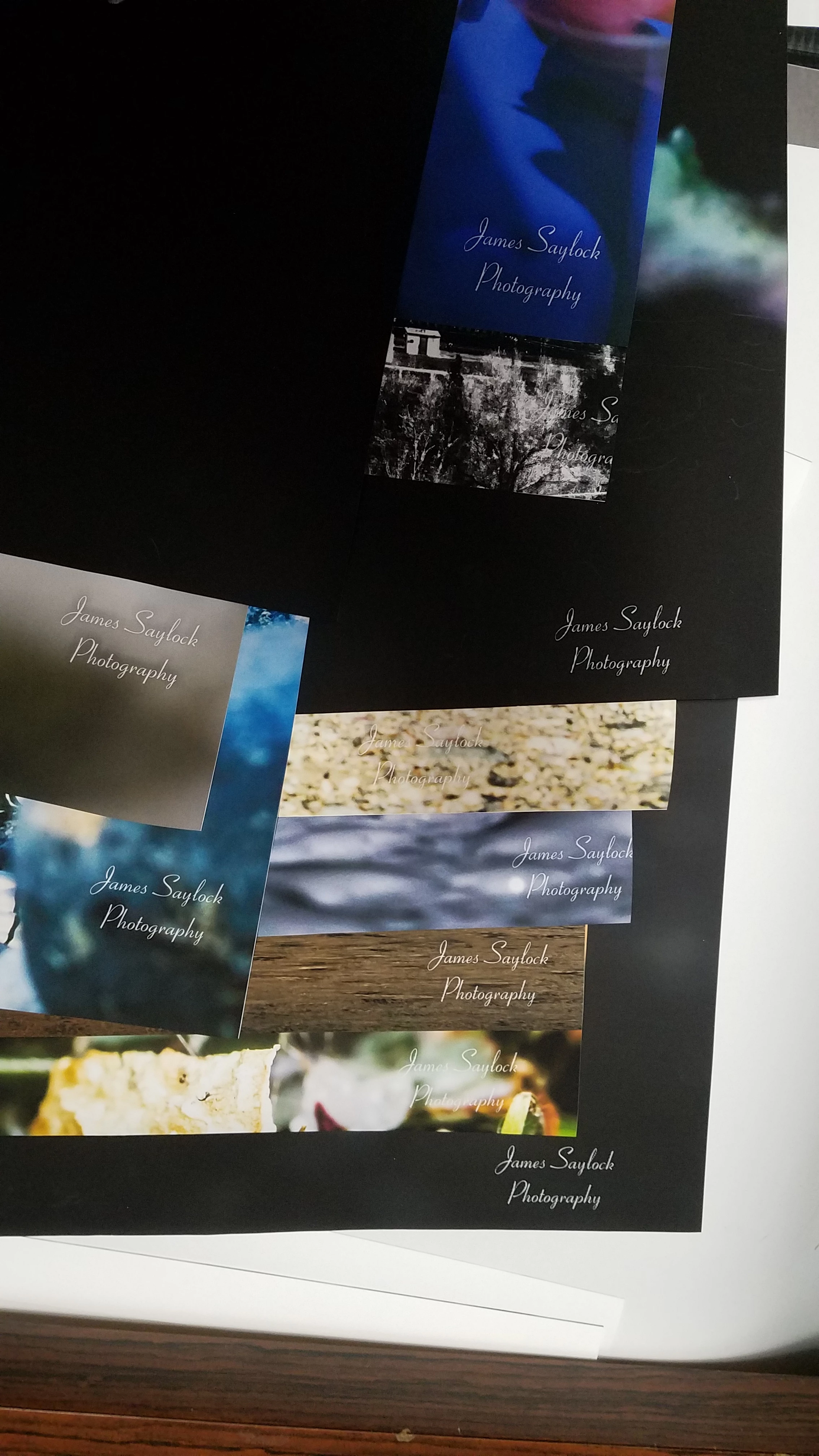 I found (THIS), it was posted about 5 years ago and that's all the info I found with my fairly quick search. Any help is greatly apreciated.
I found (THIS), it was posted about 5 years ago and that's all the info I found with my fairly quick search. Any help is greatly apreciated. AdChoices