
Answered
When Editing photos from IPhone
When Editing photos from IPhone, how to keep all picture info, such as location, date, face, etc..?

When Editing photos from IPhone, how to keep all picture info, such as location, date, face, etc..?
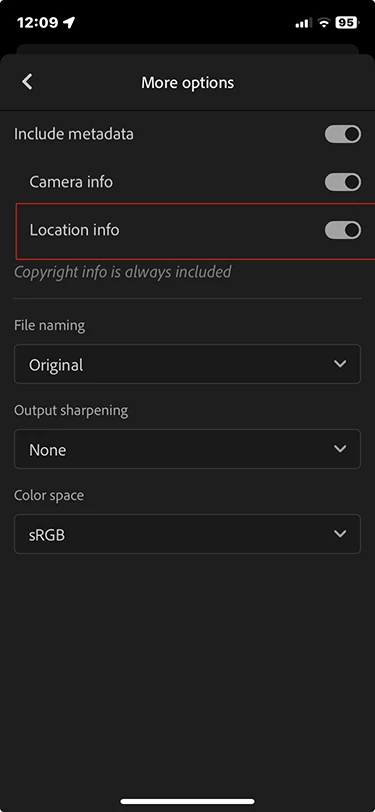
Face recognition is app-specific. What Lightroom recognizes is not readable by the native iOS Photos app and vice versa. GPS info will be retained if you use 'Export as' in Lightroom, and then go to 'More Options' in the share sheet. There you can specify which metadata should be included, and Location info is one of those (turned off by default, I believe).
Already have an account? Login
Enter your E-mail address. We'll send you an e-mail with instructions to reset your password.


 AdChoices