
Question
When I use guided mode for uprights, the message telling me it's active blocks the bottom of screen
This prevents me from placing a guide at the bottom of the screen. See the attached screenshot. I wanted to place a guide along the table, but I can't because of the message there.
If I get rid of the guide limit reached message, the other one that says guided upright edit mode active will take it's place. If I click on done it will close the edit window.
How do I fix this?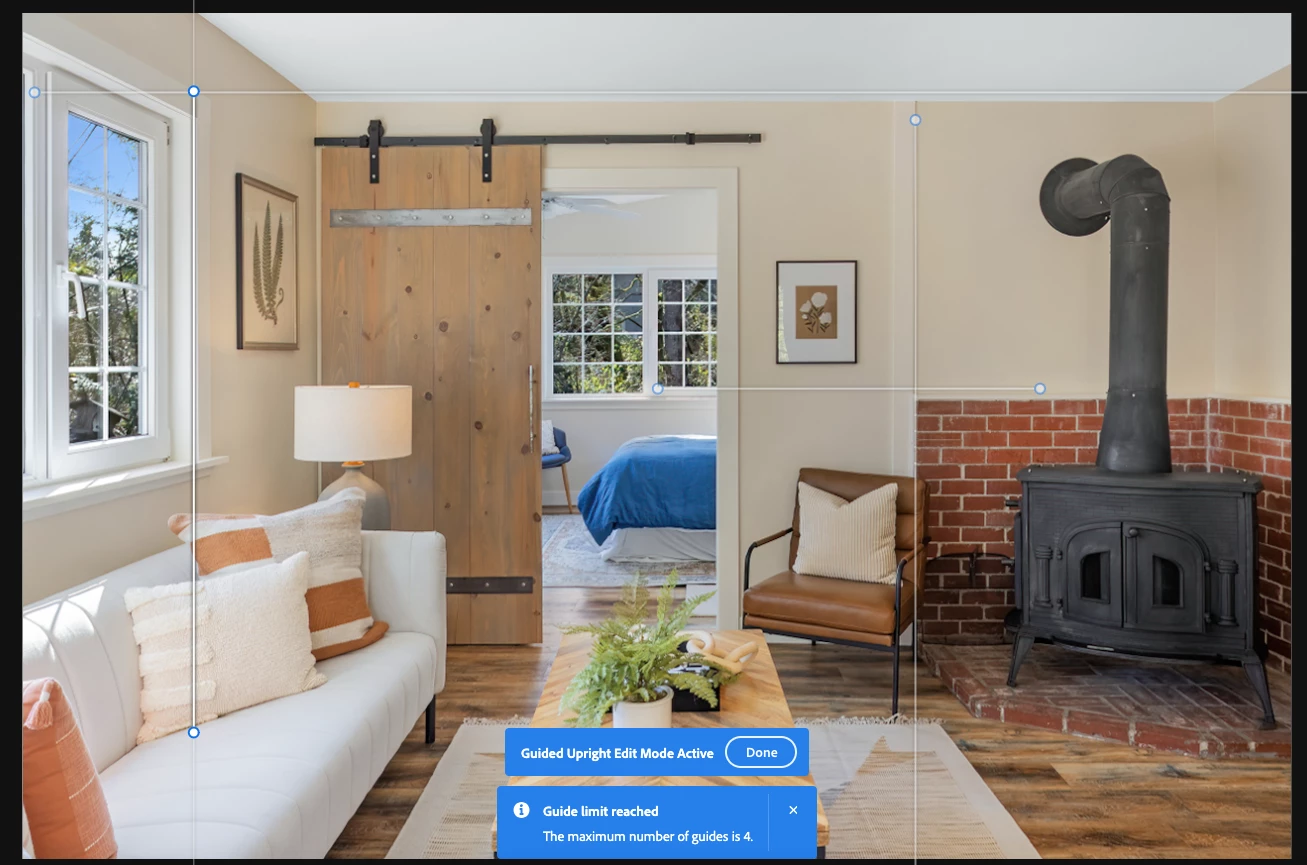


 AdChoices