Participant
November 21, 2024
Answered

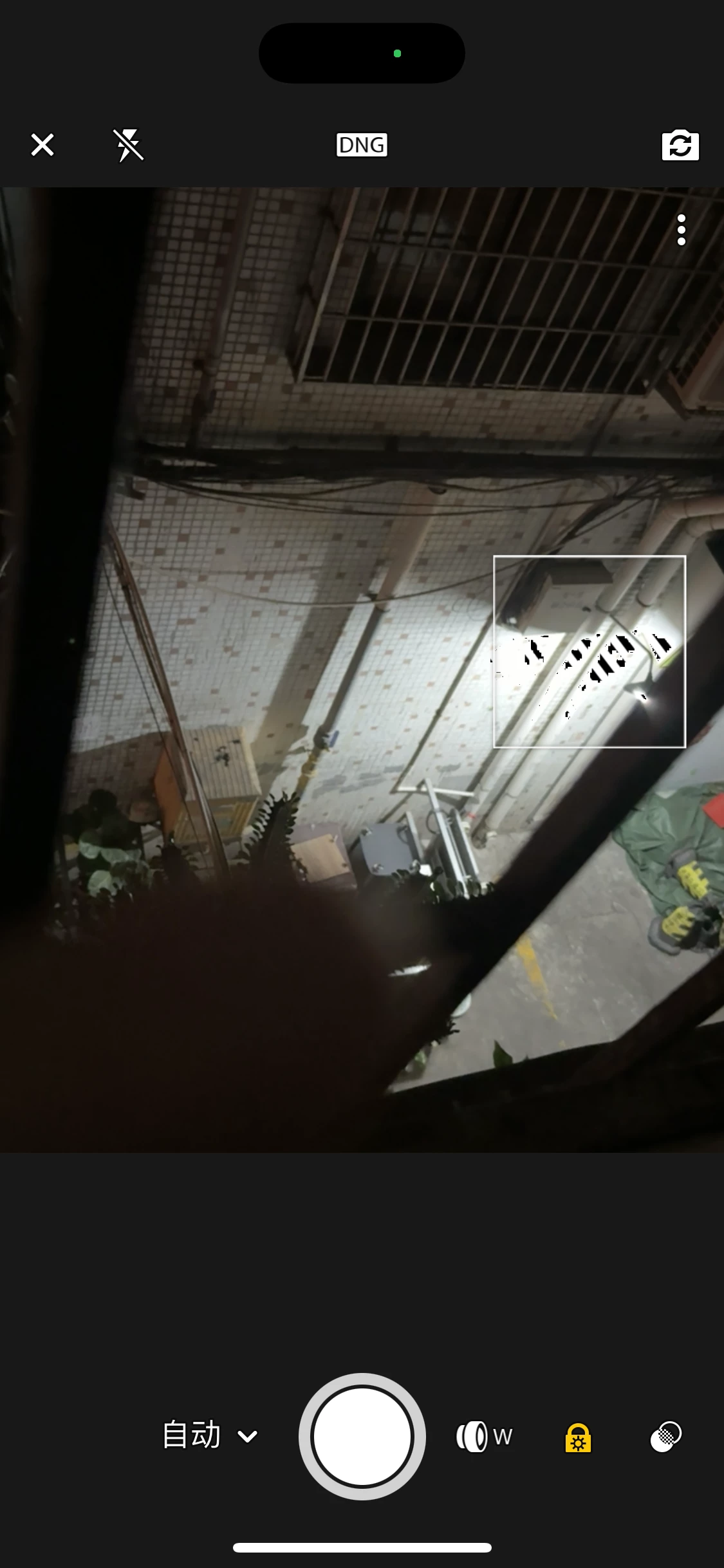
When shooting white scenes, black stripes will appear
  • November 21, 2024
  • 2 replies
  • 143 views

This topic has been closed for replies.
Correct answer Charlie.D

Hi @longqi87 

That is a feature in the Lightroom Camera called Highlight Clipping, which shows when the sensor shows something that's so highly exposed that the pixels are essentially white with no other image data.


The stripes do not show in the images that are captured and saved to your Lightroom account. 


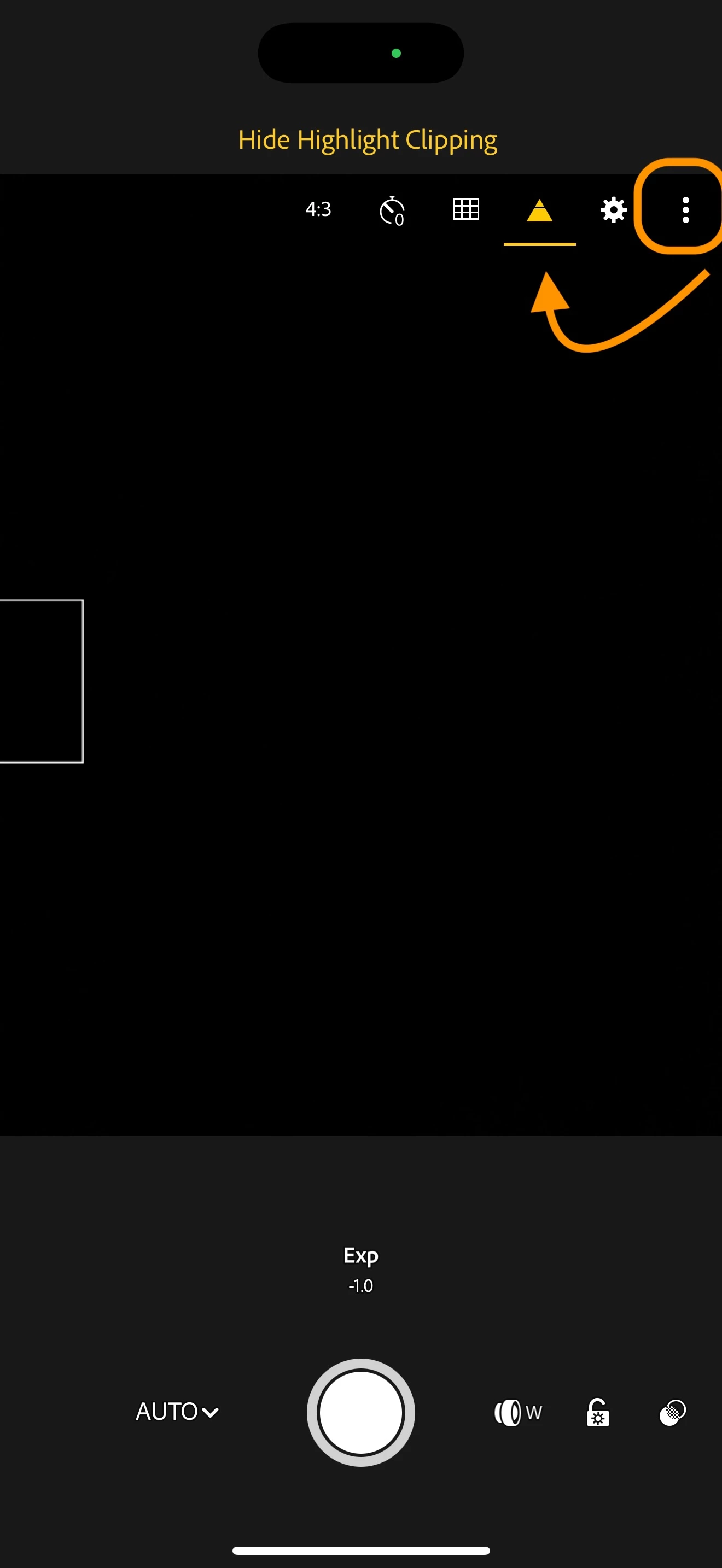
You can disable Highlight Clipping in the LR camera by tapping the 3-dot menu at the top right to open then in-camera options.  Then tap the triangle button to enable/disable highlight clipping.
2 replies

Charlie.DCorrect answer
Inspiring
November 21, 2024

Hi @longqi87 

That is a feature in the Lightroom Camera called Highlight Clipping, which shows when the sensor shows something that's so highly exposed that the pixels are essentially white with no other image data.


The stripes do not show in the images that are captured and saved to your Lightroom account. 


You can disable Highlight Clipping in the LR camera by tapping the 3-dot menu at the top right to open then in-camera options.  Then tap the triangle button to enable/disable highlight clipping.

Sameer K
Community Manager
Community Manager
November 21, 2024

Hey, @39189838?9535. Welcome to the Lightroom Community. I'll help you figure this out. I checked your account, and I couldn't find an active subscription. What exact device, version of Lightroom, and the mobile OS that you're working on?


If you have a subscription to a different account, log on to Lightroom Web (https://adobe.ly/3xdotLH) and check for all the images synced and uploaded to the cloud. Once everything is backed up to the cloud, try reinstalling Lightroom from the PlayStore, and let me know how it goes.


Thanks!
Sameer K

(Use '@mention' to tag me when you reply)
