


Participant
December 23, 2022
Question

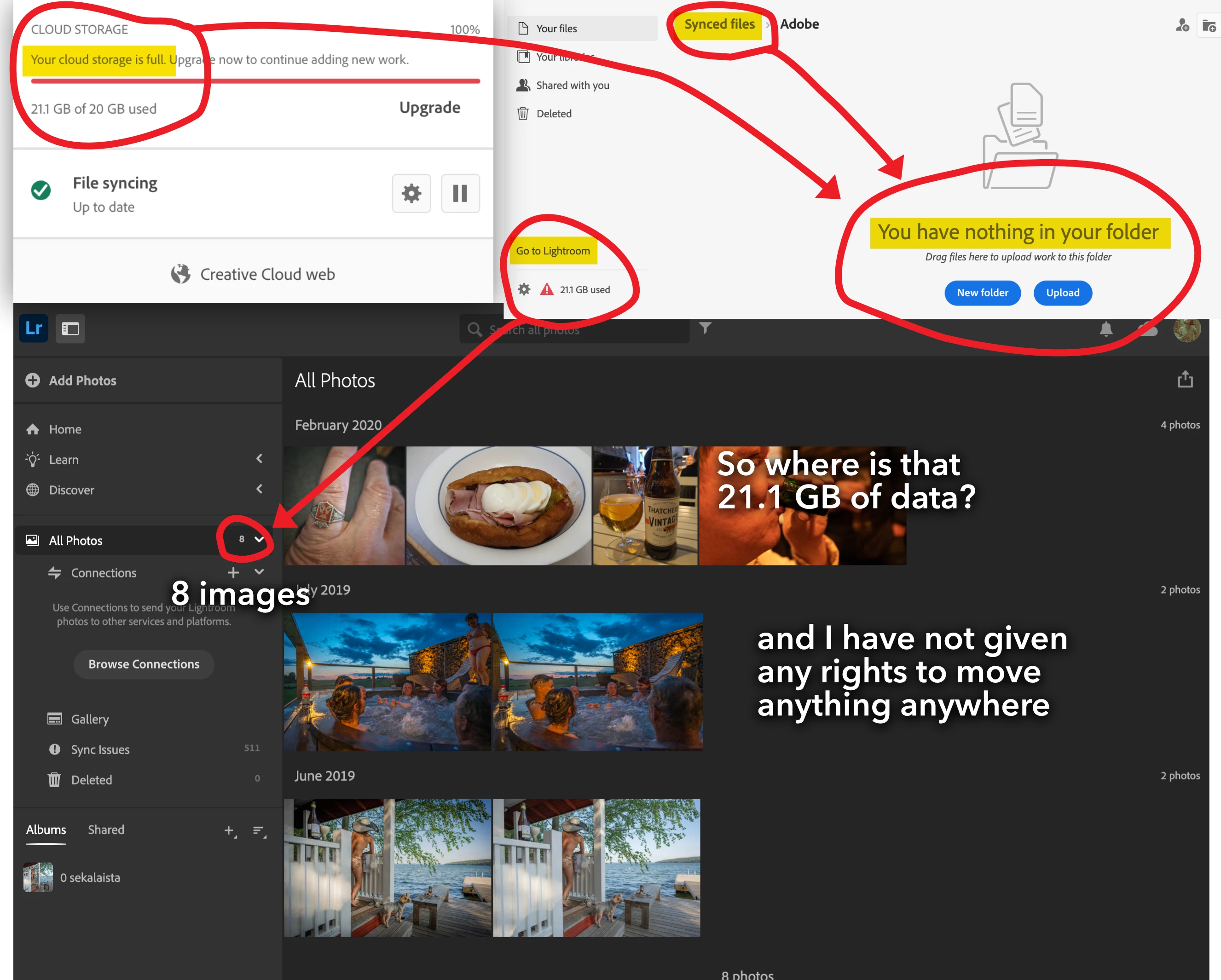
Where is 21 GB files? "Your cloud storage is full"

  • December 23, 2022
  • 3 replies
  • 497 views

My CC says that on MBP that "Your cloud storage is full". I haven't give any permisson etc. to move any file to any cloud, but somewhere is 21,1GB data. I tried to find those, but only found 8 image in LR somewhere... so?

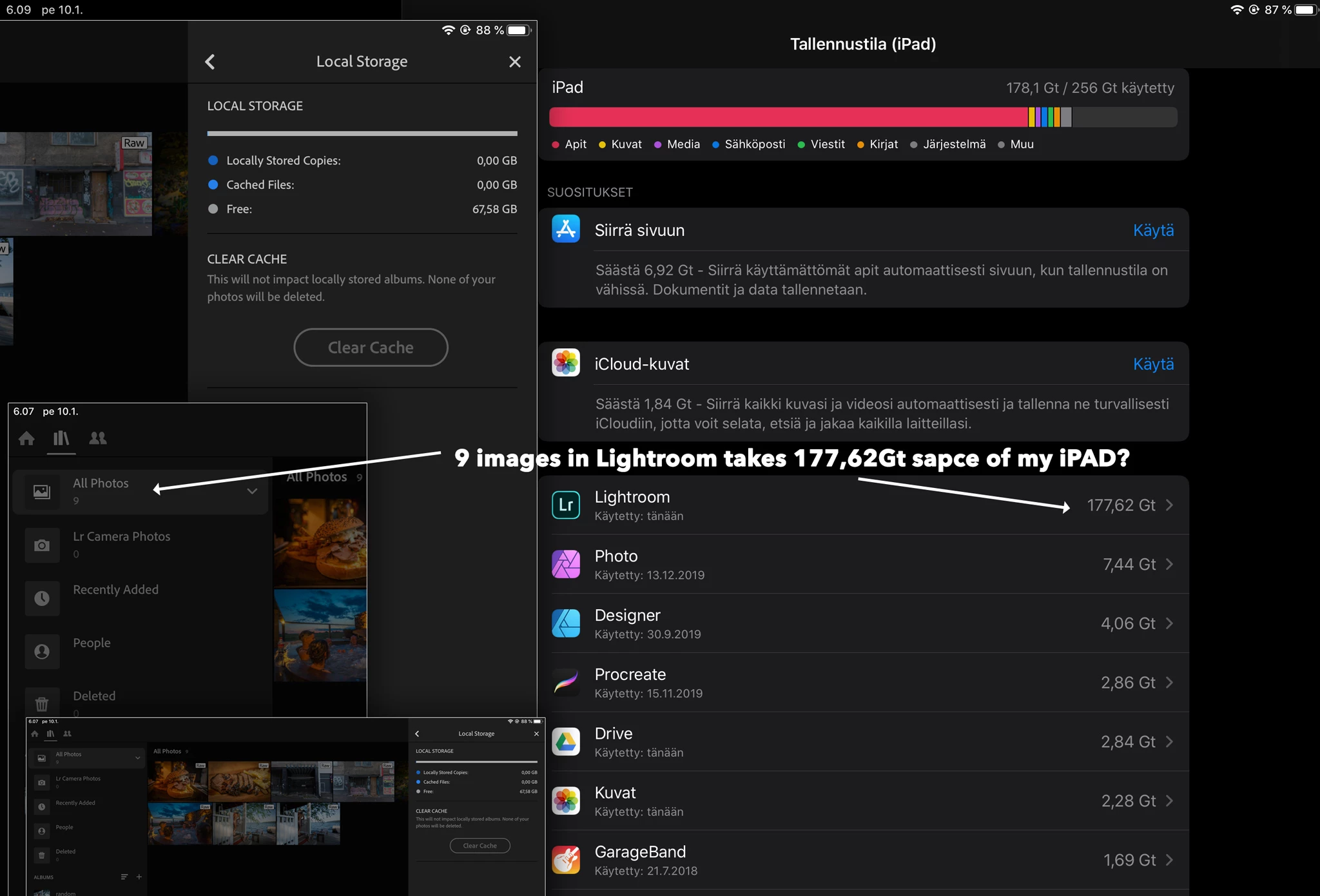
It's very annoying also that my iPad, which has 9 image in ipad/LR, takes 177,62 GB sapce of my iPad.

This topic has been closed for replies.

3 replies

Community Expert
December 26, 2022

>It's very annoying also that my iPad, which has 9 image in ipad/LR, takes 177,62 GB sapce of my iPad.


Since you are synced to the cloud (check that you are on the iPad by checking the little cloud icon), an easy way to clear this up is to delete the app of your iPad and reinstall it and log into your adobe account again. No clue why it would show as taking 178 GB. Perhaps it is trying to import all images and videos on your photoroll? There is a setting in Lightroom app (main screen gear icon->import) that makes Lightroom try to import every image/video on your photoroll. 

peter-b8062983
Adobe Employee
Adobe Employee
December 27, 2022

Please look at the section "Review partially synced photos and videos in Lightroom" in

https://helpx.adobe.com/creative-cloud/kb/file-storage-quota.html


It looks like you have many photos that started to sync and did not complete.  That will use up space "reserved" for those files to upload.


-Peter

johanwilAuthor
Participant
December 23, 2022

and open from photoshop, just two drawings


Rob_Cullen
Community Expert
Community Expert
December 25, 2022

I think you will have to sort this problem out with Adobe Customer Care.


Use a browser that allows popups and cookies and contact adobe support by clicking here,

https://helpx.adobe.com/contact.html?rghtup=autoOpen


In the chat field (lower right of screen), type AGENT be patient, it can take quite a while to reach a human

General Advice: If you're contacted via email or private message, it's more likely to be a scammer than an adobe representative. Double check for an employee badge if contacted in the forums and look for an {adobe.com} domain in the email address if you click reply to an email. Then check again and be very suspicious. any other method of contacting (or offering to contact you) is almost certainly a scam, https://community.adobe.com/t5/using-the-community-discussions/staying-safe-in-the-adobe-support-com...


Regards. My System: Windows-11, Lightroom-Classic 15.1.1, Photoshop 27.3.1, ACR 18.1.1, Lightroom 9.0, Lr-iOS 10.4.0, Bridge 16.0.2 .
Ian Lyons
Community Expert
Community Expert
December 23, 2022

Moved from Lightroom Classic forum to Lightroom ecosystem.