Participant
April 5, 2026
Question

Which of these Lightroom catalog files is ok to delete?

  • April 5, 2026
  • 1 reply
  • 15 views

Hi there,

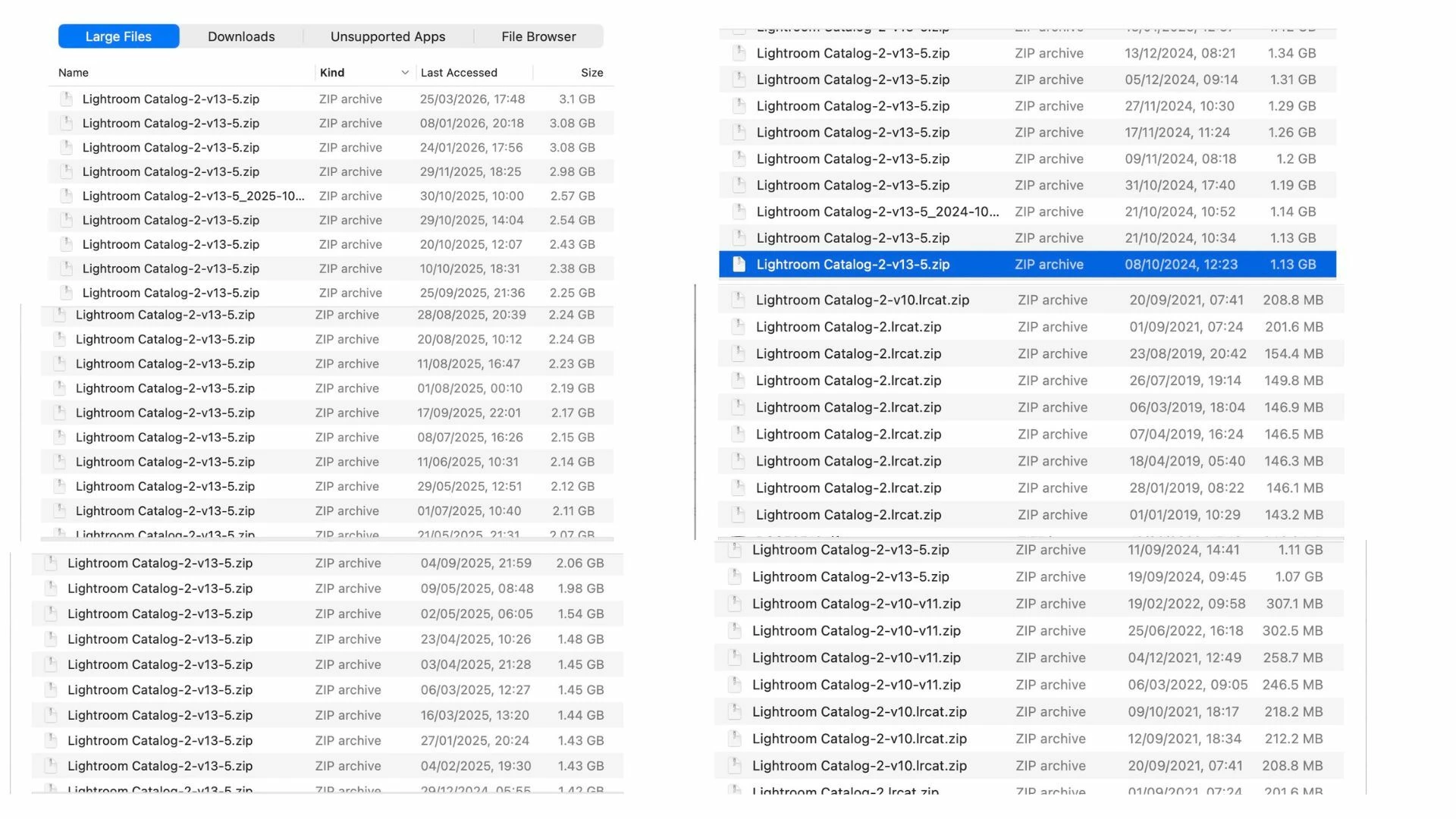
I would like to clean up some storage space on my Mac and I noticed that most of my Document storage is taken by Lightroom files. Could you please advise me/explain me which of these is safe to delete? There are many backup Catalog zip files, can I get rid of them all apart from the most recent one? What about the other type of files?

Many thanks,

Lucia
 

    1 reply

    JohanElzenga
    Community Expert
    Community Expert
    April 5, 2026

    All the .zip files are catalog backups. Keep a few, delete the older ones. You certainly don’t need a 6 years old backup…

    -- Johan W. Elzenga
    Participant
    April 6, 2026

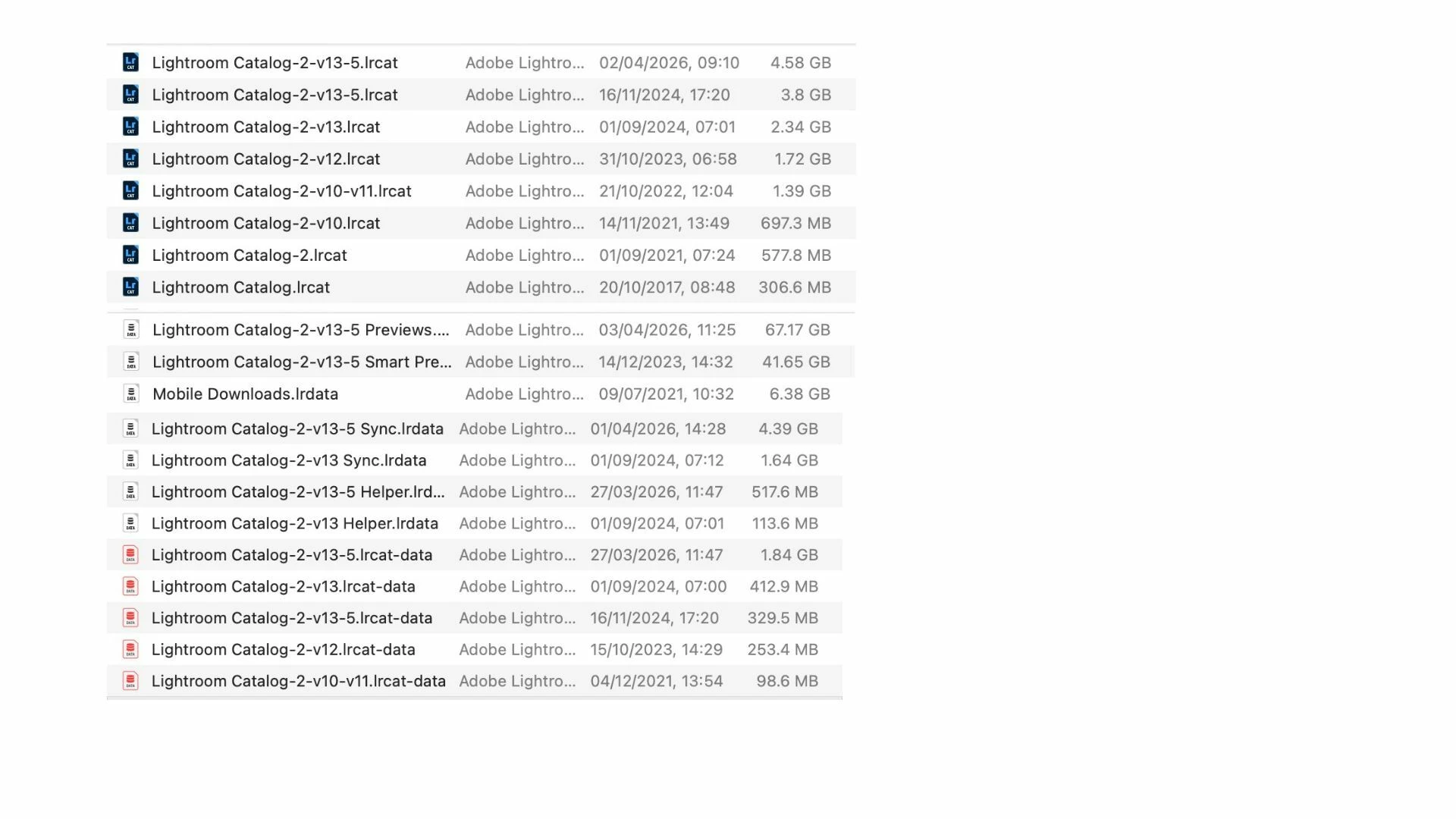
    Thanks a lot. Is it ok to delete some of these old files? I know not to touch the catalog smart previews, mobile downloads and previews, but what about the rest? Thanks


    JohanElzenga
    Community Expert
    Community Expert
    April 6, 2026

    Looking at the modification dates, the first catalog in this list is your current catalog. All other files with the .lrcat extension have not been used for at least one year. Be very careful however, because the second file in this list has the exact same name! That means there is an old copy of your current catalog somewhere in another folder, so make sure you don’t delete the wrong one. That old copy is probably in some ‘old catalogs’ folder, that was created when Lightroom Classic upgraded this catalog. Lightroom no longer renames the catalog on upgrade, so this is the old version from before that upgrade.

    -- Johan W. Elzenga