Participant
November 30, 2022
Question

Why am I missing the Develop mode bar in Lightroom?

  • November 30, 2022
  • 1 reply
  • 445 views

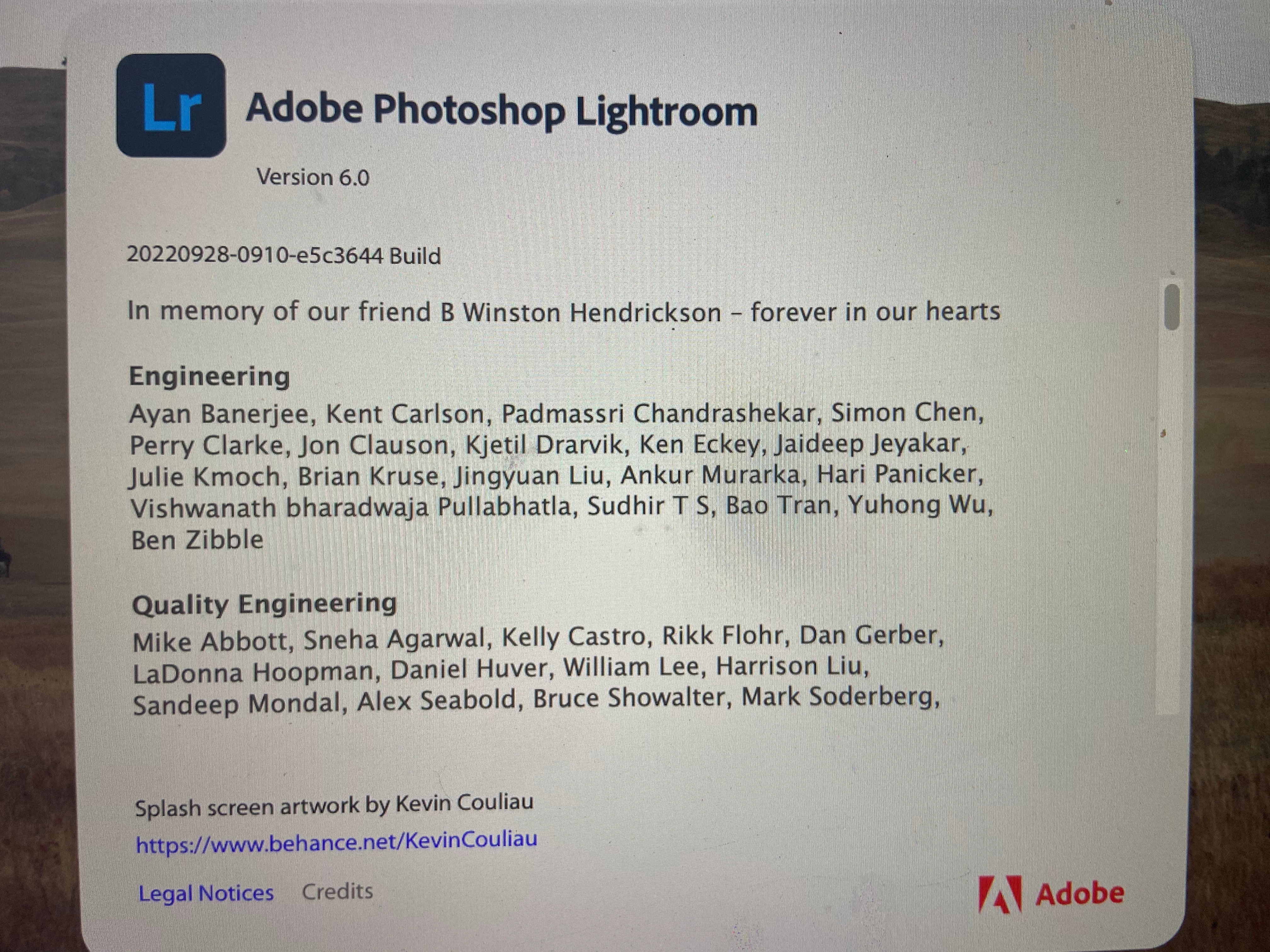
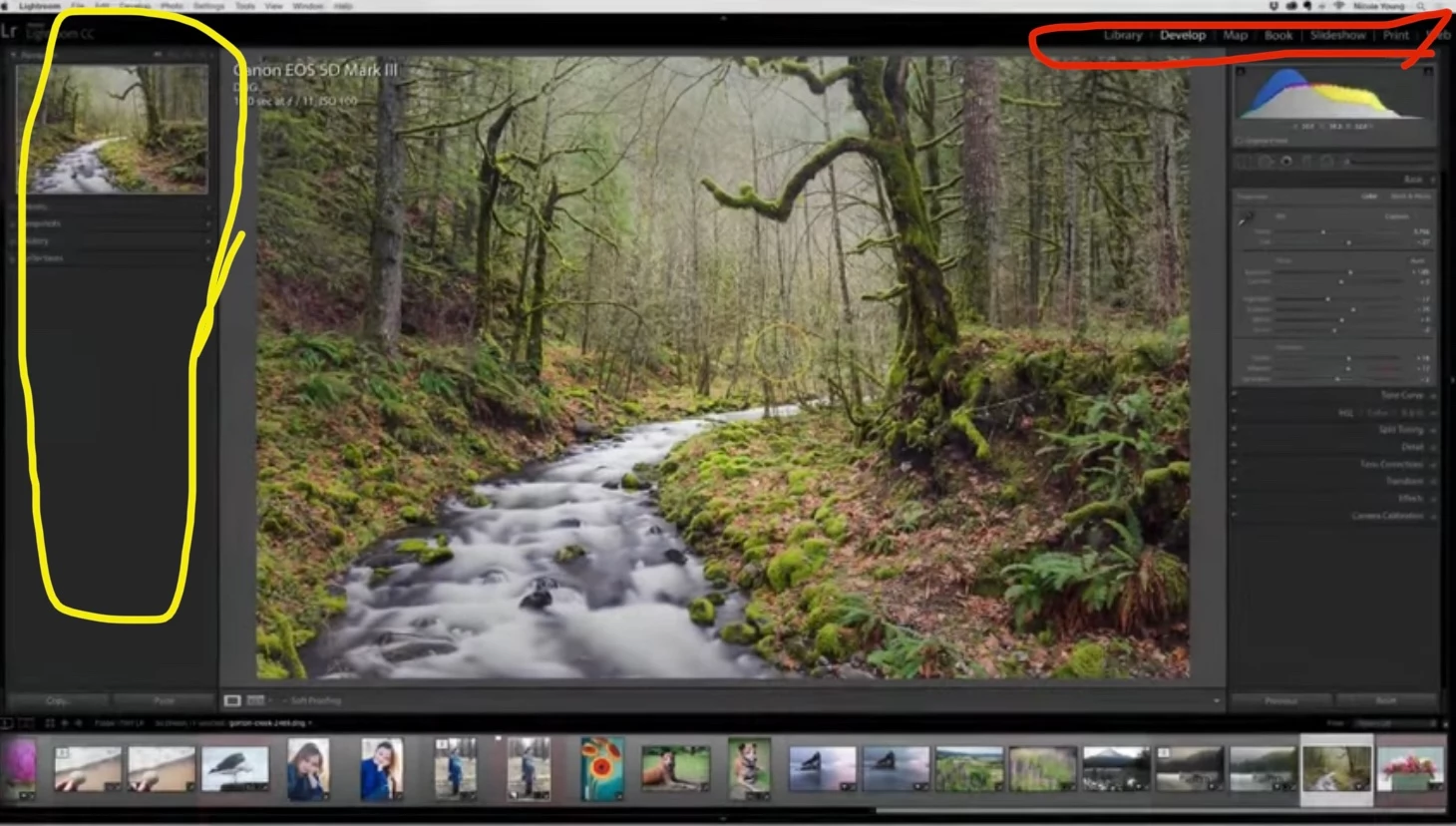
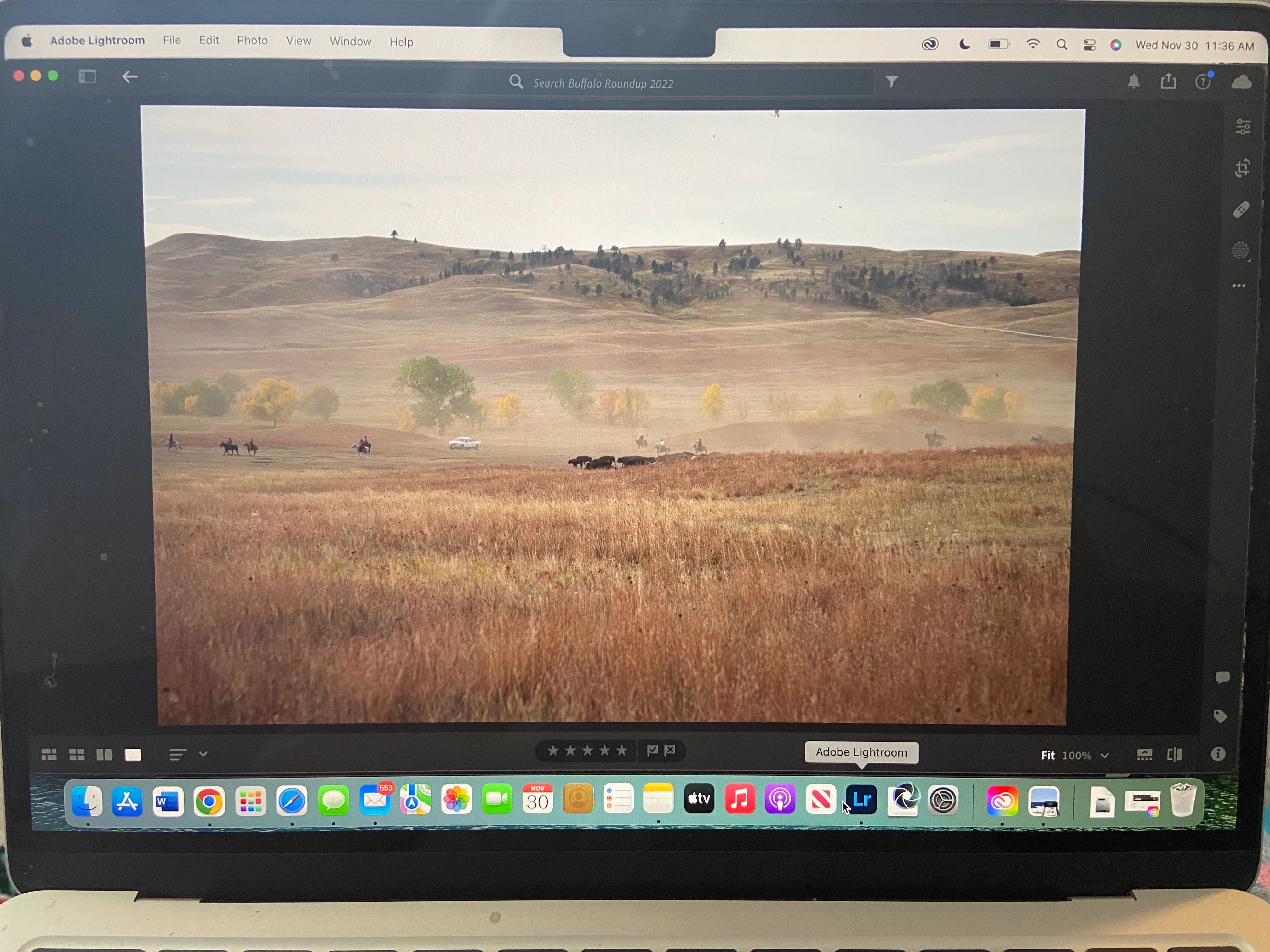
I just downloaded Lightroom onto my MacBook. I previously used an iMac for editing on Lightroom. I noticed I no longer have the library/develop/etc. bar (red circle) in Lightroom. I'm also missing the window on the left that showed my edits (yellow circle). Did I download the wrong Lightroom? Can someone help me figure out how to get these back? Here's pictures of what I'm missing, what mine looks like, and the version I have. Thanks for any help!


This topic has been closed for replies.

1 reply

Rikk Flohr_Photography
Community Manager
Community Manager
November 30, 2022

You have installed Lightroom Desktop (Version 6)  (Cloud-based image storage)
The screenshots you've posted are from Lightroom Classic (Currently version 12.0.1) (Locally-based image storage)

They are two different applications.  You may find the Classic program a better fit for your workflow - then again, perhaps Lightroom Desktop is better for your needs. https://helpx.adobe.com/lightroom-classic/kb/lightroom-feature-comparison.html 


Rikk Flohr: Adobe Photography Org
Participant
November 30, 2022

Thank you, that is really helpful. I have no idea which would work better for me. I chose cloud because I have a lot of photos and didn't want to store them all on my MacBook, or even if I could store them all on there? I also have an iPad that I might edit photos on too. Would I need the cloud version on both of the devices in order to edit interchangeably? Or can I have the CC version on my MacBook and cloud version on my iPad? Also, because I'm not the best with the tech side of photography, is there any advice you can give me about storing a lot of photos? I already pay for 2TB of photo storage every month through apple's iCloud and I don't understand how it differs from Adobe's cloud or if I even need them both? Thank you.