
Participant
May 12, 2025
Question

Workspace on Lightroom looks terrible but jpeg downloads are fine

  • May 12, 2025
  • 1 reply
  • 103 views

Help, my Lightroom CC workspace looks dull and washed out compared to my dowloaded jpeg.  It's not my monitor because everything else looks as it should, it's literally just the workspace in Lightroom and nothing I'm doing makes any difference. I've tried calibrating the monitor, checked my graphics drivers settings and no difference.  The image is of my photo with the edits in Lightroom (on the left) with the downloaded jpeg next to it (on the right)!  I'm really stuck as to why it's so dreadfully dull looking. I applied the most recent lightroom updates and am using windows 11 home (also updated).
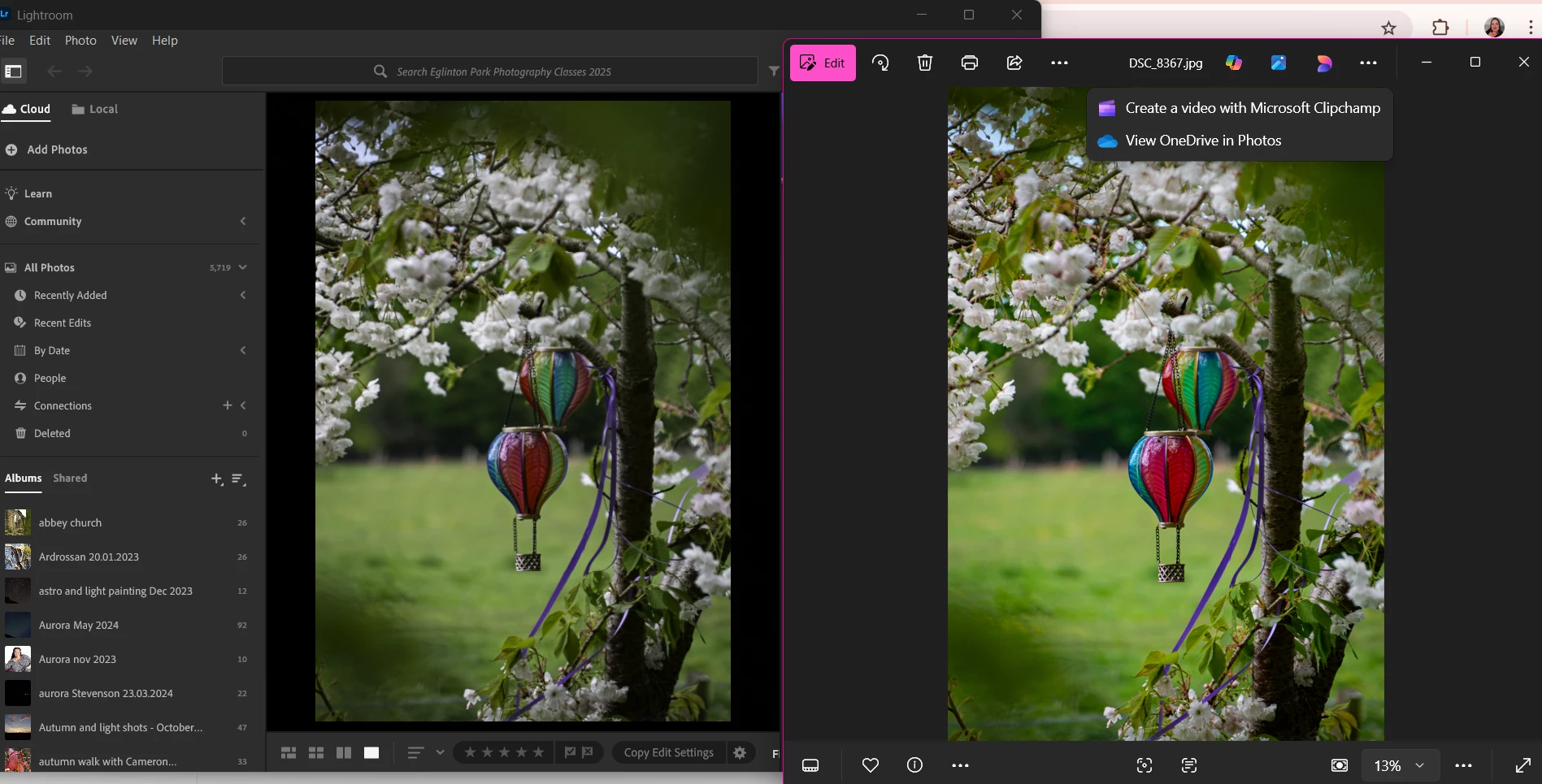
1 reply

Community Manager
May 22, 2025

Hi @Linda1983!! welcome to the community!

Just to make sure I understand correctly: is the photo on the right the original, unedited version, or is that how it looks after exporting from Lightroom? Also, if you don’t mind sharing, which version of Lightroom are you currently using?


It might sound a bit basic, but sometimes uninstalling and reinstalling the app can help clear up odd behavior. Another thing you could try is resetting Lightroom’s preferences — this brings the app back to its default state in case something got misconfigured. Just be sure to back up any settings you’d like to keep before doing that. Here's a guide that walks you through that.


Thanks so much, and let me know how it goes!
Alek

*(If you mention me with an @, like @Aleke, I’ll get a notification and can respond faster.)*