


Wrong location for Mobile Downloads and Library?
I am having trouble with Lightroom using too much space on my macs internal drive. I am using Lightroom and sometimes Lightroom Classic.
1) In order to prevent my internal drive to get too full 1) I (think I) set storing of originals to an external SSD in Lightroom:
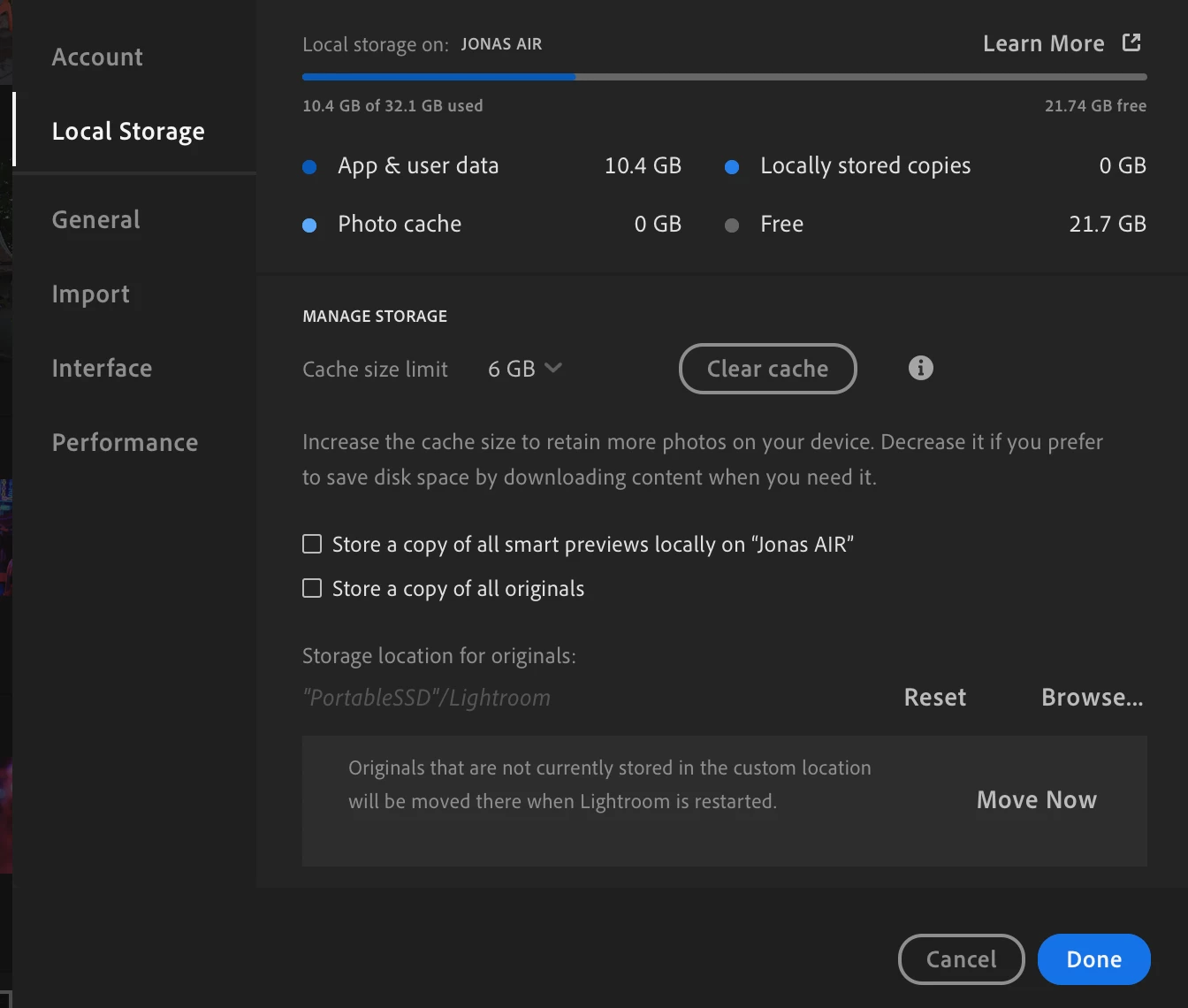
1.2) In Lightroom Classic I didn't find an option to change this (Picture 2).
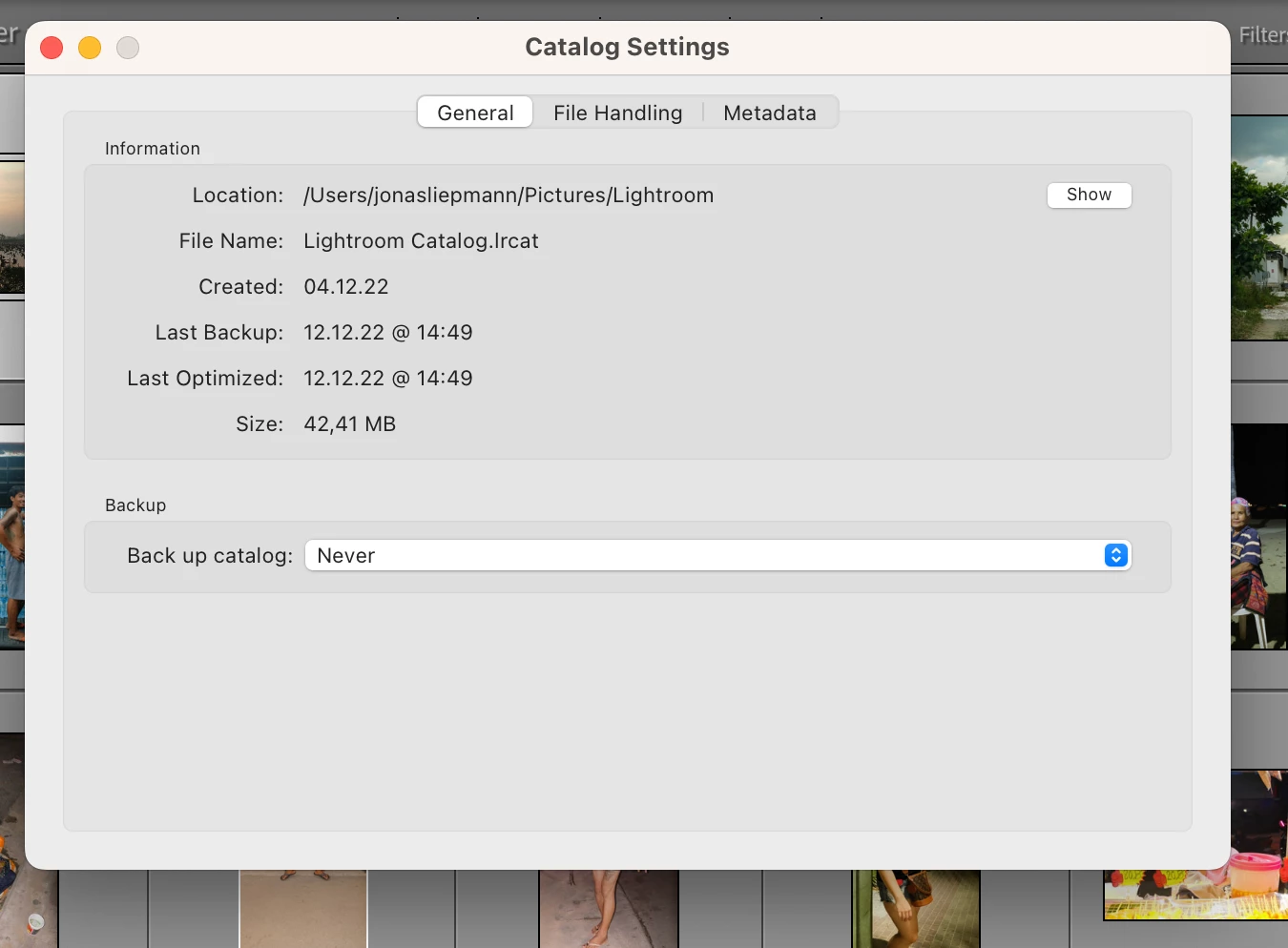
1.3) I am also syncing my Pictures with the Adobe cloud.
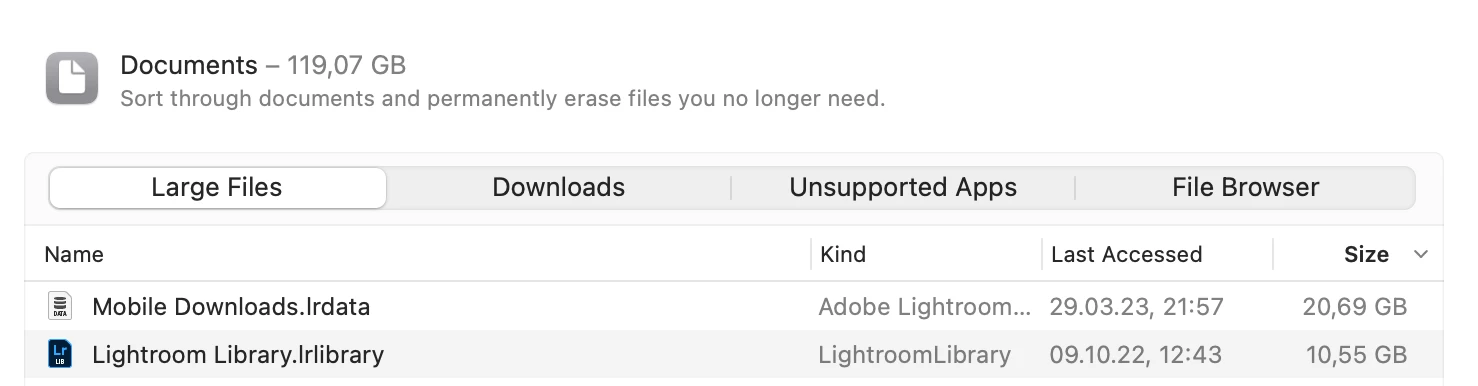
2) According to my Macs storage count "Mobile Downloads" is taking up >20 GB on my internal drive and "Lightroom Library" is taking up 10,55 GB. In the Macs Finder however these files are way smaller... (See following 3 screenshots).
"Mobile Downloads" is changed recently, while "Lightroom Library" was last modified in October


What to do, to make sure I a) don't loose any pictures b) can prevent my internal drive filling up?
Thanks in advance for help!
 AdChoices