Participant
March 15, 2025
Answered

All characters download as Male Bot

  • March 15, 2025
  • 1 reply
  • 478 views

Hello All,


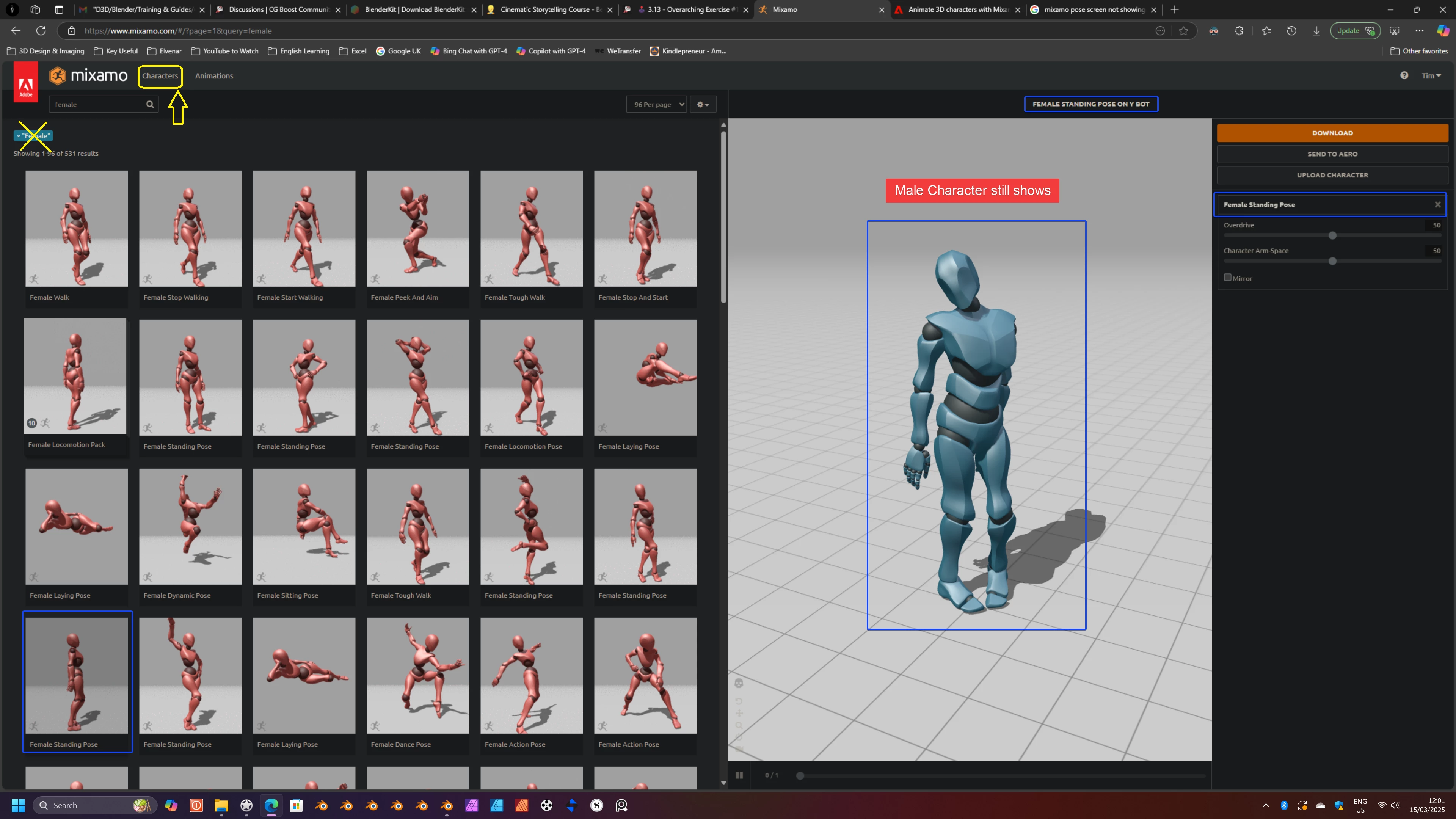
Irrespective of which character is selected, the pose window only shows the Male Bot and that is what's downloaded.

The pose is correct but the character isn't.

I've tried this from two different browsers (Firefox and Edge) but have the same issue.

I've included a screenshot showing one of the characters that I selected. As you can see, it states that it is a female character but onscreen and the download file fail to refresh to include those details.

I'm using the latest version of Windows 11 as are both browsers.

Correct answer Ussnorway7605025

the issue is you don't understand how to use the website

step 1 - select the 'characters' tab to show al the different options... what you have actually done is search the animations for the word female

look at the tital and it says Female [such and such] on Y bot... y bot is what that character is called

1 reply

Ussnorway7605025
Ussnorway7605025Correct answer
Legend
March 15, 2025

the issue is you don't understand how to use the website

step 1 - select the 'characters' tab to show al the different options... what you have actually done is search the animations for the word female

look at the tital and it says Female [such and such] on Y bot... y bot is what that character is called

Participant
March 15, 2025

Thanks for the response, Ussnorway. I am now aware I should have selected Character to choose the character type and then selected Animation to apply the relevant Animation to that Character.

Appreciate the response.