


Inspiring
June 6, 2023
Answered

Issue Rigging Character

  • June 6, 2023
  • 2 replies
  • 488 views

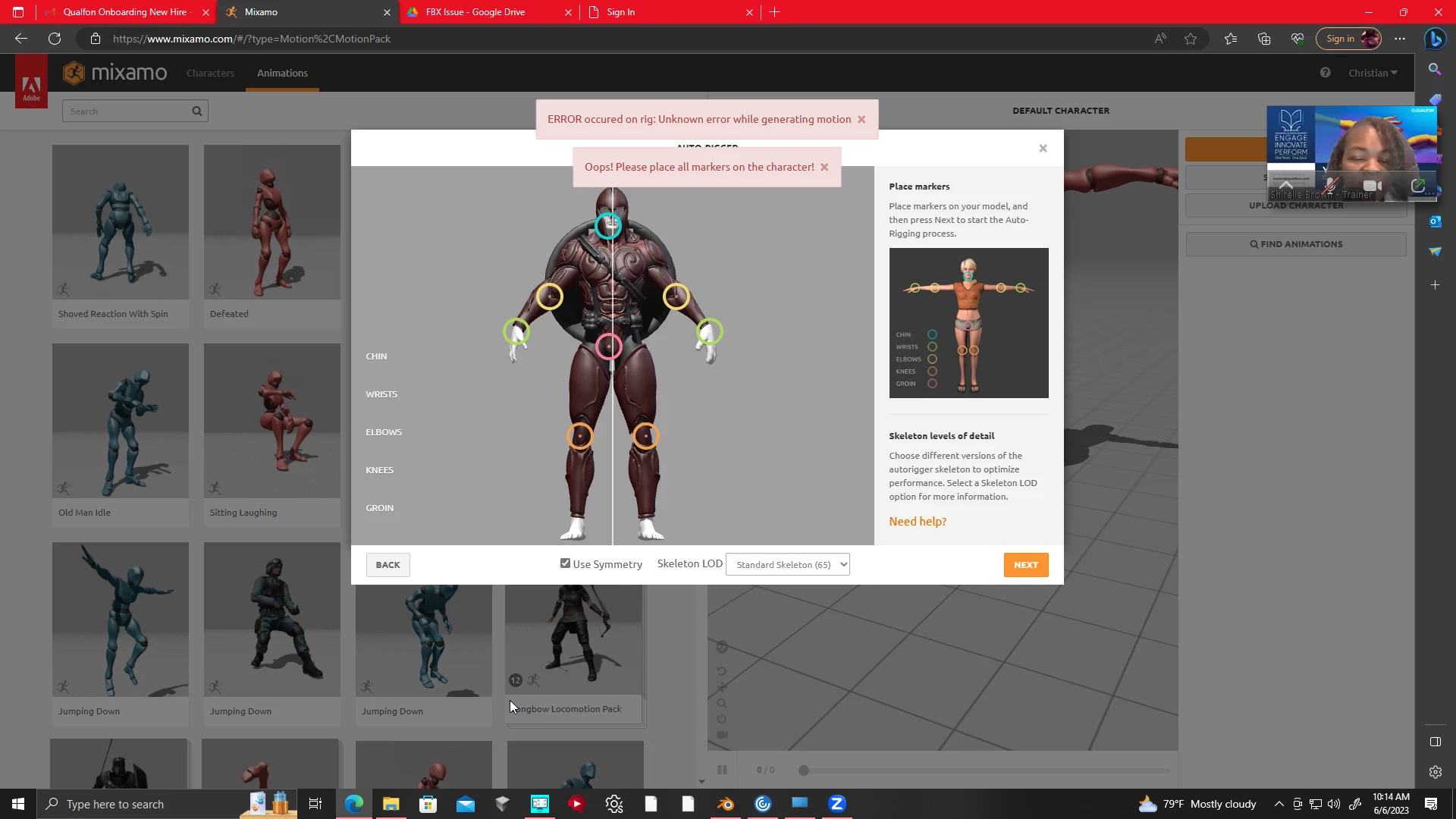
Everytime I place the markers for my custom character, i get an error message saying that all markers need to be placed on the character. All markers are placed on the character. I have no clue what the issue might be. Here is the link for the fbx and blender file if you need it. https://drive.google.com/drive/folders/1U8JnDq8SiD5zHxpveNdCK2BCBfHylKZJ?usp=sharing
This topic has been closed for replies.
Correct answer Christian3032642563hw

Yes, thanks for attempting to help. I removed access because I was able to figure out what was wrong with it. It was because the character wasn't on the ground plane in blender. I appreciate you taking the time though.

2 replies

Ussnorway7605025
Legend
June 10, 2023

cool, gratz on getting it sorted and thanks for letting us know

Ussnorway7605025
Legend
June 9, 2023

Hi that file is not actually shared yet and i can't ask for access from my kind of account so all i have to go by is the screenshot... in which that shield on his back looks to be touching at least part of his arm

  • if it is touching then that will be the error and i'd remove the shield for rigging and put it back on after... the A pose will cause some weight map pulling of the hips so a T pose would be better but that can be fixed outside Mixamo

if the shield isn't touching then it must be something else and i'd need you to actually share the model for testing... anyway good luck mate

Christian3032642563hwAuthorCorrect answer
Inspiring
June 9, 2023

Yes, thanks for attempting to help. I removed access because I was able to figure out what was wrong with it. It was because the character wasn't on the ground plane in blender. I appreciate you taking the time though.