

Participating Frequently
January 16, 2024
Question

Issues Uploading a character to Mixamo

  • January 16, 2024
  • 5 replies
  • 1002 views

Hi,


Trying to upload a fbx character to Mixamo auto-rigging and having no success.

Please see pic of upload character window after upload. 

fbx file also attached.
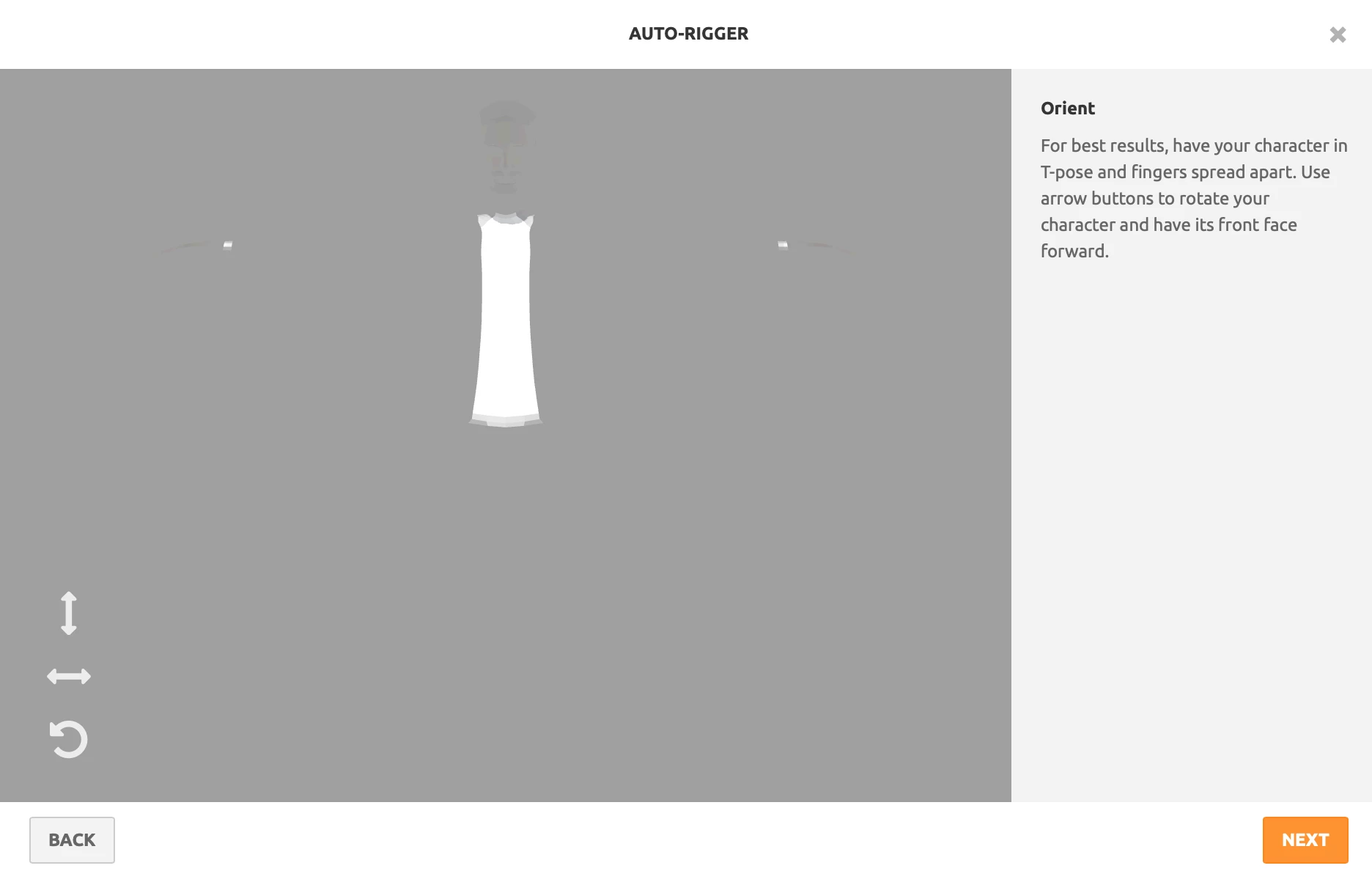
 

This topic has been closed for replies.

5 replies

Ussnorway7605025
Legend
January 20, 2024

there are many forums and youtube vids for unreal, unity and iclone but honestly years of experience is the best teacher keep making animation and it becomes second nature

Participating Frequently
January 20, 2024

Thank you - I have had some success since I lat posted. However I am coming up with a new problem - my mixamo rigged character come into Blender with two Head Top_End bones. Are you able to provide some ideas why this is happening. (Sorry to be such a bother....) Peter

Participating Frequently
January 20, 2024

Please disregard this last post. I foud my problem with the export. Thank you

Ussnorway7605025
Legend
January 18, 2024
quote

By @Peter34341050byzh

that model looks to have been remeshed

if you want to share the others i can try

Participating Frequently
January 20, 2024

Thank you for the offer. I have several characters that require some work. Is there a way that I can learn about these issues and how to go about fixing them?

Thank you.

Ussnorway7605025
Legend
January 17, 2024

p.s if these steps don't work then i see 2 possible causes;

1 you made a mistake in the steps or

2 the other models have some different issue

Participating Frequently
January 17, 2024

Thank you once again.

Clearly the other models appear to have some serious problems....

I appreciate your help though.

Ussnorway7605025
Legend
January 17, 2024

the white insert at the front of his shirt is the only part of your model made to standard Fbx which of course is why that part is the only bit to show up in Mixamo... If we assume these other models are also the same mistake then yes the same steps should fix them as well


step 1 open your man1.fbx in Blender... then export it as Man2.glb

step 2 open the man2.glb in Blender... it will look like the screenshot i posted, then export that as Man3.fbx [copy textures as part of the export]

man3.fbx should now upload correct to Mixamo

Ussnorway7605025
Legend
January 16, 2024

the reason it doesn't work is because its really a Glb file just pretending to be Fbx... convert the model to [one of the] standard Fbx types and it is fine

Participating Frequently
January 17, 2024

Thankyou for your help and repairing this character. Unfortunatly, I do have other characters with the same issue.

Are you able to explain how I can tell if a fbx file is realy a glb file and then (more importantly) how I can convert it to a real fbx file. Blender appears to export these files (when exporting as a fbx) as a glb for some reason?

Thank you.
