


Participating Frequently
August 7, 2021
Answered

Mixamo Auto-Rigger not usable anymore from touch devices / iPad

  • August 7, 2021
  • 5 replies
  • 3854 views

This is a regression as I think this has worked in the past.

The Auto-Rigger joint assignment doesn't react to any touch or pen input, making it impossible to upload and rough a character e.g from iPad or windows devices with touchscreen. Seems only mouse inputs are accepted.
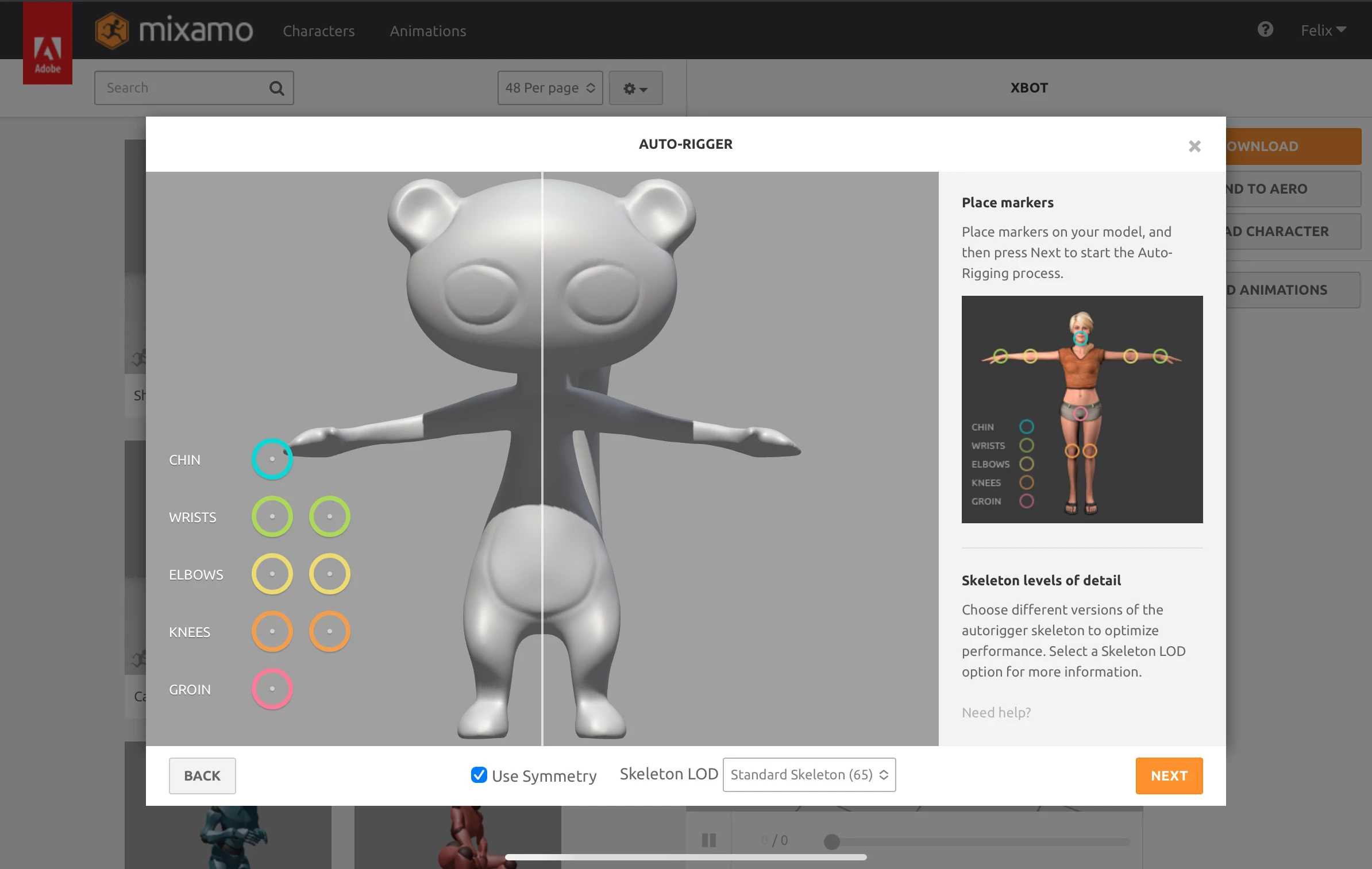

In this screen, no user input is accepted on the circles. Sometimes a hover effect appears.

Expected: can place those on iPad and continue with the process.


Tested with Android phone and iPad , Chrome and Safari

Correct answer Ussnorway7605025

the way a touch screen works is down to your system devices and drivers i.e, nothing to do with Adobe unless they load their own drivers like they do with Photoshop

5 replies

Participant
April 27, 2025

Why does it say this is solved? The problem still exists! I cant use it


Participant
July 9, 2025

They won't be Fixing it Anytime Soon 😞


Participant
January 2, 2025

Did anyone find a way to fix this??

Participant
July 19, 2025

Ig use a mouse lol no one here is helpful

Participant
January 3, 2022

Mine has now worked!! To control the points before I was using my Apple mouse. Previously I had bought a cheap Bluetooth mouse instead of carrying the Apple mouse around. It turns out that by using the right click I was then able to control the points and place them to get my model to become rigged!! I could've cried I have been stressed for weeks with this!! Hope this helps! 

Participant
March 23, 2023

This is not very clear. Can you elaborate and let us know what you did and if it's still working?

Ussnorway7605025
Legend
March 23, 2023

what he did was replace the busted hardware and as that was over a year ago we can assume the issue is fixed

Participant
January 2, 2022

My mouse now isn't working to drag the points to the body. The mouse moves around the screen normal speed, then when my model uploads it stops working. 

Participant
January 2, 2022

I am attempting to update my software on my iPad to see if that works

Ussnorway7605025
Ussnorway7605025Correct answer
Legend
August 7, 2021

the way a touch screen works is down to your system devices and drivers i.e, nothing to do with Adobe unless they load their own drivers like they do with Photoshop

Participant
October 27, 2021

Not true, it's not working. 


I am on my ipad pro 12.9 inch tablet, on safari browser.

Envato elements 3D, sketchfab, 3D Warehouse and many other 3D browser controls work just fine. 


Mixamo is the only one not working - this is adobe not my ipad pro. 

Participant
January 3, 2022

Mine has now worked!! To control the points before I was using my Apple mouse. Previously I had bought a cheap Bluetooth mouse instead of carrying the Apple mouse around. It turns out that by using the right click I was then able to control the points and place them to get my model to become rigged!! I could've cried I have been stressed for weeks with this!! Hope this helps!