Participant
January 13, 2021
Question

MIXAMO Characters have different orientation matrixes

  • January 13, 2021
  • 2 replies
  • 572 views

Dear all,

I have downloaded various characters (in DAE format), and uploaded them in Xcode Scene Editor.

There I noticed that the same nodes (e.g. mixamorig_Spine.Spine1.Spine2.RightShoulder.RightArm) have different orientation matrices.
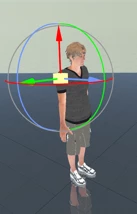
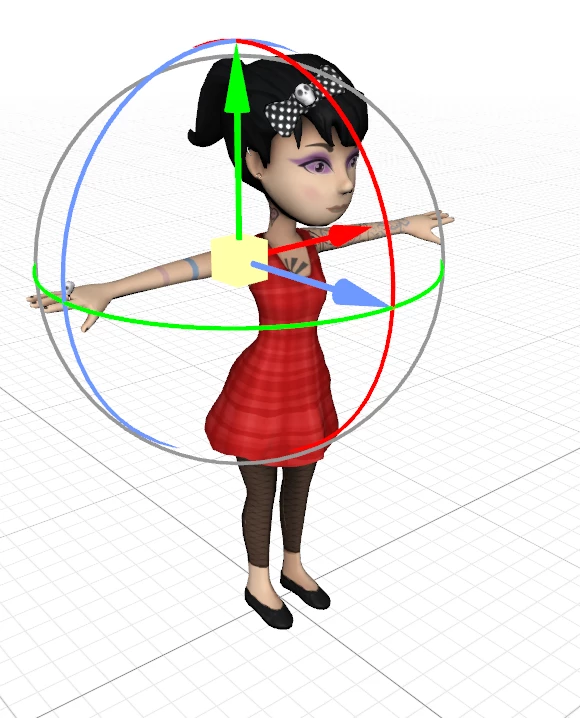


I checked the source code of the DAE files and indeed that is the case.

Hereafter the matrix of the mixamorig_Spine.Spine1.Spine2.RightShoulder.RightArm from different models:

"remy"

<matrix>

0.1834024  -0.9826105    0.02854819 -26.33229

0.9736248  0.185579        0.1326078        0.6125793

-0.1356041 0.003474758 0.9907227 -5.423017

0                  0                    0                  1

</matrix>


"Ch03"

<matrix>
0.9999421         0.001320216     0.001632611    0

0.0008238596   0.4684616        -0.8834209        7.189678

-0.001931228    0.8834205        0.4684594         0

0                         0                       0                        1

</matrix>


This makes automatic replacement of models practically impossible and it is a shame since in my app I have movements defined as specific rotations of specific nodes in specific directions, and that of course can only work if the orientation matrices use the same orientation.


Can please anyone advice on how to proceed so that all models are aligned in the same way as for "remy" ?

Looking forward your advice.


This topic has been closed for replies.

2 replies

Ussnorway7605025
Legend
January 15, 2021

let me rephrase, Mixamo remembers the pose models are uploaded in... even if you didn't do it, someone else did and they didn't use the same pose each time

Participant
January 21, 2021

Thankyou, i only downloaded the T-Pose .

The T-Pose are not aligned in the same way unfortunately, and this makes replacing one model with another practicall impossible, that is a pitty.

I have not yet tried out the "remove bones" and upload again, will try that out and hopefully the mixamo newly generated models will have the same alignment.

Ussnorway7605025
Legend
January 13, 2021

original pose is whatever you uploaded it to Mixamo as with A pose being the most common but T pose being correct for the work flow you need.


how to fix this? = remove the bones and reupload the models in the same pose you need as a baseline i.e, all in T pose or whatever it is you think works best

LucaToldoAuthor
Participant
January 14, 2021

Thankyou, but I have not uploaded those models in Mixamo. I am only downloading them, in T-pose.