Participant
Jun 11, 2023 9:17 AM UTC
Answered

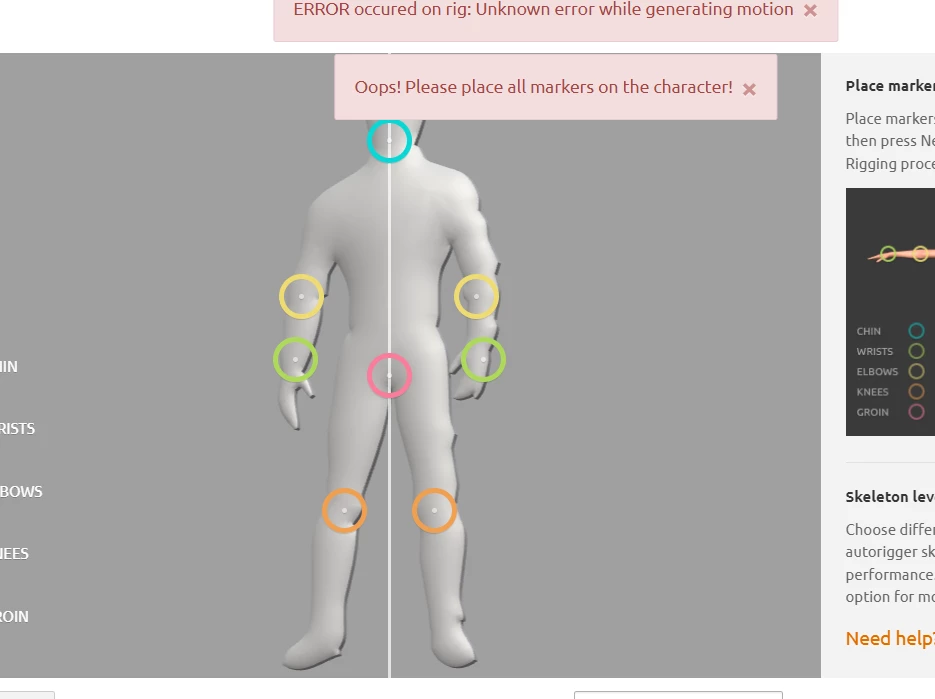
Mixamo error: place all markers on the character

Hi guys I am a complete newbie. Please, help me with this. I had a picture, then slightly inflated it in photoshop and saved it as an obj. After that i tried to animate my character using mixamo, however it gives me this issue all the time.
 

This topic is closed to new replies. Start a new post to keep the conversation going.
Ussnorway7605025
Ussnorway7605025Correct answer
Legend
Jun 13, 2023 2:05 PM UTC

the first model has bits floating in space and the 2nd just isn't going to work

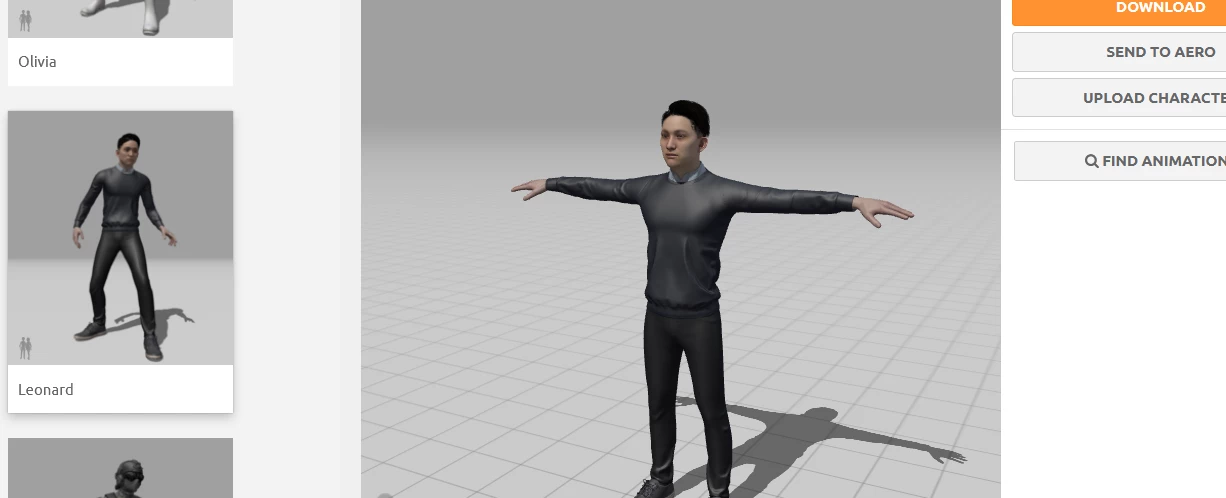
imo you would be better off starting from a well made model like say Leonard because that already has a Mixamo rig and will be free

download the T pose, take that into Photoshop, Dimension, Blender or whatever and make edits to the textures i.e, blone hair, a yellow top and the star trek logo

6 replies

Ussnorway7605025
Legend
Jun 17, 2023 5:49 AM UTC

Mixamo allows one texure per area so if you bake it that way then yes Mixamo will show it + you can always just add the textures after downloaing all the animations you need , the important work flow part is that all animations use the same base model

Translate
Ussnorway7605025
Ussnorway7605025Correct answer
Legend
Jun 13, 2023 2:05 PM UTC

the first model has bits floating in space and the 2nd just isn't going to work

imo you would be better off starting from a well made model like say Leonard because that already has a Mixamo rig and will be free

download the T pose, take that into Photoshop, Dimension, Blender or whatever and make edits to the textures i.e, blone hair, a yellow top and the star trek logo

Translate
AusarVAuthor
Participant
Jun 13, 2023 2:17 PM UTC

After texturing can I get animated pose in mixamo? Or it will make it animated but output will be greyscale?

Translate
Ussnorway7605025
Legend
Jun 11, 2023 11:58 PM UTC

1 your model is an extrusion

2 its off center

3 the chin and left wrist markers are way off

& i can't see your settings but willing to bet you have it set to default 5 didgets hands which wont work on that model


if you have Adobe Dimension working then you could take it into that software to rendor a Uv map but without sharing I can't help more

Translate
AusarVAuthor
Participant
Jun 12, 2023 5:05 AM UTC

So far I have come up with these figures. I will attach them. I want to get Captain Kirk sitting pose but mixamo removes texture and generates grey figure. I am struggling the last 3 days with this.


Translate