


ryanp59275728
Participant
October 19, 2022
Question

Mixamo rig has no head control in Cinema 4D (some joints not aligning with mesh either)

  • October 19, 2022
  • 3 replies
  • 345 views

Hi all,


I've gone through the process of rigging a character in Cinema4D with Mixamo, but my character doesn't appear to have a head control and some of the joints don't align properly with the mesh... Any advice? Pictures attached -
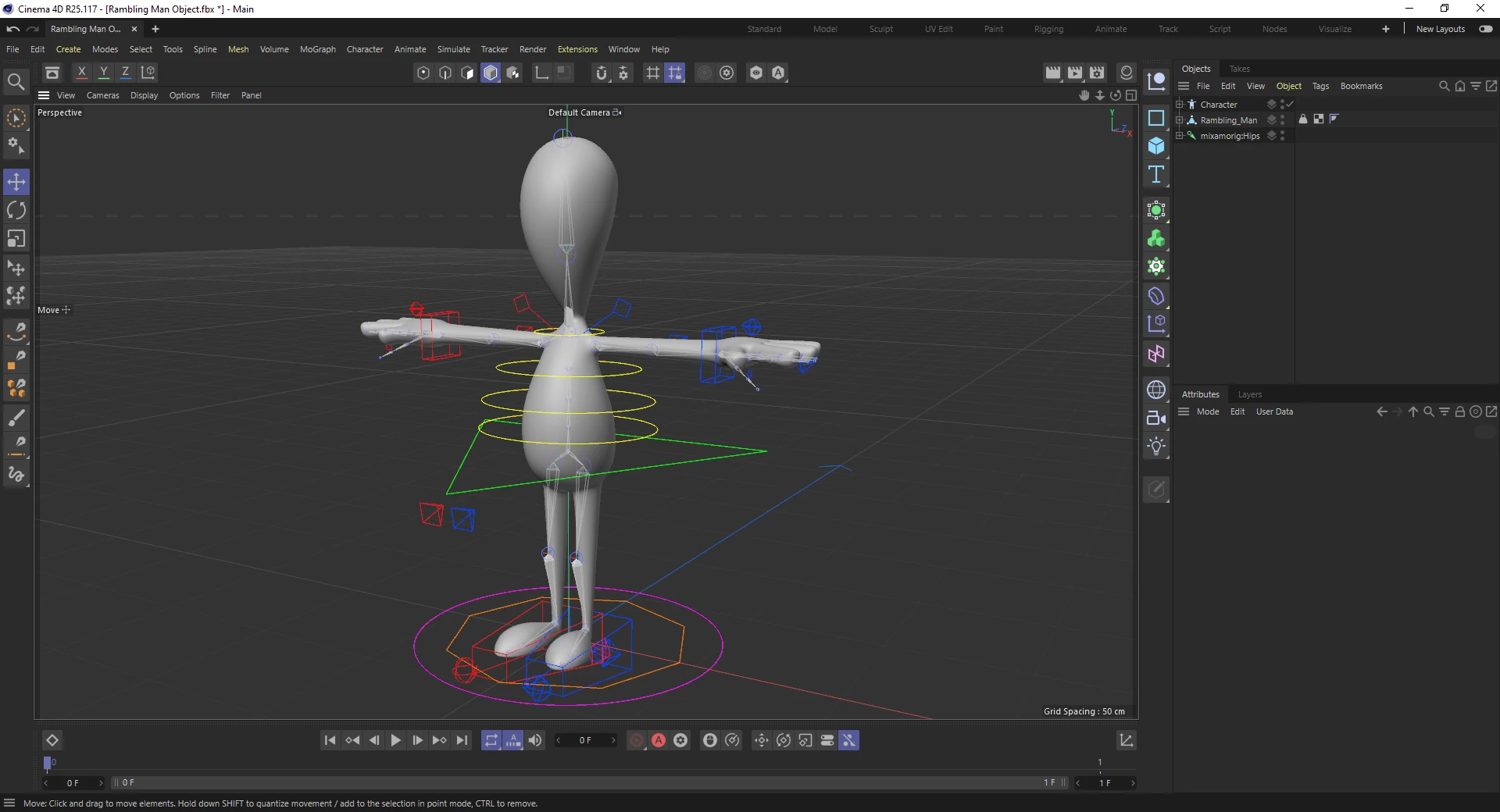
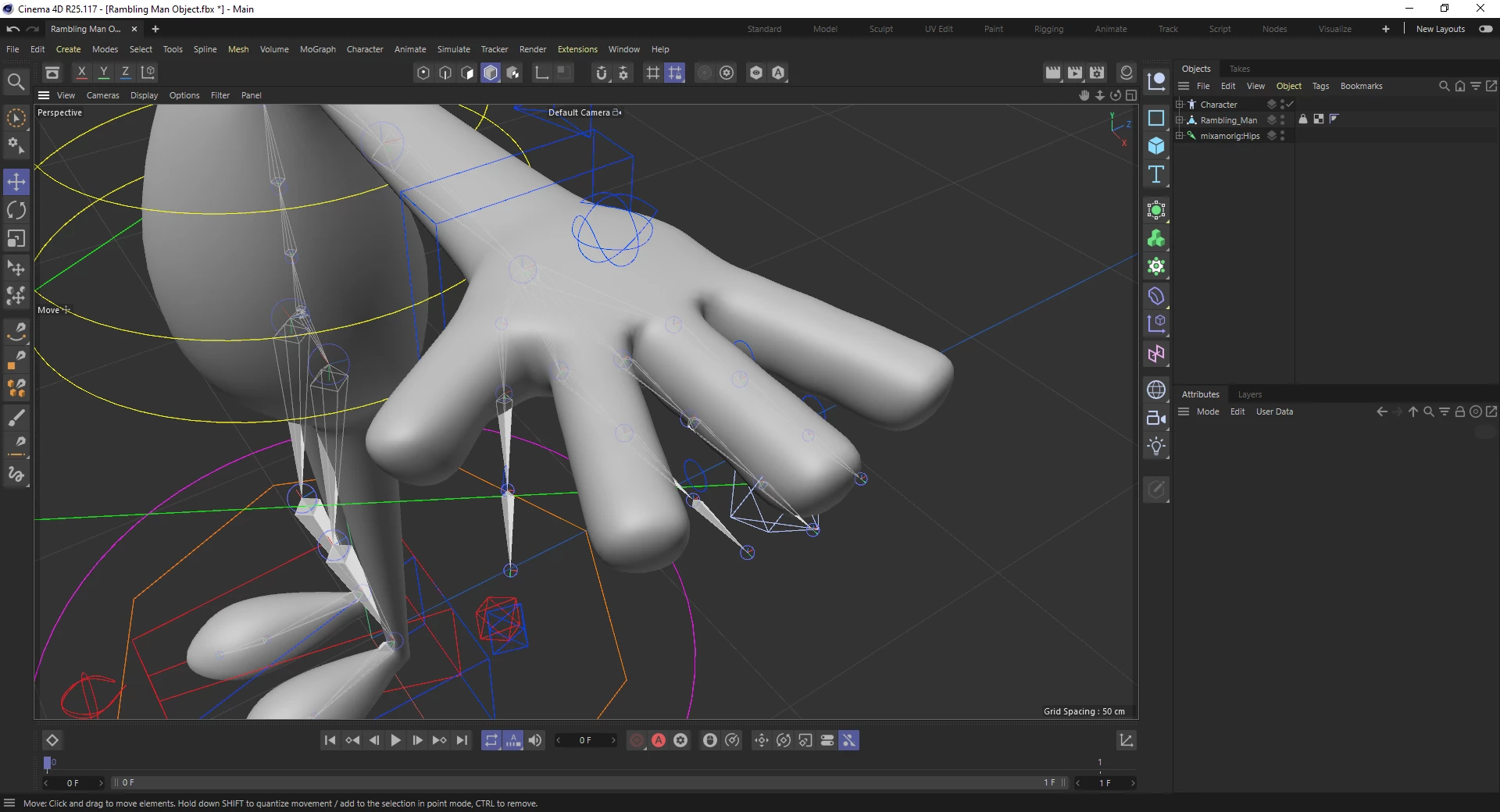
 

All the best,


Ryan

This topic has been closed for replies.

3 replies

Ussnorway7605025
Legend
October 20, 2022

thanks for the model;

i tested 3 digit rig, that bends the knees a bit and slaves the middle finger to the forefinger]... causes issues if you try to run animations which close the hand like punching

the rig i get back is correct in Blender using the offical Mixamo tool you download from the site... i conclude the lack of a head must be at C4D end

ryanp59275728
Participant
October 21, 2022

Ah thanks for looking into this for me Ussnorway, really appreciate it 😉

I noticed in the end that the head control was hidden inside the mesh at my end - doh! My apologies, I'm pretty new to this... I had the same issue in Cinema regarding the knee bend, not sure why that happens (it's a pretty simple character, not sure why Mixamo/Cinema has such trouble rigging it). Whether I go for a 3 digit or full rig, it still generates a fourth finger and the binding on the tip of the fingers isn't aligned with the joints, so they won't bend properly (images attached).

Really at a loss with it! Probably should have started learning Blender instead haha!


Thanks again for taking the time to look at it for me mate, really very kind of you.


All the best,


Ryan

Ussnorway7605025
Legend
October 20, 2022
quote

'Sorry, unable to map your existing skeleton'

By @ryanp59275728


the error message means Mixamo detects something it assumes is a bone, so you didn't remove all the bones or C4D is adding something bone like to the model


3 digit hand is what i'd use for that model but claw will also work... can you share the model? [Fbx or Obj are best]

ryanp59275728
Participant
October 20, 2022
I went through the Mixamo process from scratch before receiving this, selected 3 digit and after generating the rig in Cinema it still had 4 fingers. By default, the bones aren't aligned with the character either, I tried disabling the skin, repositioning them and resetting the bind pose which seemed to do the trick, but lost all the weight painting as a result. If you could take a look I'd really appreciate it! Would love to know where I'm going wrong... OBJ attached 🙂
 
Thanks Ussnorway!
ryanp59275728
Participant
October 20, 2022

Won't let me send an attachment here for some reason, I've uploaded it to WeTranfer instead, here's a link -


https://we.tl/t-LZJZmqV3jW 

Ussnorway7605025
Legend
October 19, 2022

drop the bones and resend it back to Mixamo... also you don't have a hand with 5 digits so pick the correct set

ryanp59275728
Participant
October 19, 2022

Thanks Ussnorway. I removed the bones and sent it back, but I get an error saying 'Sorry, unable to map your existing skeleton'. I looked into the hand, I have bones for 3 fingers and 1 thumb in the rig currently with no 5th digit from what I can tell (forgive me if I'm wrong, I'm pretty new to this). I clicked 'standard skeleton' in mixamo, but it appears if I click '3 chain fingers' or '2 chain fingers' I won't have bones for the middle finger? You got any idea why the head control isn't generating in Cinema? I actually downloaded one of Mixamo's characters and ran a test on this, it didn't appear then either (on versions R25 or R21). Cheers for getting back to me mate!