


Participant
November 7, 2022
Question

"Sorry, unable to map your existing skeleton" on a model after Blender export as FBX

  • November 7, 2022
  • 1 reply
  • 400 views

I have this FBX model:

https://sketchfab.com/3d-models/rigged-t-pose-human-male-w-50-face-blendshapes-cc7e4596bcd145208a6992c757854c07

When I upload this into Mixamo, it works out of the box. 


But when I import the fbx into Blender and (do some changes, or even not) and export it as FBX and try to upload on Mixamo, I get that error. 


Maybe I am doing something wrong on the export from Blender - since it is the same model and structure and polygons it should work.
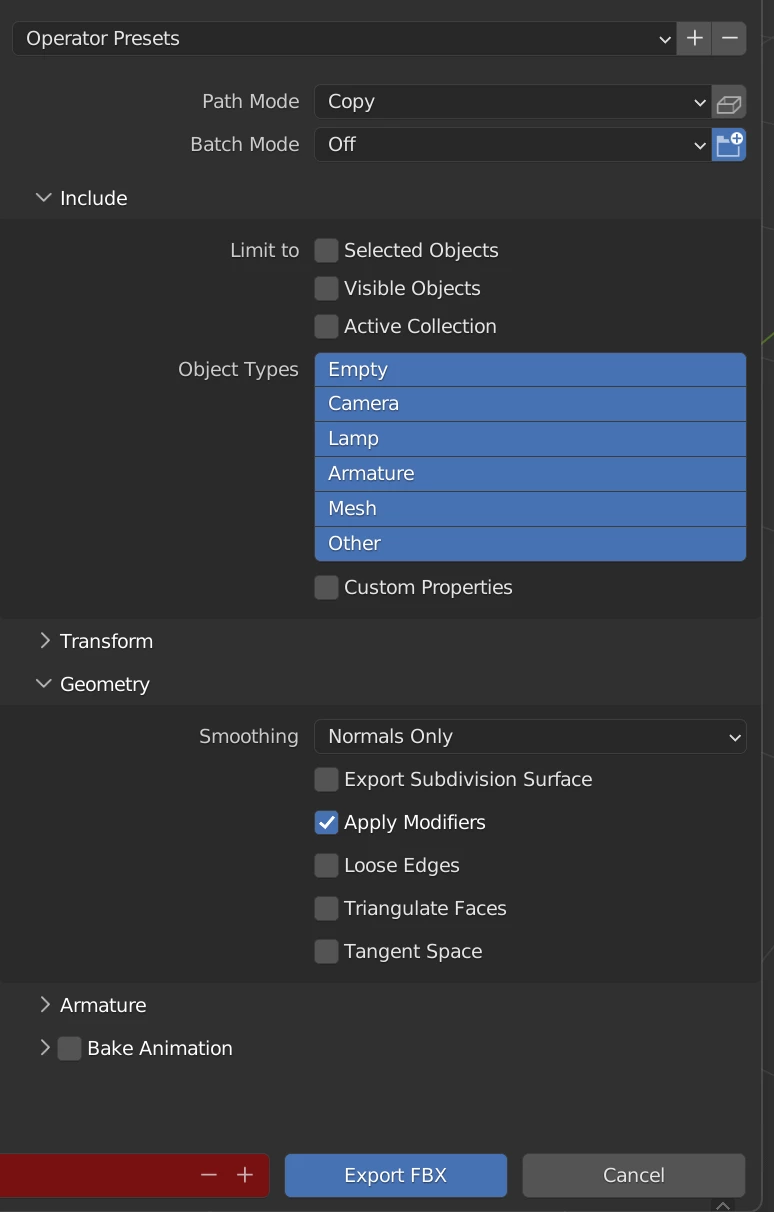
I saw I am not the only one here, but I checked some stuff like not using metal in shaders.. 

what could it be? can someone try it "quickly" (I really appreciate it! <3)


This topic has been closed for replies.

1 reply

Ussnorway7605025
Legend
November 8, 2022
quote

I have this FBX model:

https://sketchfab.com/3d-models/rigged-t-pose-human-male-w-50-face-blendshapes-cc7e4596bcd145208a6992c757854c07

When I upload this into Mixamo, it works out of the box. 

By @HideThePain

it doesn't work out of the box at my end... the bones are wrong in the Fbx model because its not really an Fbx, which will be why its breaking in Blender because that converts it


i don't know what you are trying to change so can't help there but I would start my workflow with the Glb file because thats really what the model is

p.s, 30mb is also getting to the upper limits of file size for Mixamo so watch that